

Intro
What is Infrastructure as Code?
Section titled “What is Infrastructure as Code?”Provisioning your infrastructure through code instead of manual processes.
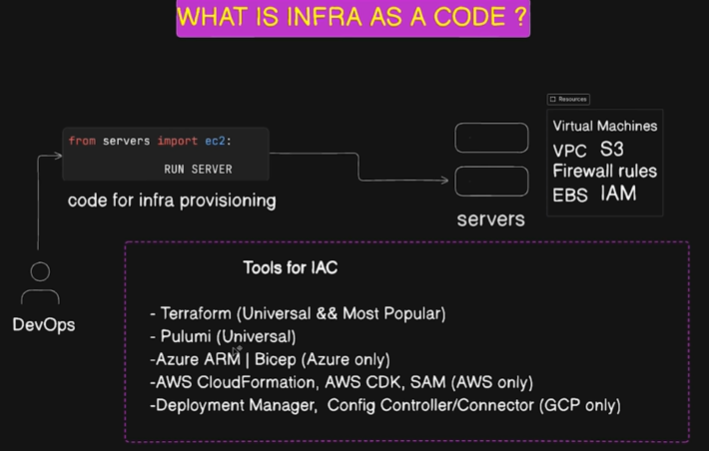
Why Infrastructure as Code?
Section titled “Why Infrastructure as Code?”- Consistency: Identical environments across dev, staging, and production
- Time Efficiency: Automated provisioning saves hours of manual work
- Cost Management: Easy to track costs and automate cleanup
- Scalability: Deploy to hundreds of servers with same effort as one
- Version Control: Track changes in Git
- Reduced Human Error: Eliminate manual configuration mistakes
- Collaboration: Team can work together on infrastructure
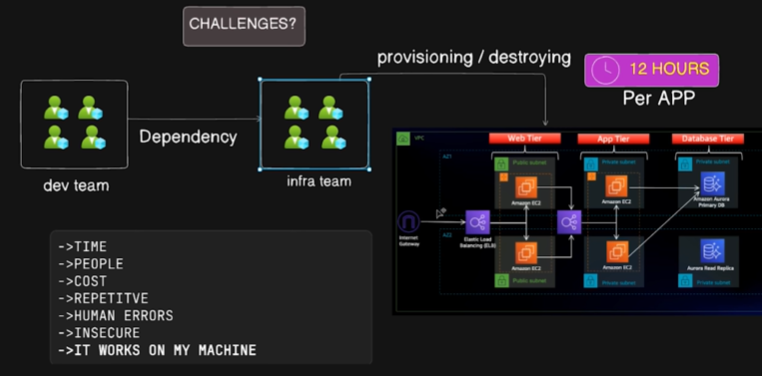
Benefits of IaC
Section titled “Benefits of IaC”- Consistent environment deployment
- Easy to track and manage costs
- Write once, deploy many (single codebase)
- Time-saving automation
- Reduced human error
- Cost optimization through automation
- Version control for infrastructure changes
- Automated cleanup and scheduled destruction
- Developer focus on application development
- Easy creation of identical production environments for troubleshooting
What is Terraform?
Section titled “What is Terraform?”Infrastructure as Code tool that helps automate infrastructure provisioning and management across multiple cloud providers.
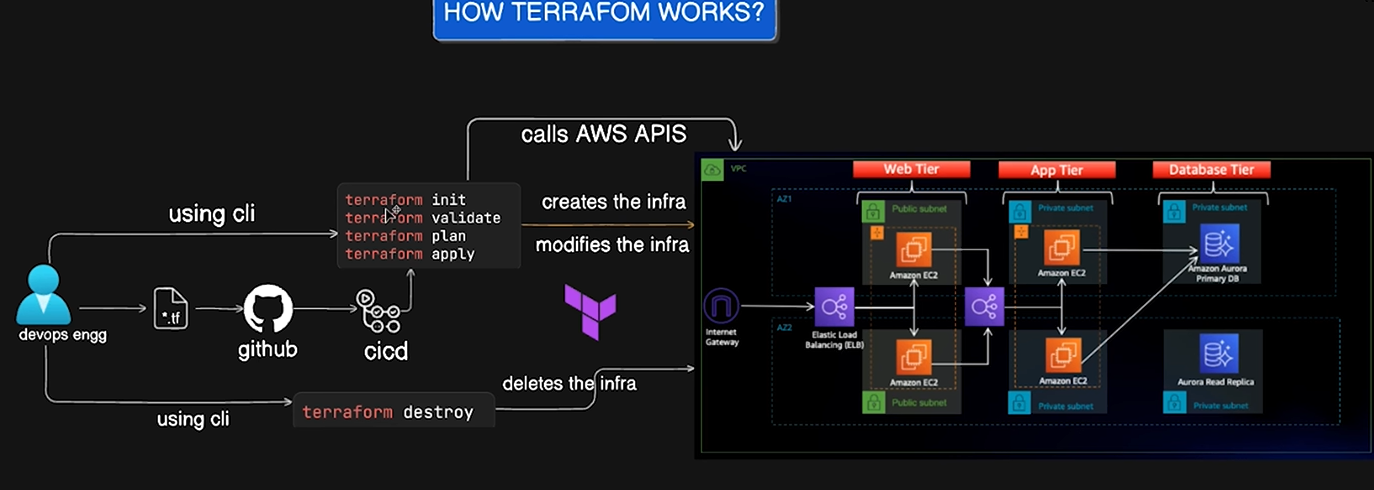
How Terraform Works
Section titled “How Terraform Works”Write Terraform files → Run Terraform commands → Call AWS APIs through Terraform Provider
Terraform Workflow Phases:
terraform init- Initialize the working directoryterraform validate- Validate the configuration filesterraform plan- Create an execution planterraform apply- Apply the changes to reach desired stateterraform destroy- Destroy the infrastructure when needed
Tasks for Practice
Section titled “Tasks for Practice”Install Terraform
Section titled “Install Terraform”Follow the installation guide: https://developer.hashicorp.com/terraform/install
or
Common Installation Commands
Section titled “Common Installation Commands”# For macOSbrew install hashicorp/tap/terraform
# For Ubuntu/Debianwget -O- <https://apt.releases.hashicorp.com/gpg> | sudo gpg --dearmor -o /usr/share/keyrings/hashicorp-archive-keyring.gpgecho "deb [signed-by=/usr/share/keyrings/hashicorp-archive-keyring.gpg] <https://apt.releases.hashicorp.com> $(lsb_release -cs) main" | sudo tee /etc/apt/sources.list.d/hashicorp.listsudo apt update && sudo apt install terraformSetup Commands
Section titled “Setup Commands”terraform -install-autocompletealias tf=terraformterraform -versionCommon Installation Error (macOS)
Section titled “Common Installation Error (macOS)”If you encounter:
Error: No developer tools installed.Install Command Line Tools:
xcode-select --install