

Users & Groups
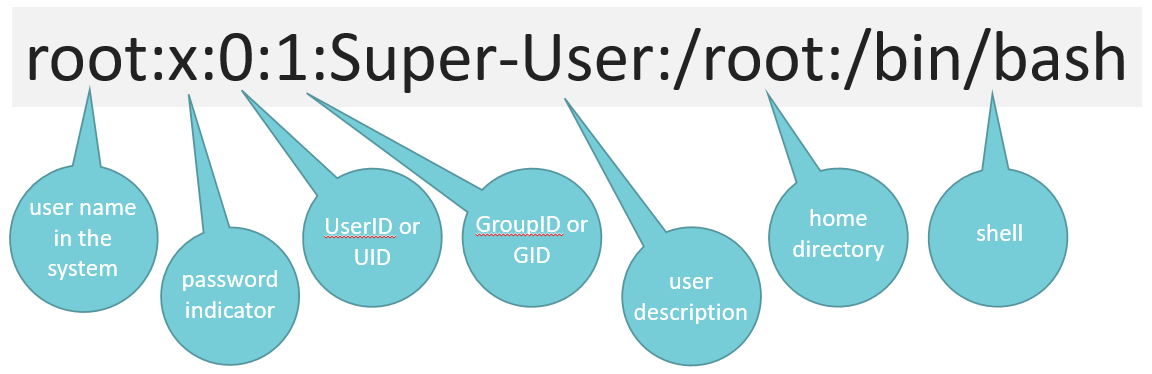
Each user in UNIX has the following parameters:
- User name
- Encrypted password (or ‘x’ if hash is stored)
- User Identifier (UID)
- Group Identifier (GID)
- Full name or description
- User’s home directory
- User’s shell
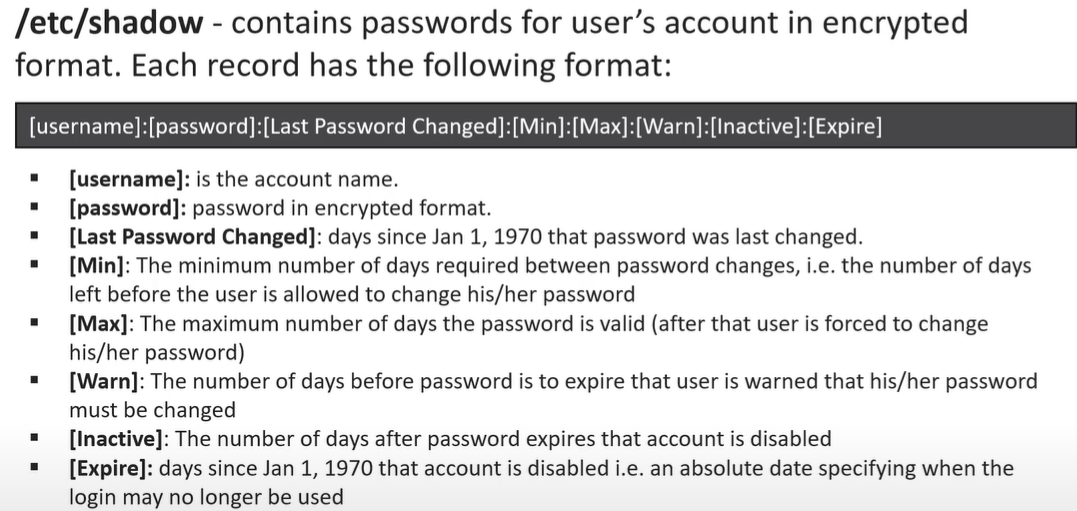
- Expiration date
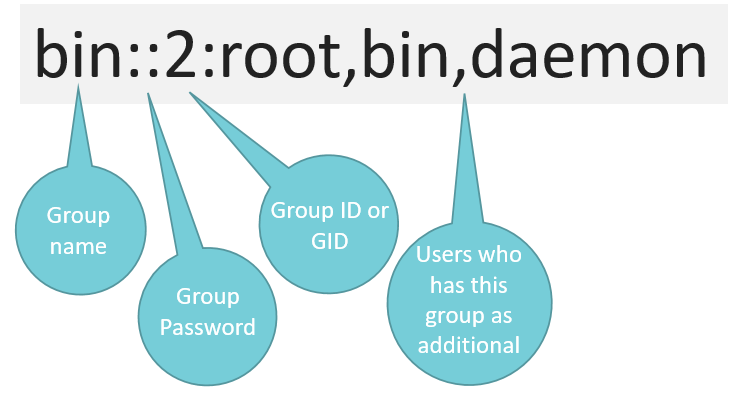
Each group in UNIX has the following parameters:
- Group name
- Encrypted password (or ‘x’ if hash is stored)
- Group Identifier (GID)
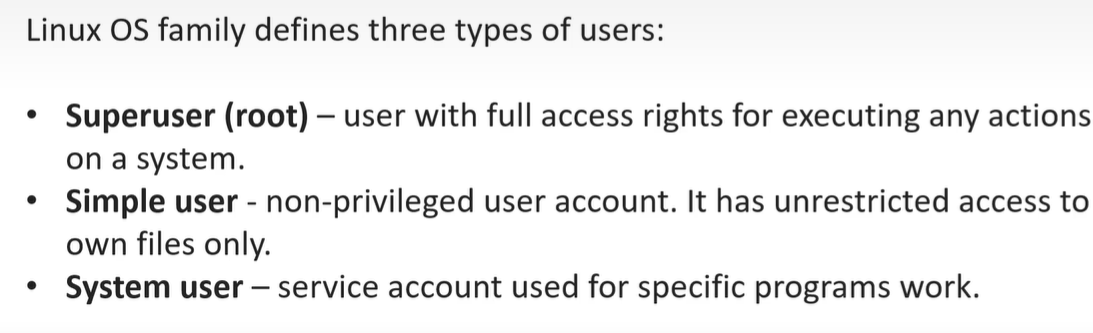
root is super user. It has unlimited rights in the system.
Do not use without necessity!
User:
susudouseradduserdelusermodpasswdfinger
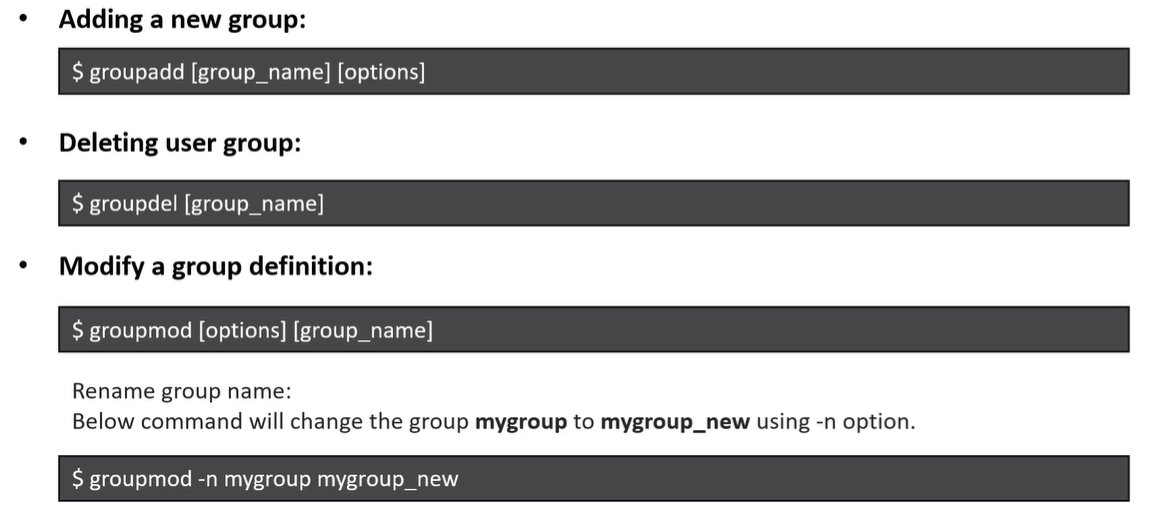
Groups:
groupaddgroupdelgroupmodgroups
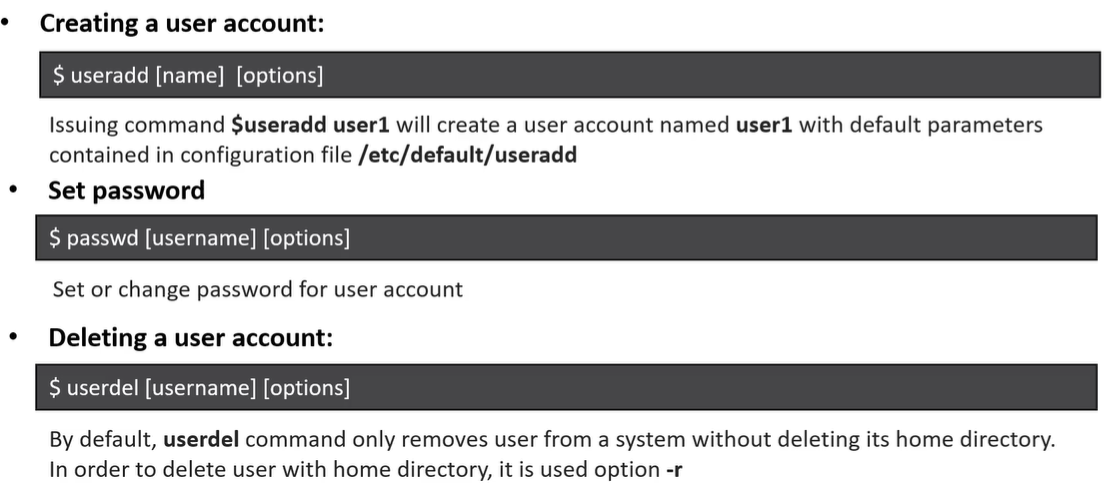
-
to create a new user -
useradd <name>- NOTE: this just creates a user, no home directory and other stuff like shell etc..
- to create a complete user run
adduser <username>- Then whats the use of useradd?
- it is used heavily in scripting where we dont want to give inputs to adduser but do everything from script
- Then whats the use of useradd?
-
to set password to created user -
passwd <user_name> -
to switch to that user
su - <user>orsu <user>su -- switch to root by default
-
check all users in
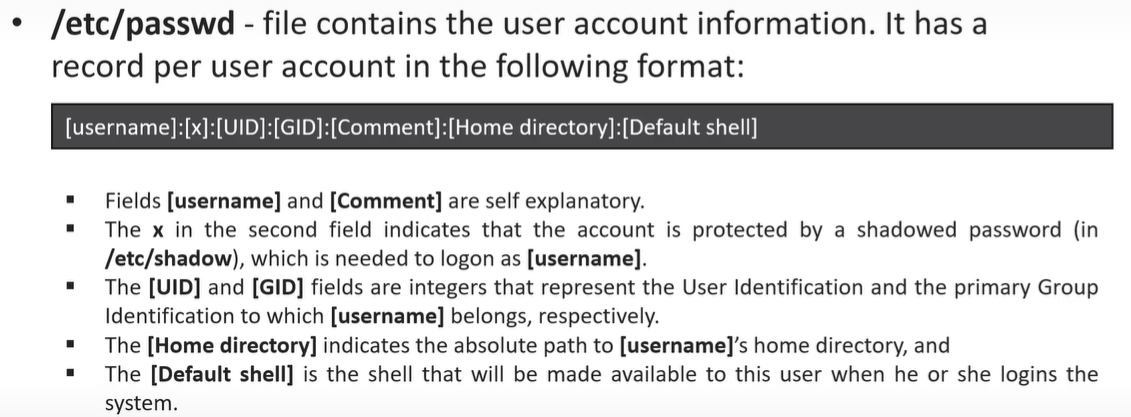
/etc/passwd -
to check all passwords
/etc/shadow -
to delete user
userdel <user_name>- this won’t delete home dir… to delete user along with home dir use
-rlike..userdel -r username
- this won’t delete home dir… to delete user along with home dir use
Key files involved in user management:
/etc/passwd– Stores user account details./etc/shadow– Stores encrypted user passwords./etc/group– Stores group information./etc/gshadow– Stores secure group details
useradd -u <CUSTOM_USER_ID> -G <GROUP> -d <HOME_DIR> -m -c "<COMMENT>" -s /usr/bin/bash <USER_NAME>Modifying Users
Modify an existing user with usermod:
-
add to a group
usermod -aG <GROUP> <USER>
-
Change the username:
usermod -l new_username old_username -
Change the default shell:
usermod -s /bin/zsh username
Groups
Section titled “Groups”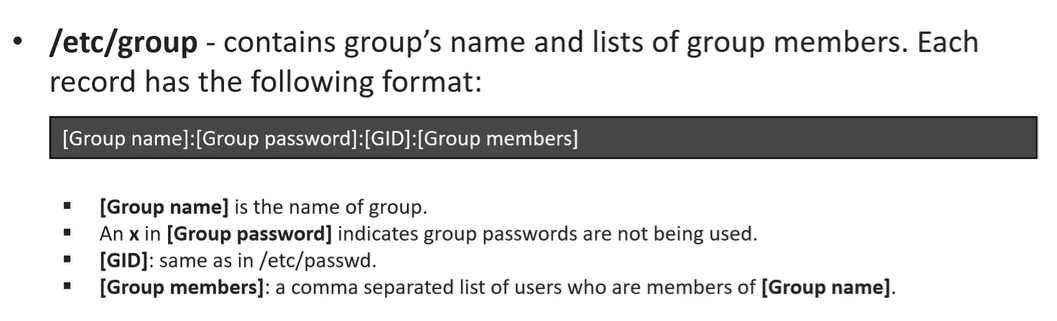
Creating Groups
groupadd groupnameAdding Users to Groups
usermod -aG groupname usernameNOTE: usermod -G group username here user is removed from his previous group and added to current group, bcoz no a flag in command
Adding a User to Sudo Group
On Debian-based systems:
usermod -aG sudo usernameOn RHEL-based systems:
usermod -aG wheel usernameViewing Group Memberships
groups usernameChanging Primary Group
usermod -g new_primary_group usernamewhat is su - username ?
- if we run
suwith-then , .bashrc_profile file will be executed after login, without-i.esu usernameit is not loaded…