Commands
1. Anatomy: Verb-Noun
Section titled “1. Anatomy: Verb-Noun”- Command: The action (e.g.,
Get-Service). - Parameter: Starts with a hyphen (
Name). - Switch: A parameter without a value; it’s just “On” or “Off.”
2. Discovery Tools
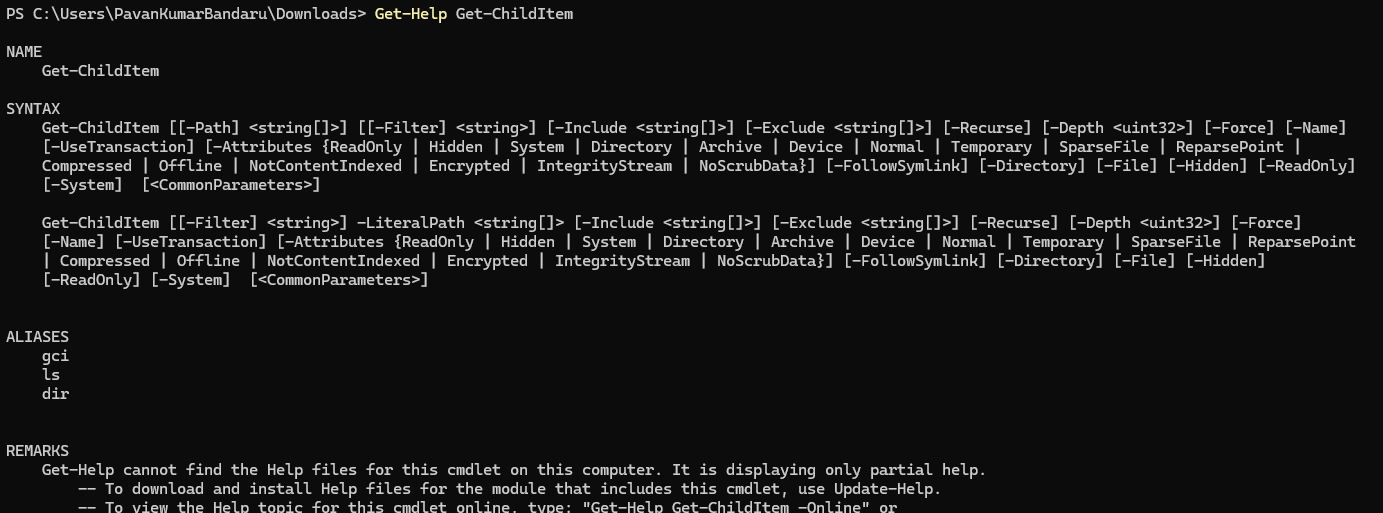
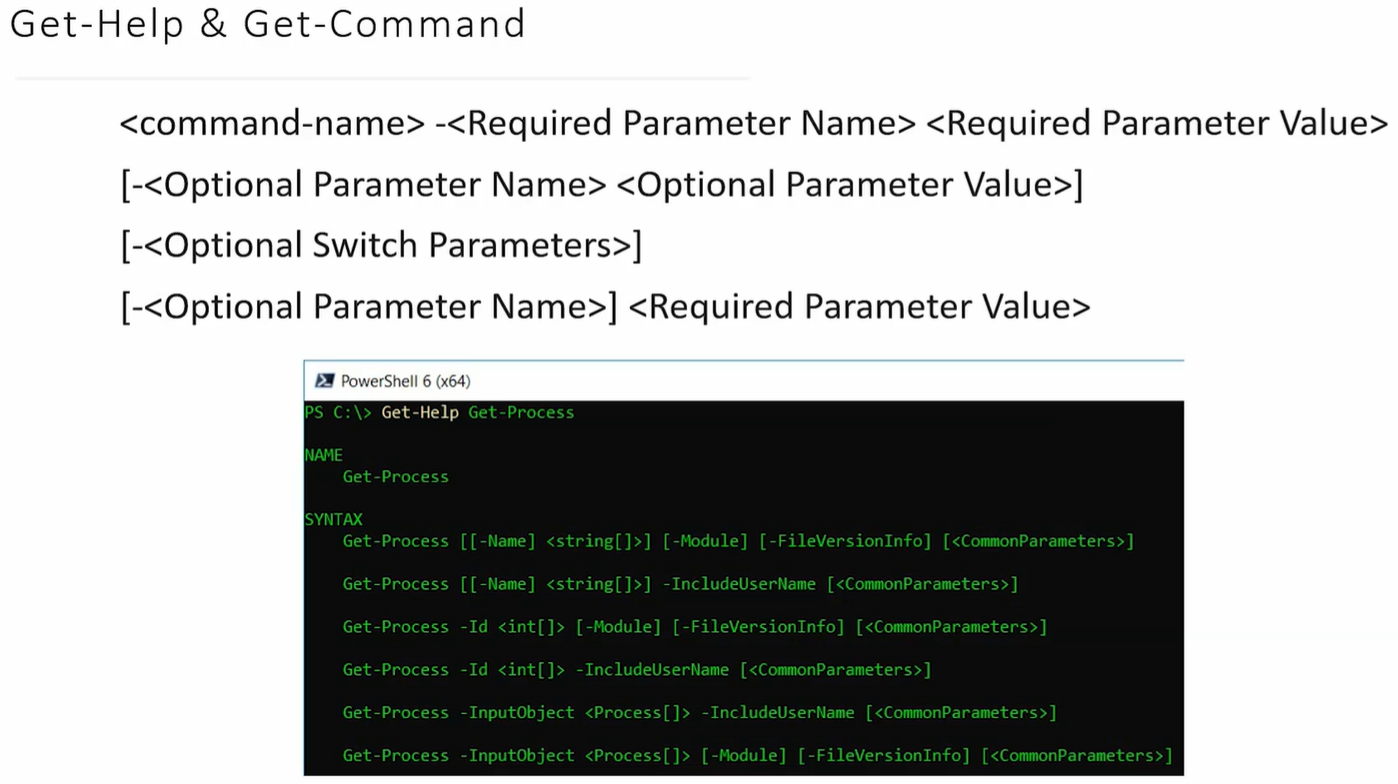
Section titled “2. Discovery Tools”Get-Command: Lists every available command (scripts, aliases, functions).Get-Help: Shows instructions and syntax diagrams.-
[ ]= Optional parameter. -
< >= Optional Value to Parameter, Data type required (e.g.,<String>).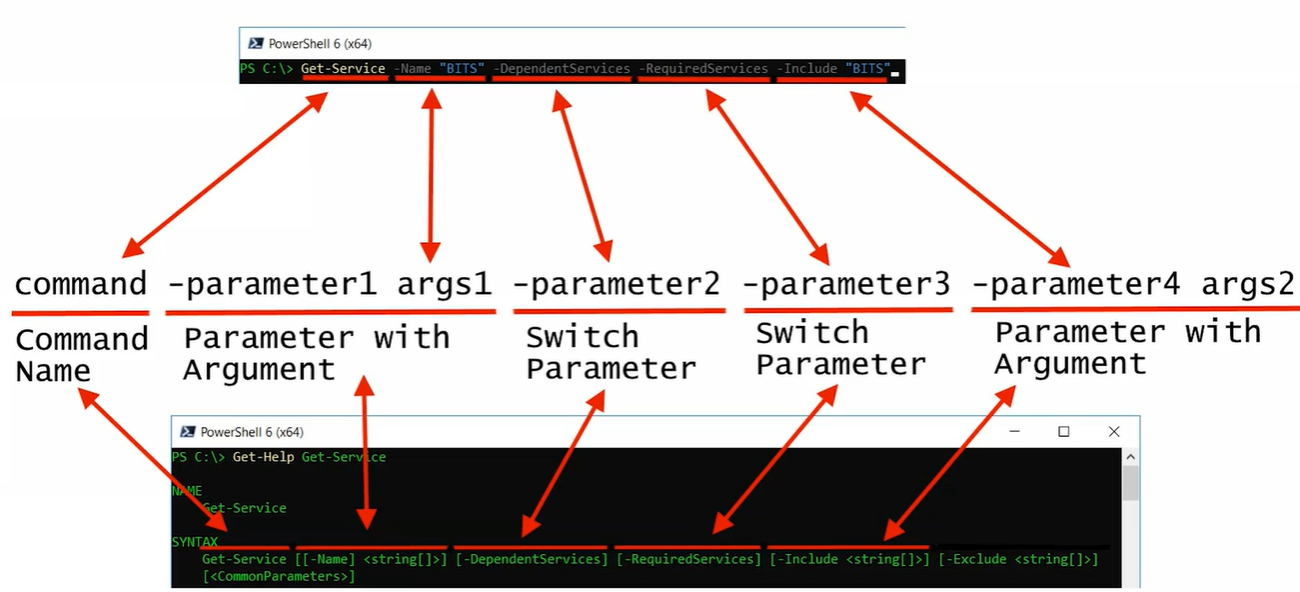
-
3. Definitions
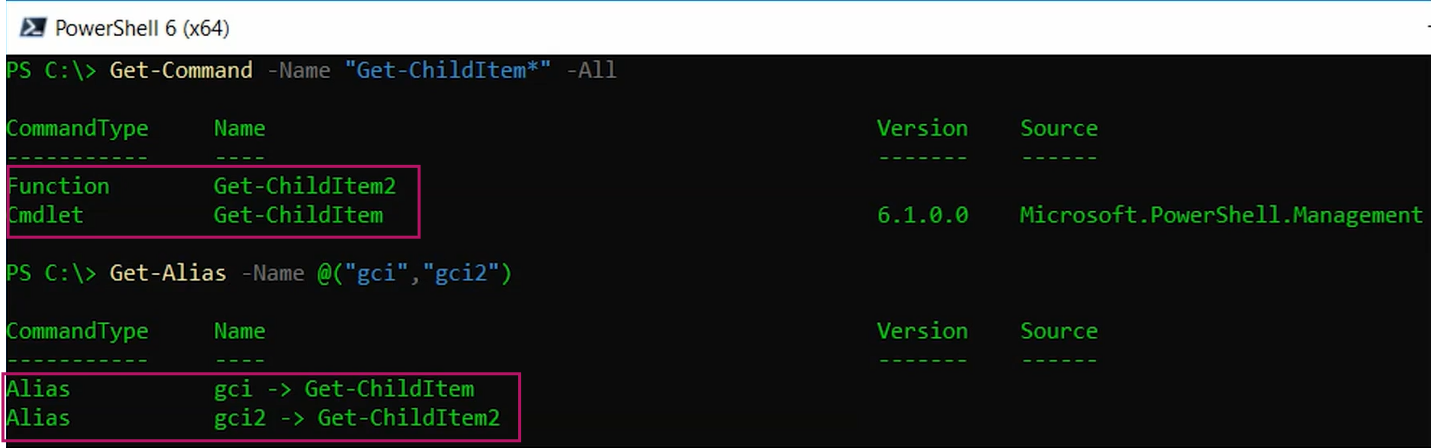
Section titled “3. Definitions”- Cmdlet: A built-in, lightweight PowerShell command.
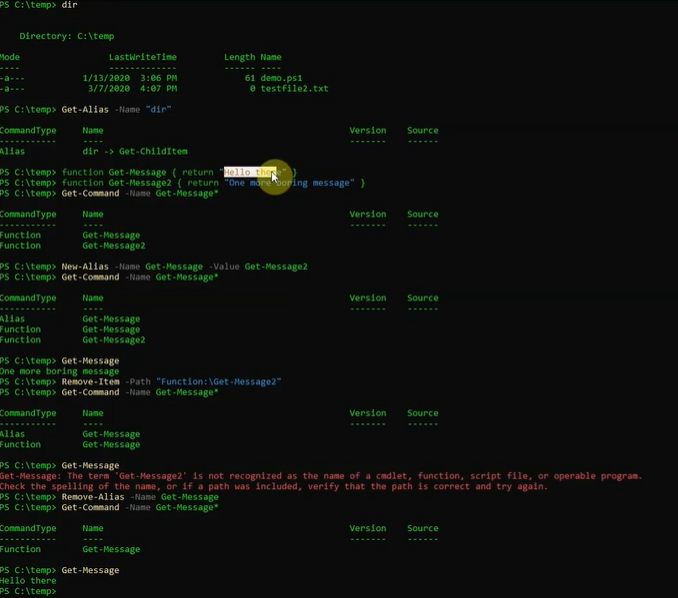
- Function: A custom, named block of code.
- Alias: A nickname or shortcut for a command (e.g.,
dirforGet-ChildItem).
4. Parameter Sets
Section titled “4. Parameter Sets”Commands have “modes.” You cannot mix parameters from different sets.
- Example: You can find a process by
NameOR byId, but usually not both at once.
5. Execution Priority (Who wins?)
Section titled “5. Execution Priority (Who wins?)”If names conflict, PowerShell runs them in this order:
- Alias (Winner)
- Function
- Cmdlet
- Windows Native Apps (.exe)
1. Get-Command (The “Finder”)
Section titled “1. Get-Command (The “Finder”)”Use this when you know what you want to do but don’t know the exact command name. It searches the “toolbox.”
-
Example: Find all commands related to “Service” PowerShell
Get-Command *Service* -
Example: Find all commands that start with the verb “Restart” PowerShell
Get-Command -Verb Restart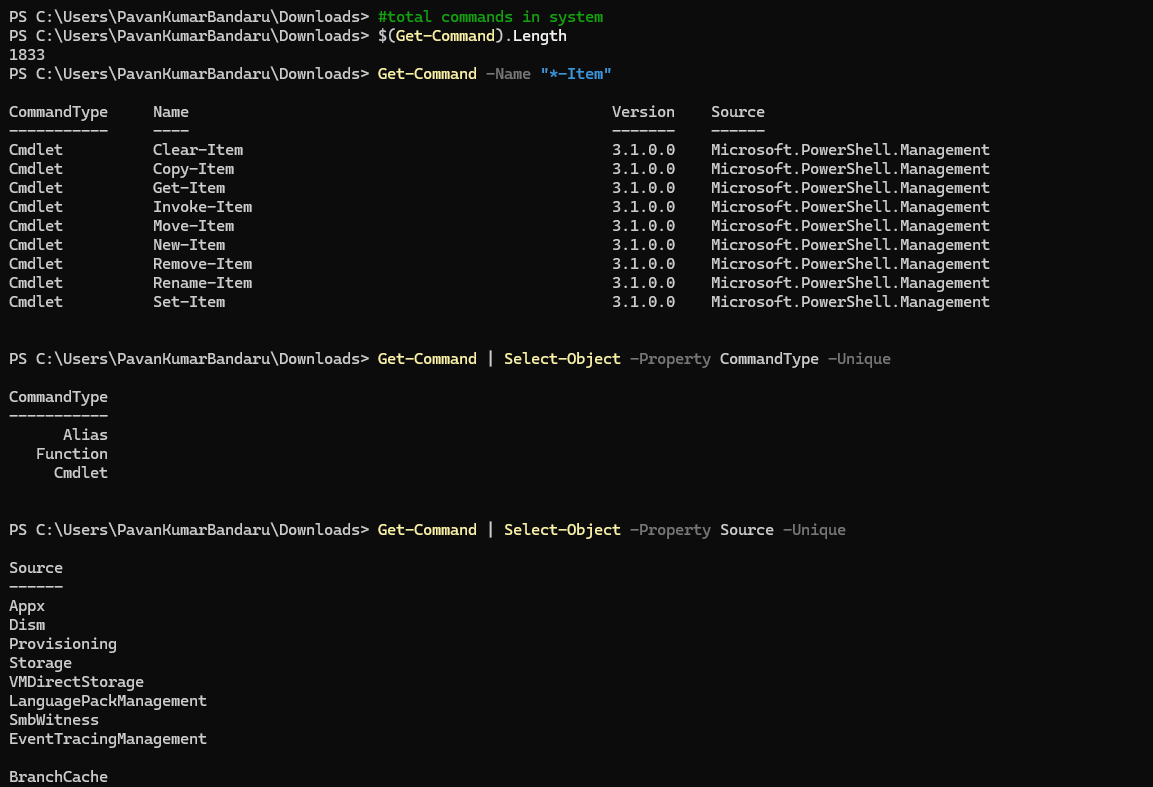
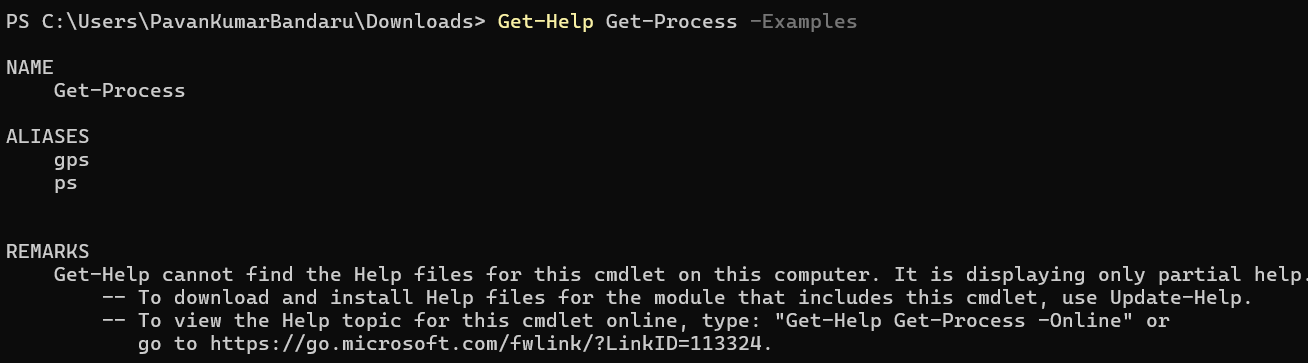
2. Get-Help (The “Manual”)
Section titled “2. Get-Help (The “Manual”)”Use this once you have the command name but need to know the syntax, parameters, or see examples.
-
Example: See the basic syntax of Get-ProcessPowerShell
Get-Help Get-Process -
Example: See real-world usage examples for a commandPowerShell
Get-Help Get-Content -Examples -
Example: Open the full online documentation in your browserPowerShell
Get-Help Stop-Service -Online