Routing
Enabling Routing on Linux
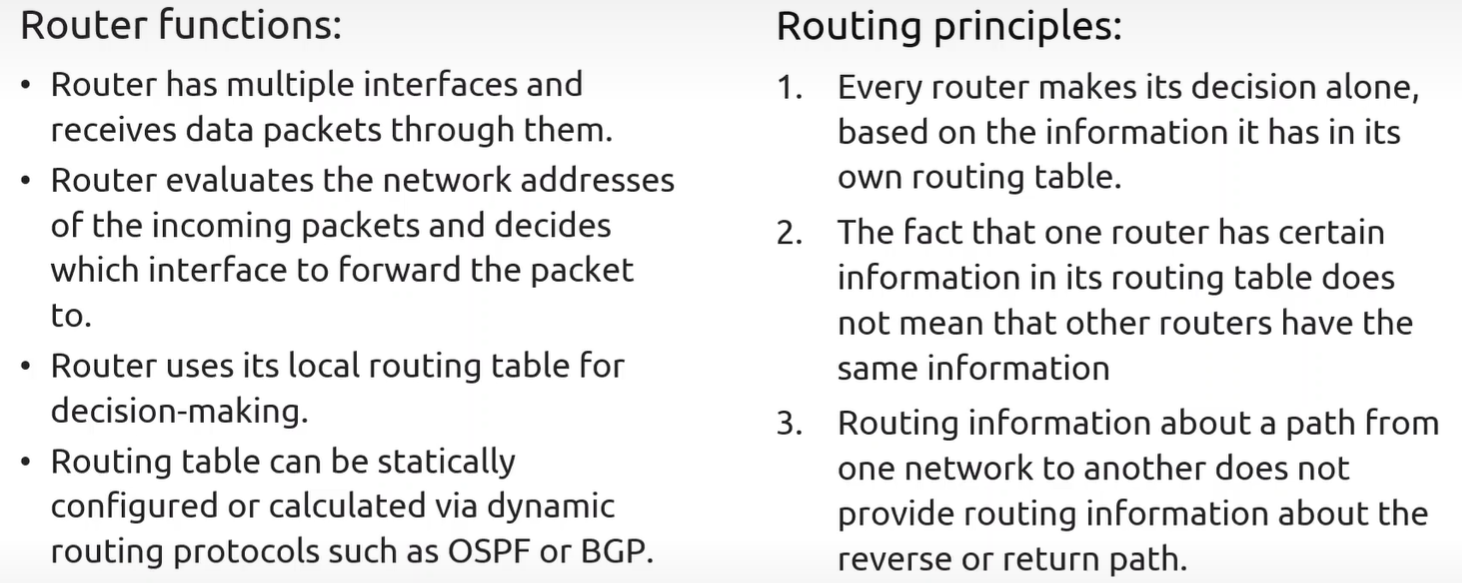
Section titled “Enabling Routing on Linux”Linux Workstations typically have routing disabled by default, while Servers often have it enabled.
-
Check Forwarding Status:
Terminal window sysctl net.ipv4.conf.all.forwarding# Or check the proc file directlycat /proc/sys/net/ipv4/ip_forward(A result of
1means it is ON;0means it is OFF) . -
Enable Forwarding (Permanent): Edit
/etc/sysctl.confand uncomment or addnet.ipv4.ip_forward = 1.
View Routing Table
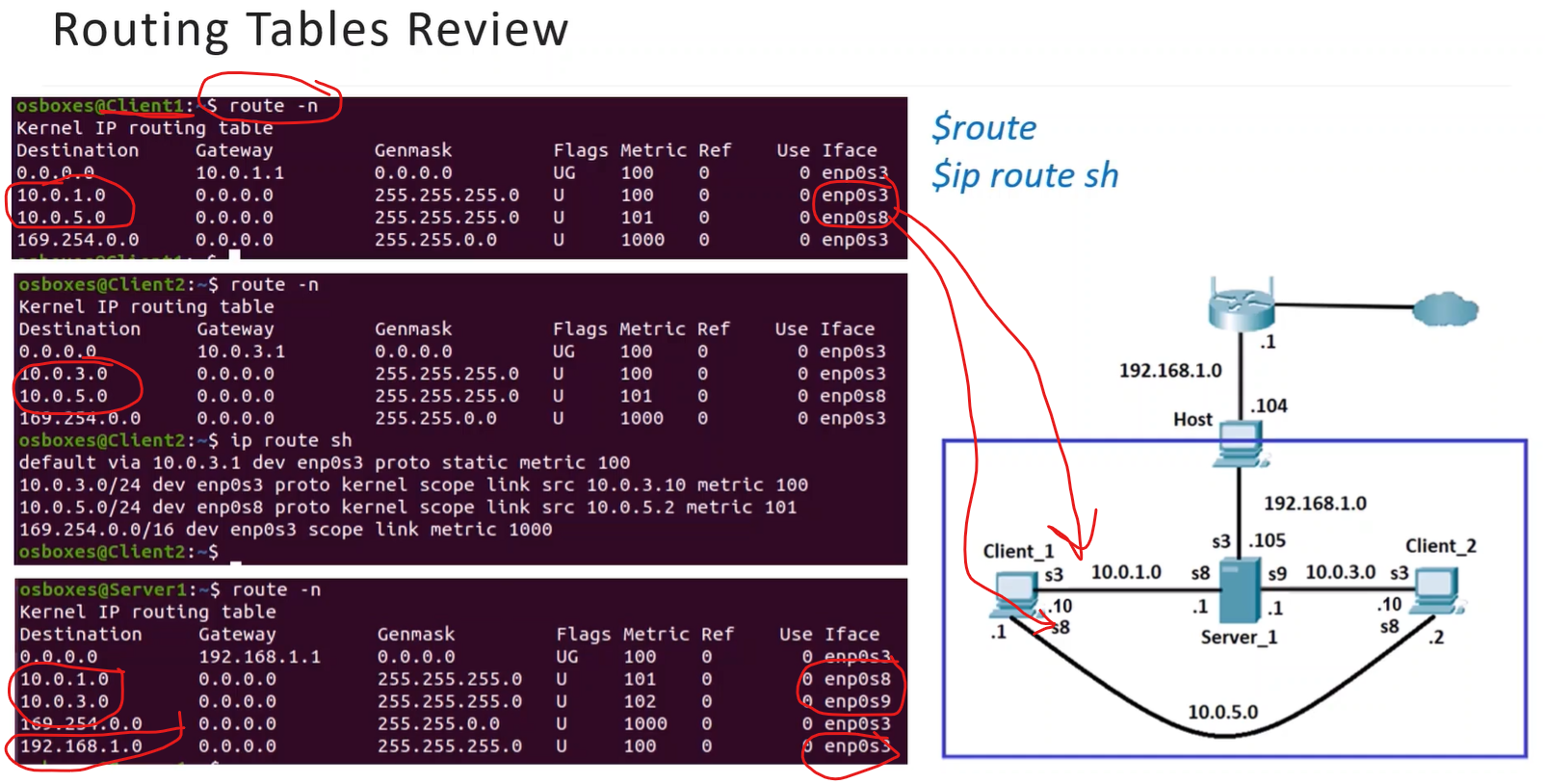
Section titled “View Routing Table”- Modern:
ip route show. - Legacy:
route -n.
Temporary Configuration (Lost after Reboot)
Section titled “Temporary Configuration (Lost after Reboot)”Route utility is not built-in to install use sudo yum/dnf/apt-get install net-tools
- Add a Route:
sudo **ip route** **add** <network_ip>/<cidr> **via** <gateway_ip>. - Delete a Route:
sudo **ip route** **del** <network_ip>/<cidr> **via** <gateway_ip>.
Permanent Configuration (Survives Reboot)
Section titled “Permanent Configuration (Survives Reboot)”- Ubuntu (Netplan): Edit YAML files in
/etc/netplan/to define routes under the specific interface. - RHEL/CentOS (nmcli):
nmcli connection modify <conn-name> ipv4.routes "<network>/<prefix> <gateway>". - RHEL/CentOS (Manual): Create a file named
route-<interface>in/etc/sysconfig/network-scripts/.- restart network..
sudo systemctl restart network
- restart network..
Route Priority and Optimization
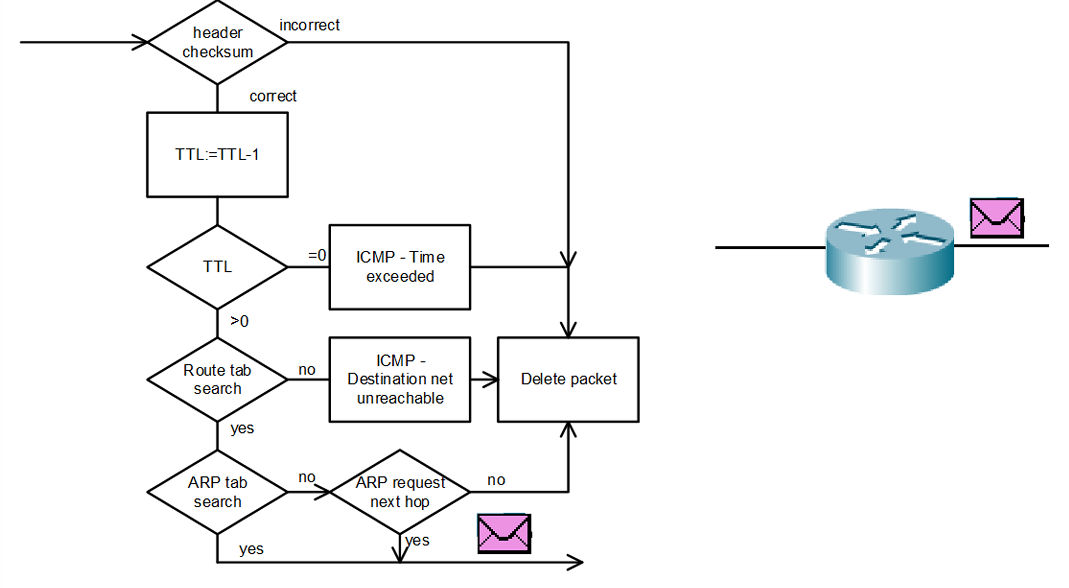
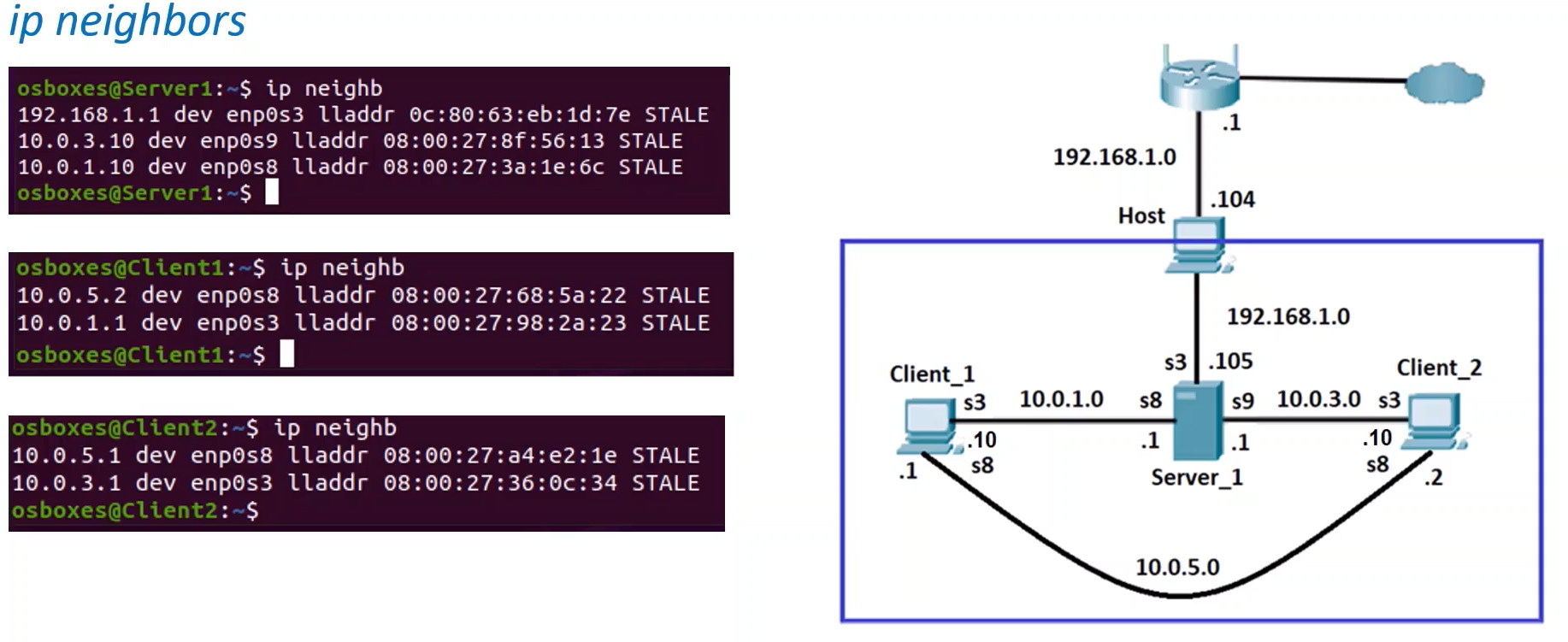
Section titled “Route Priority and Optimization”When a routing table contains multiple paths to the same destination, Linux follows these priorities:
-
Longest Match: The route with the most specific (biggest) prefix/mask wins.
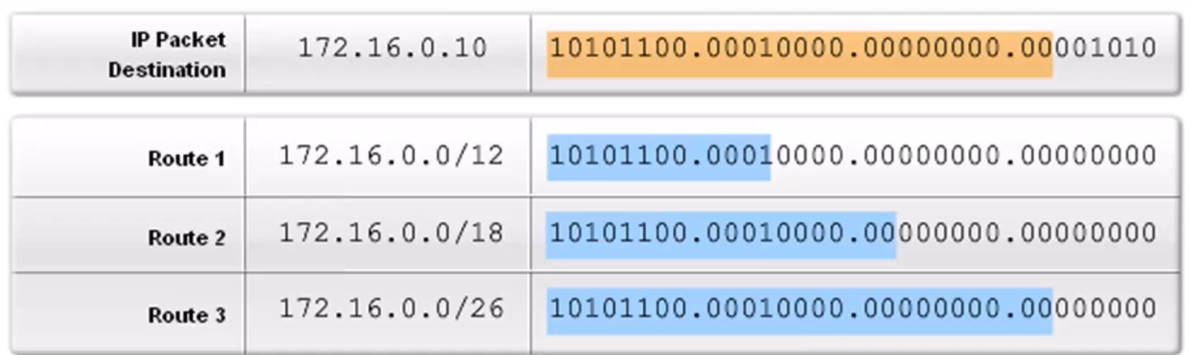
all three routes “match” the destination, but the router must pick only one:
- Route 1 (
/12): Only the first 12 bits match. This is a very broad, general route. - Route 2 (
/18): The first 18 bits match. This is a more specific match than Route 1. - Route 3 (
/26): The first 26 bits match. This is the most specific match possible in this list.
Since
/26is greater than 18 and 12, the router will use Route 3 to forward your packet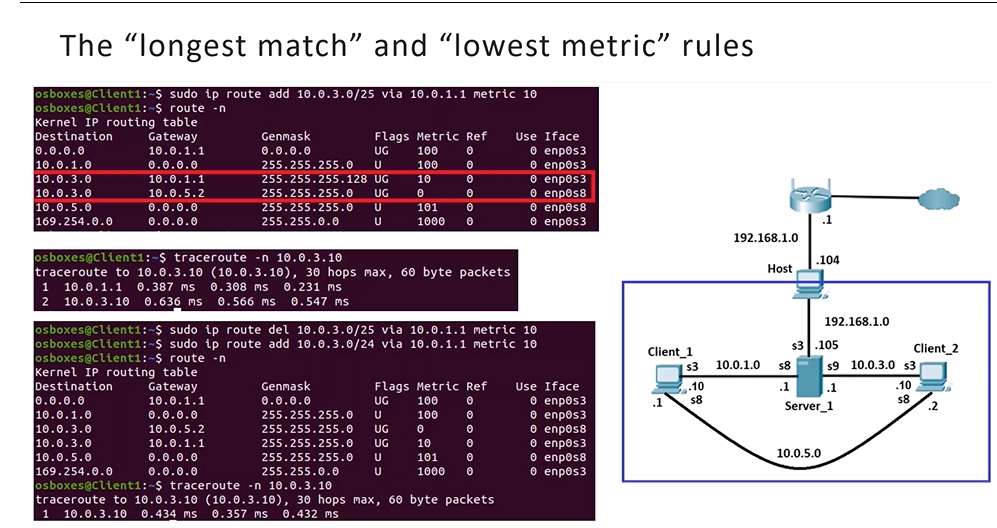
The Decision Process:
- Check Prefix Length (Longest Match): Route A has a prefix of /25, and Route B has a prefix of /24.
- Evaluate: Because 25 bits is longer than 24 bits, Route A is considered more specific.
- Result: Linux chooses Route A immediately. It never even looks at the metrics because the “Longest Match” rule already found a clear winner .
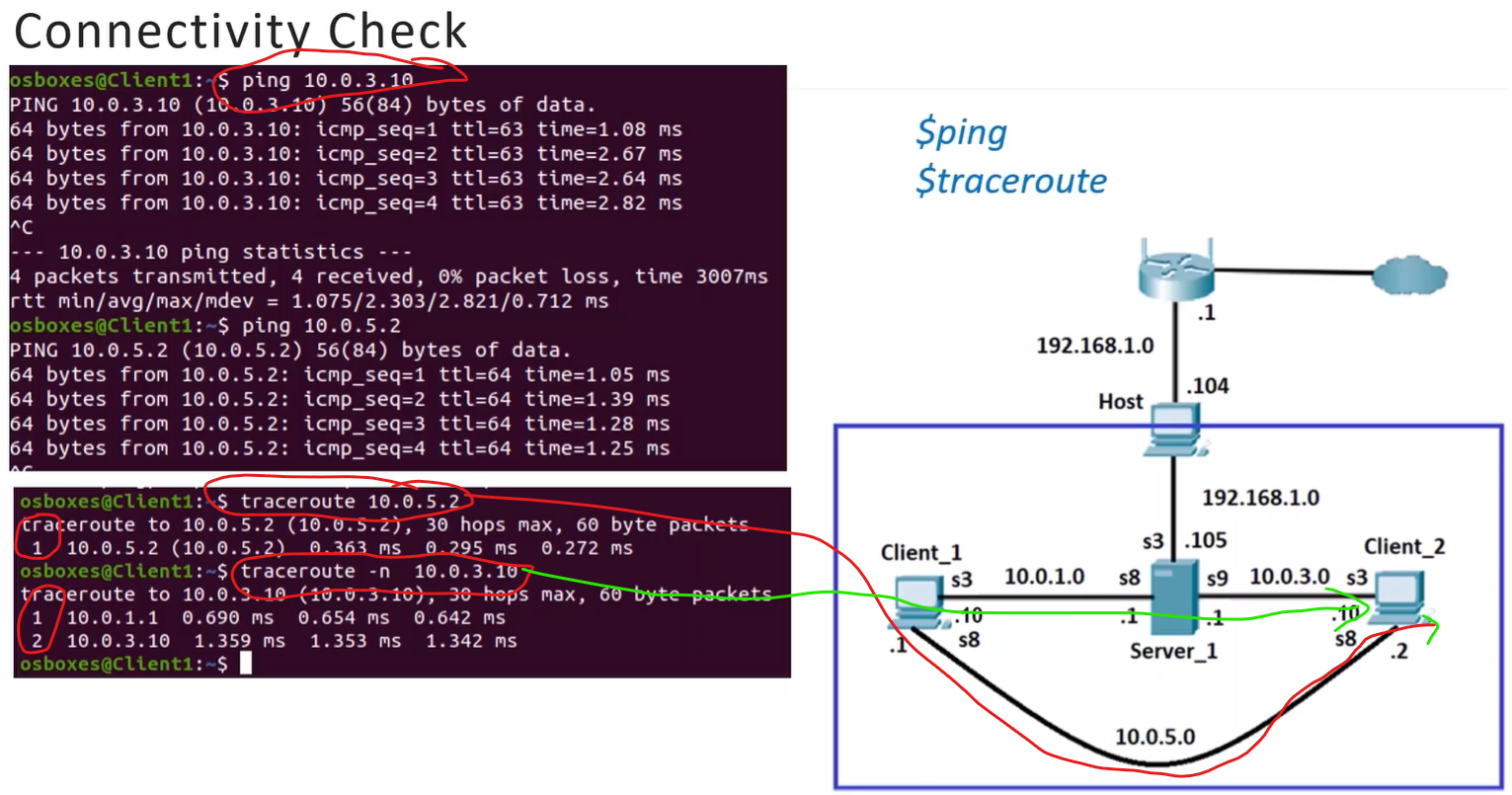
What happened when you deleted the path?
When you ran
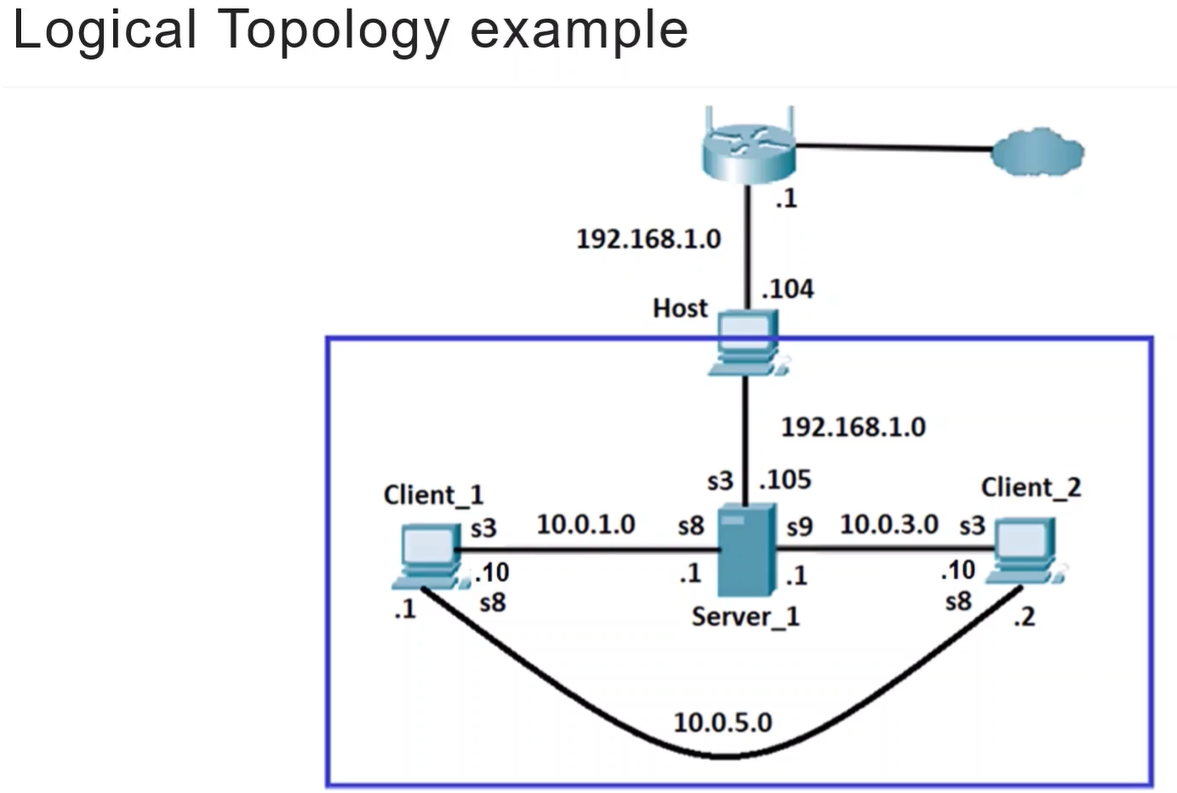
sudo ip route del 10.0.3.0/25:- The /25 route (the “Longest Match”) was removed from the table.
- Only the /24 route remained.
- Since there was no longer a more specific match, the system was forced to use the only available path via
10.0.5.2.
- Route 1 (
-
Lowest Metric: If prefixes are identical, the route with the lower cost (metric) is chosen.
When does “Lowest Metric” actually matter?
The “Lowest Metric” rule is only used as a tie-breaker when two routes have the exact same prefix length.
Example Scenario:
10.0.3.0/24 via 10.0.1.1 (Metric 10)10.0.3.0/24 via 10.0.5.2 (Metric 0)In this case, since both are /24, the system would finally check the metrics and choose the Metric 0 path because it is lower.
- Route Summarization: You can combine multiple smaller static routes into one single route address (e.g., summarizing
172.16.1.0/24,.2.0/24, and.3.0/24into172.16.0.0/22) to reduce the size of the routing table.
Dynamic Routing with Quagga
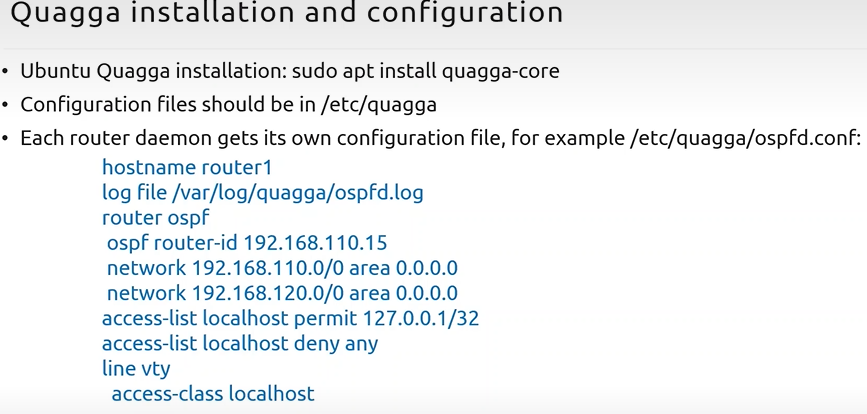
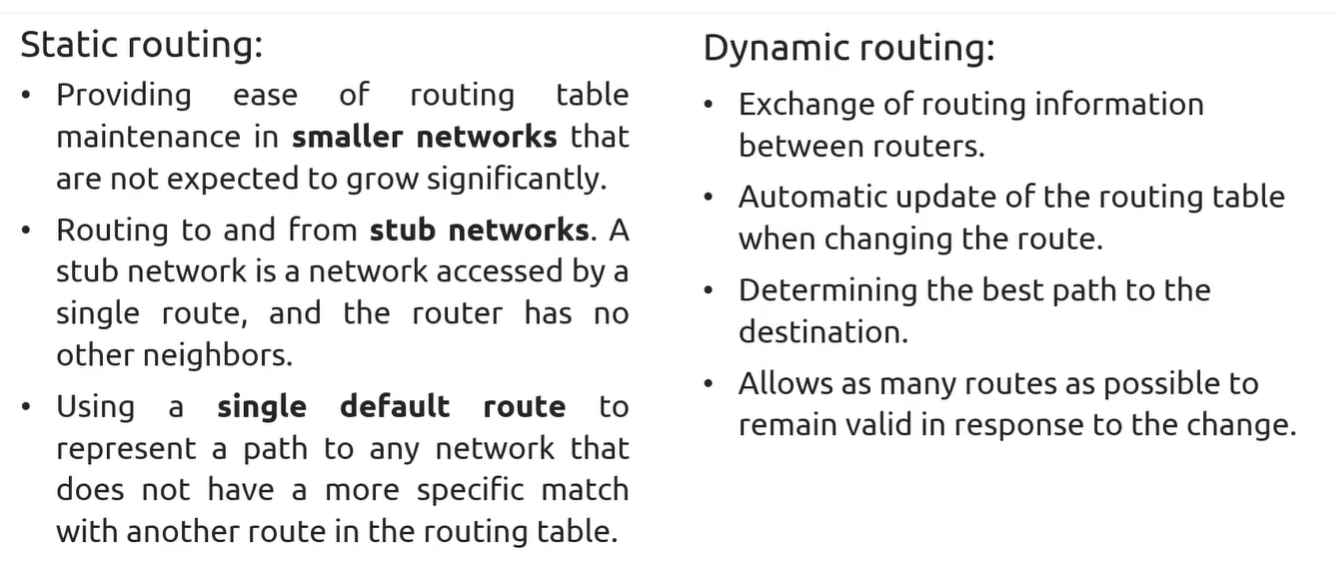
Section titled “Dynamic Routing with Quagga”For large networks, routers use dynamic protocols to automatically update tables. Quagga is a popular software suite for this on Linux.
- Zebra: The core daemon that talks to the Linux kernel.
- Protocol Daemons:
ospfd(OSPF),ripd(RIP), andbgpd(BGP) communicate with Zebra to update routes