

VBox Networking
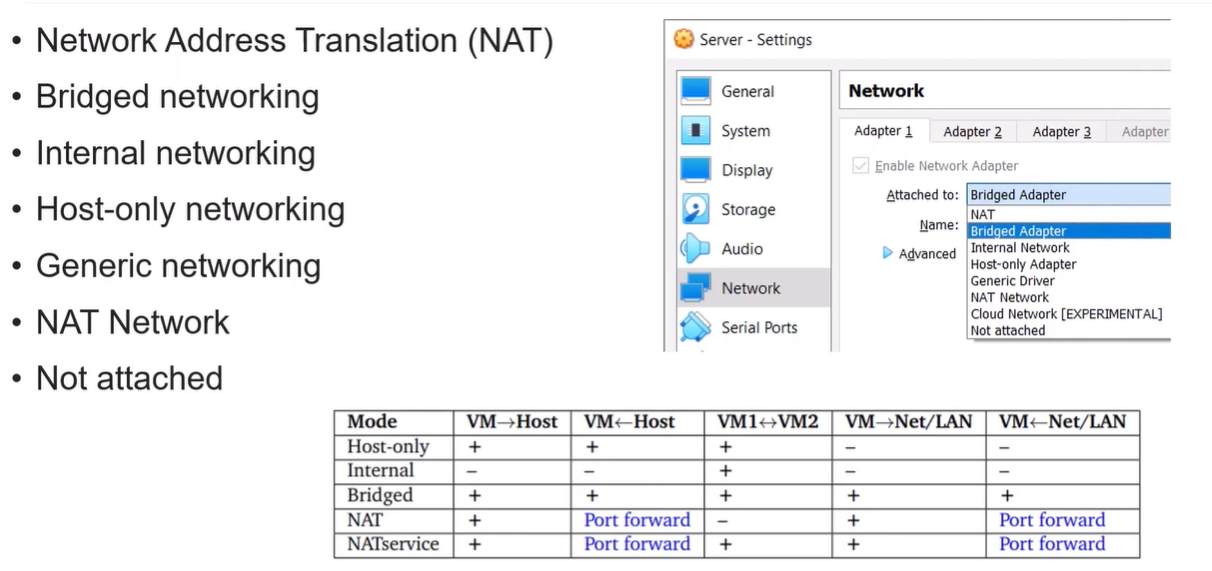
1️⃣ NAT (Network Address Translation)
Section titled “1️⃣ NAT (Network Address Translation)”How it works:
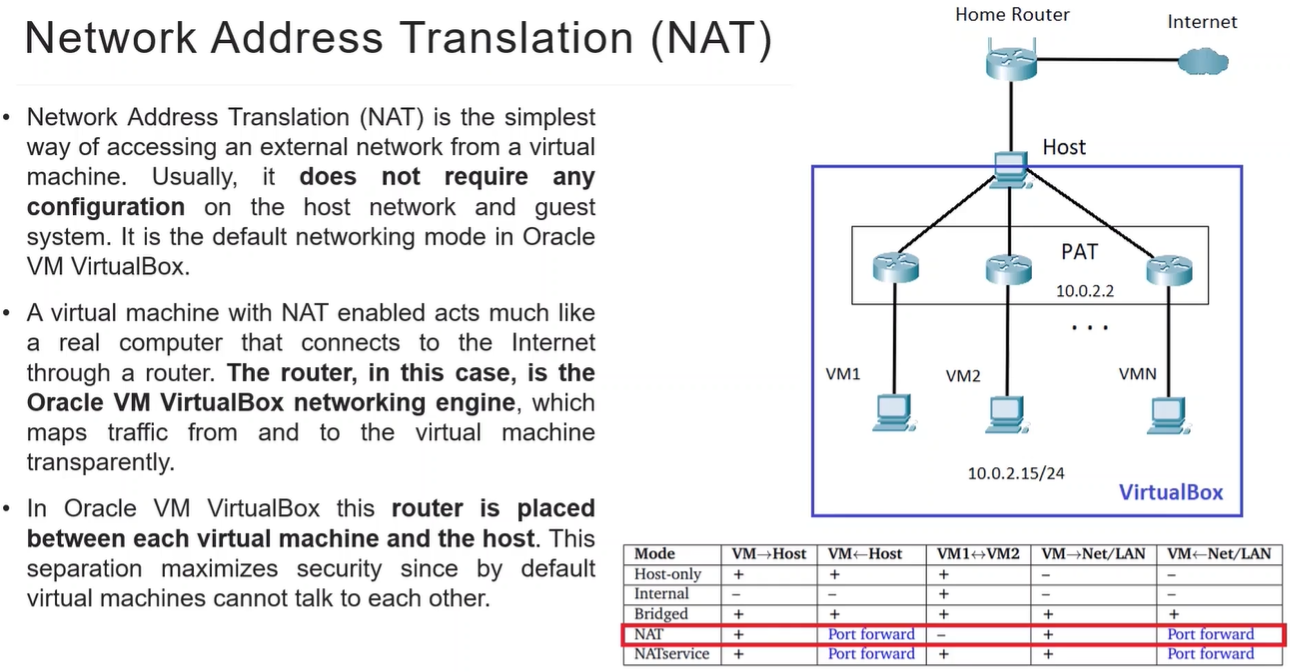
- VM gets a private IP, VirtualBox translates its traffic to the host’s IP for Internet access.
- VM cannot be reached directly from the host or LAN by default.
Connectivity Table:
| Direction | Works? |
|---|---|
| VM → Host | Yes |
| VM ← Host | No (needs Port Forward) |
| VM → Internet | Yes |
| VM ← Internet | No (needs Port Forward) |
| VM ↔ VM | NO |
Key Points:
- Default choice for “just want Internet on VM”
- For SSH or HTTP to VM from host, configure Port Forwarding in VM settings.
- Simple, safe, isolates VM from host/LAN
2️⃣ Bridged Adapter
Section titled “2️⃣ Bridged Adapter”How it works:
- VM connects directly to the host’s physical network. - can inspect HOST Packets
- VM behaves like another computer on the same network.
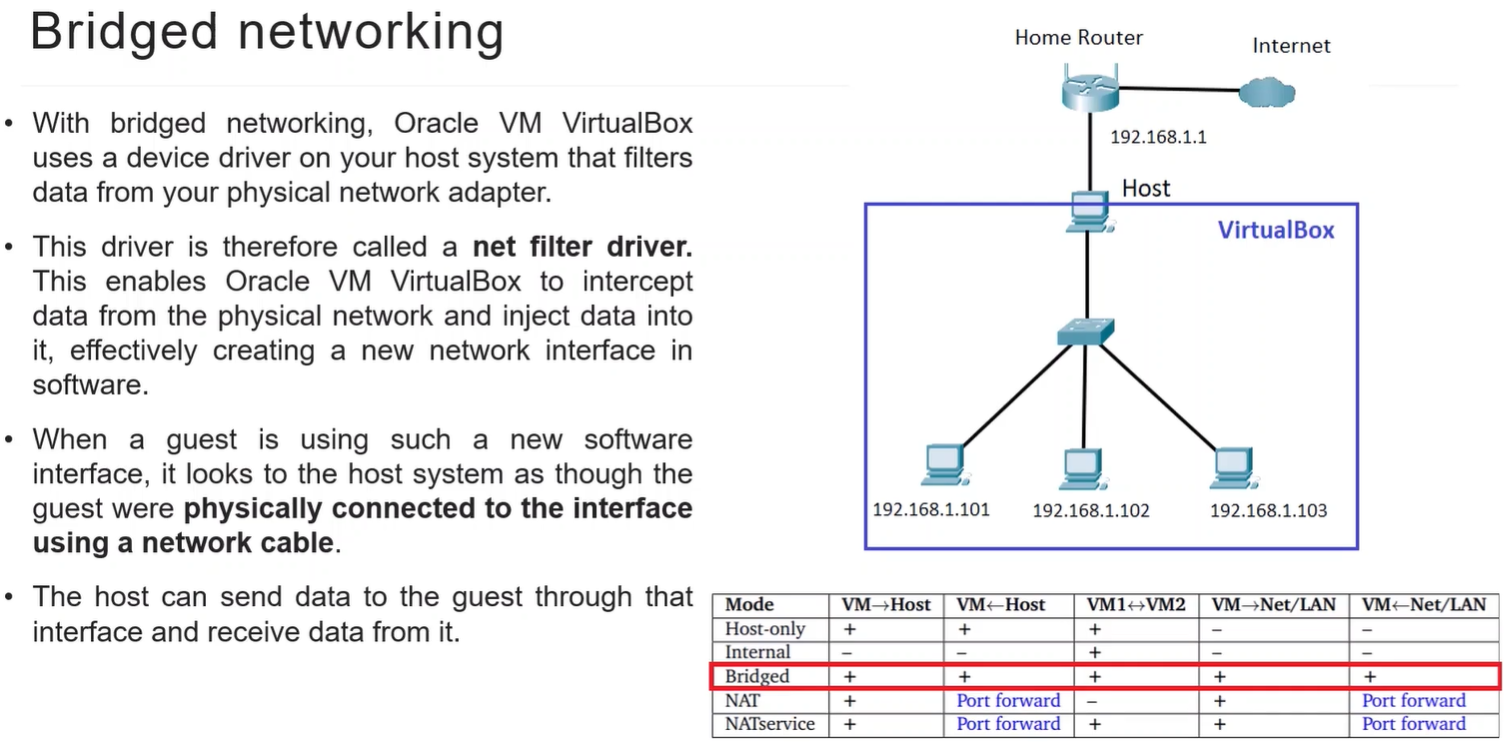
Connectivity Table:
| Direction | Works? |
|---|---|
| VM ↔ Host | Yes |
| VM ↔ VM1 | Yes |
| VM ↔ Internet | Yes |
Key Points:
- VM gets IP from LAN DHCP
- Good for network testing or services that must be reachable from LAN
- Less isolation → less secure
3️⃣ Internal Network
Section titled “3️⃣ Internal Network”How it works:
- VM connects to a VirtualBox internal-only network.
- Only VMs on the same internal network can talk to each other.
- No host or internet access.
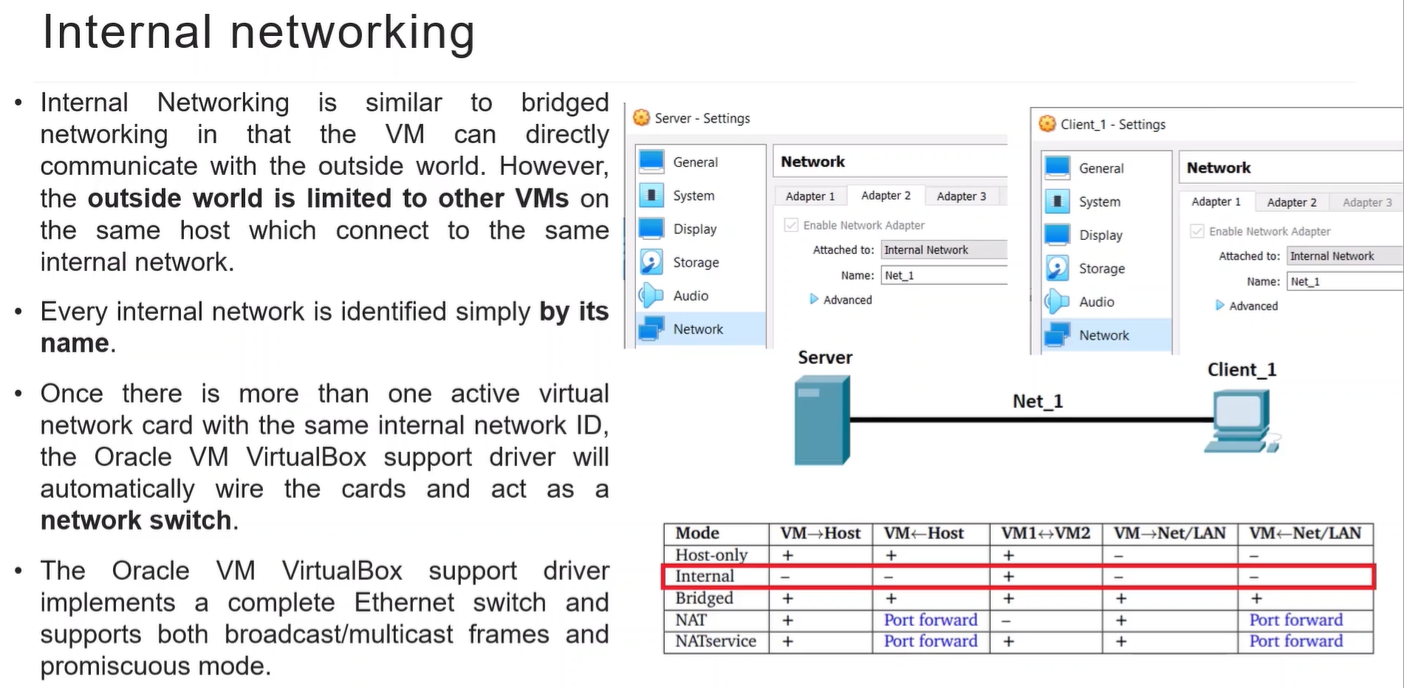
Connectivity Table:
| Direction | Works? |
|---|---|
| VM ↔ VM1 | Yes |
| VM ↔ Host | No |
| VM ↔ Internet | No |
Key Points:
- Good for isolated testing between multiple VMs
- Each internal network is separate → can have multiple isolated labs
4️⃣ Host-Only Adapter
Section titled “4️⃣ Host-Only Adapter”How it works:
- Creates a private network between the host and VM(s) only
- No internet access by default
Connectivity Table:
| Direction | Works? |
|---|---|
| VM ↔ Host | Yes |
| VM ↔ VM1 | Yes |
| VM ↔ Internet | No |
Key Points:
- Useful for testing servers/services accessible only from host
- Can combine with NAT to get both internet + host-only access
5️⃣ Generic Networking
Section titled “5️⃣ Generic Networking”How it works:
- Uses a custom driver, like third-party or experimental network types
- Usually for advanced networking setups
Key Points:
- Rarely used for normal labs
- Only use if you know the driver and setup
6️⃣ NAT Network
Section titled “6️⃣ NAT Network”How it works:
-
Similar to NAT but allows multiple VMs to communicate on the same NAT network
-
Internet access included
-
Can configure Port Forwarding
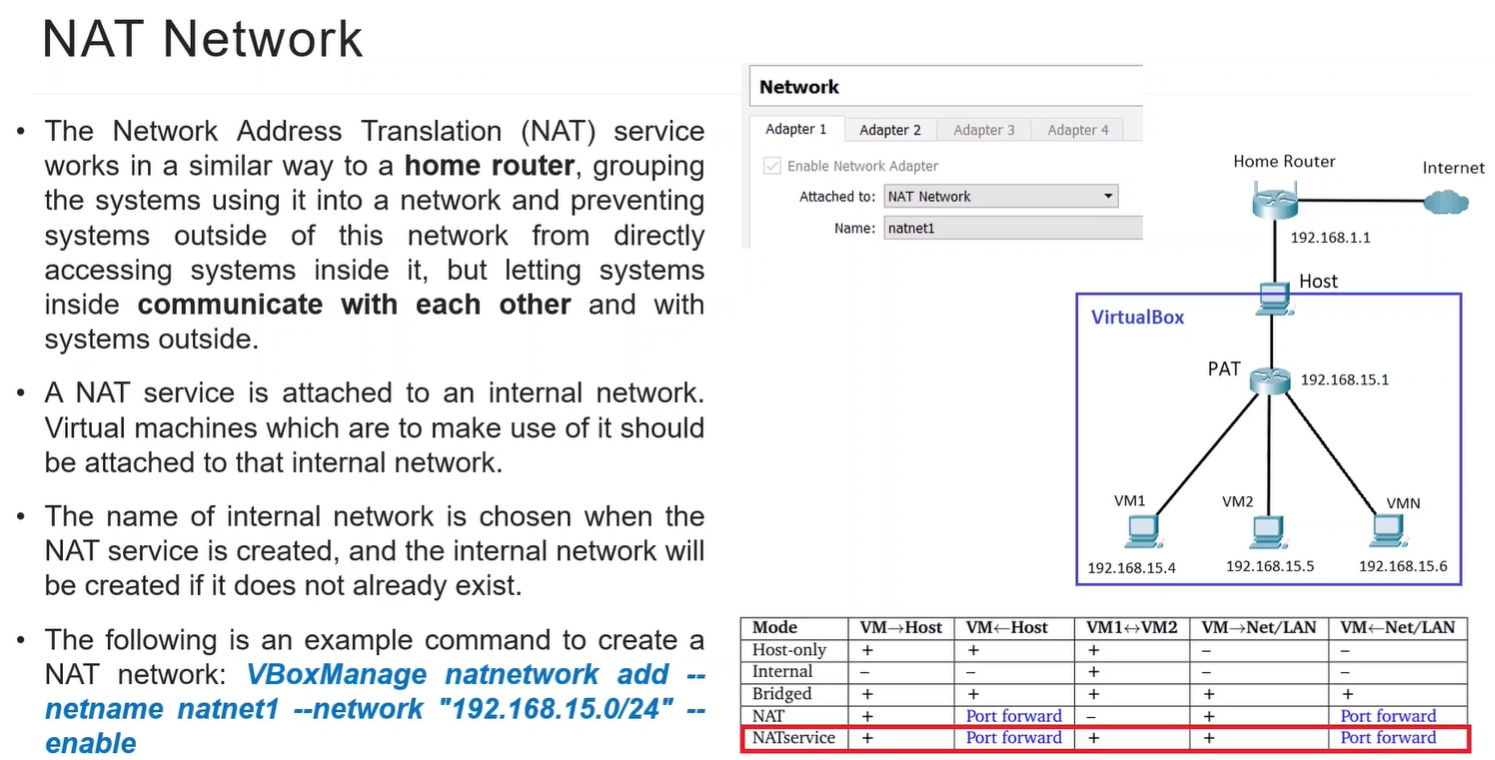
Connectivity Table:
| Direction | Works? |
|---|---|
| VM ↔ VM1 | Yes |
| VM ↔ Host | Yes (Port Forward) |
| VM ↔ Internet | Yes |
Key Points:
- Great for multiple VMs needing isolated network + Internet
- Combines NAT isolation with inter-VM connectivity
7️⃣ Not Attached
Section titled “7️⃣ Not Attached”How it works:
- No network connection at all
Key Points:
- VM is completely isolated
- Useful for experiments or offline machines
Logical Summary Table (VM perspective)
Section titled “Logical Summary Table (VM perspective)”| Mode | Host Access | VM↔VM | Internet | Key Notes |
|---|---|---|---|---|
| NAT | Limited (PF) | No | Yes | Default, isolated, Port Forward for host access |
| Bridged | Yes | Yes | Yes | VM gets LAN IP, visible on network |
| Internal | No | Yes | No | Fully isolated VM network |
| Host-Only | Yes | Yes | No | Host↔VM private network |
| NAT Network | PF | Yes | Yes | NAT + VM communication, more flexible |
| Generic | Depends | Depends | Depends | Advanced, rare |
| Not Attached | No | No | No | Offline VM |