

Container Orchestration Technologies
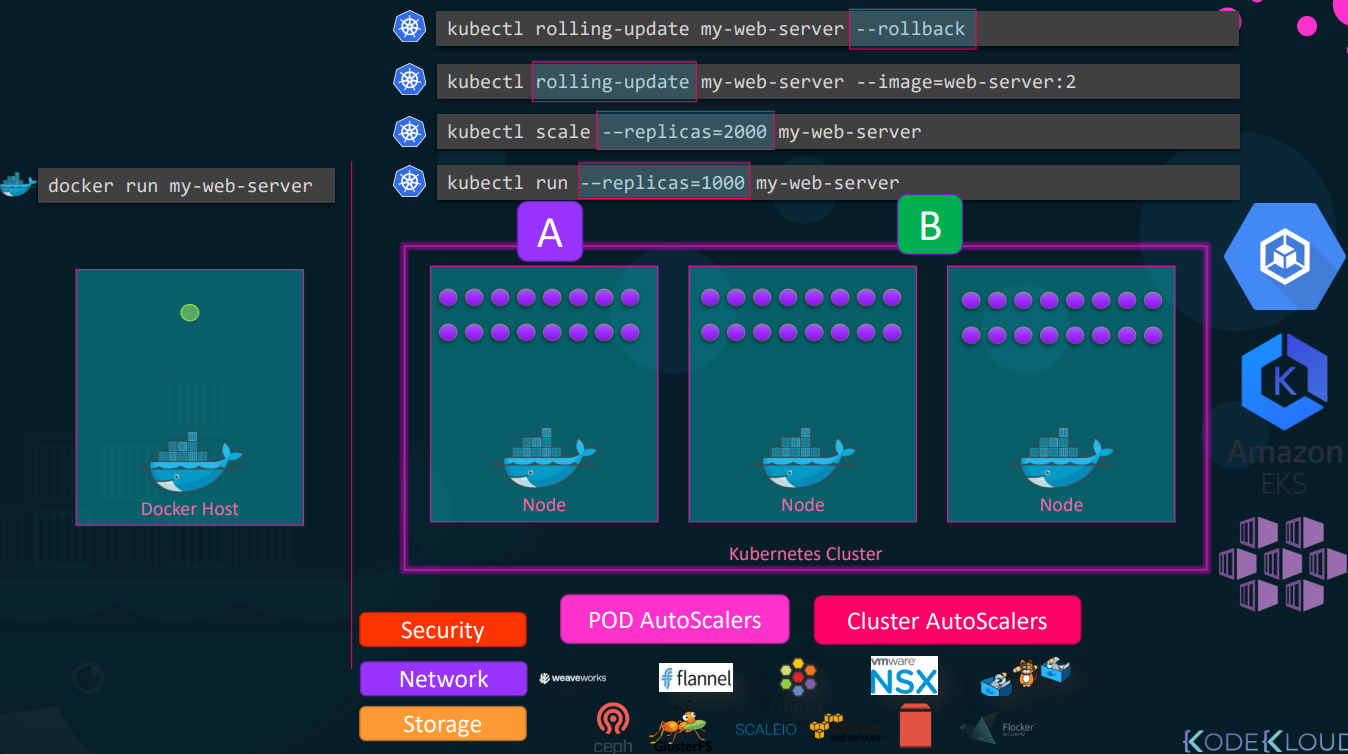
Running a single container with a docker run command is straightforward. However, when an application scales to handle enterprise-level traffic, manually deploying, monitoring, and restarting crashed containers across dozens of servers becomes mathematically and practically impossible.
This is where Container Orchestration Technologies step in. They are automated systems designed to manage the lifecycle, networking, and scaling of thousands of containers across a cluster of host machines.
The Core Problems Orchestration Solves
Section titled “The Core Problems Orchestration Solves”Without orchestration, a dedicated engineer would have to manually monitor host health and container states. Orchestrators automate this through:
- High Availability & Clustering: Grouping multiple physical or virtual machines into a single cluster. If one host dies, the orchestrator instantly reroutes traffic and spins up the lost containers on healthy nodes.
- Auto-Scaling: Automatically spinning up new container instances when CPU/Memory load spikes, and destroying them when traffic drops.
- Advanced Networking & Load Balancing: Distributing incoming user traffic evenly across all available container instances, even if they are scattered across different physical servers.
- Zero-Downtime Deployments: Performing rolling upgrades (updating instances one by one) or A/B testing. If a new version crashes, it automatically rolls back to the previous stable state.
- Storage & Configuration Management: Dynamically attaching network storage and securely injecting secrets (like database passwords) into containers.
Docker Swarm: The Native (But Basic) Solution
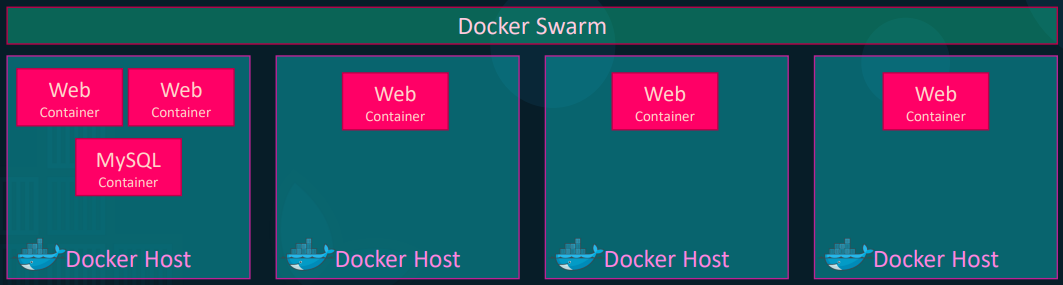
Section titled “Docker Swarm: The Native (But Basic) Solution”Docker Swarm is Docker’s built-in orchestration tool. It is designed for simplicity and rapid setup, allowing you to turn a pool of Docker hosts into a single, virtual Docker engine.
Architecture & Workflow
Section titled “Architecture & Workflow”-
Managers and Workers: You designate one node as the Swarm Manager (the brains) and the rest as Worker Nodes (the muscle).
-
Initialization: Running
docker swarm initon the master generates a token. Running the provided join command on the workers connects them to the cluster.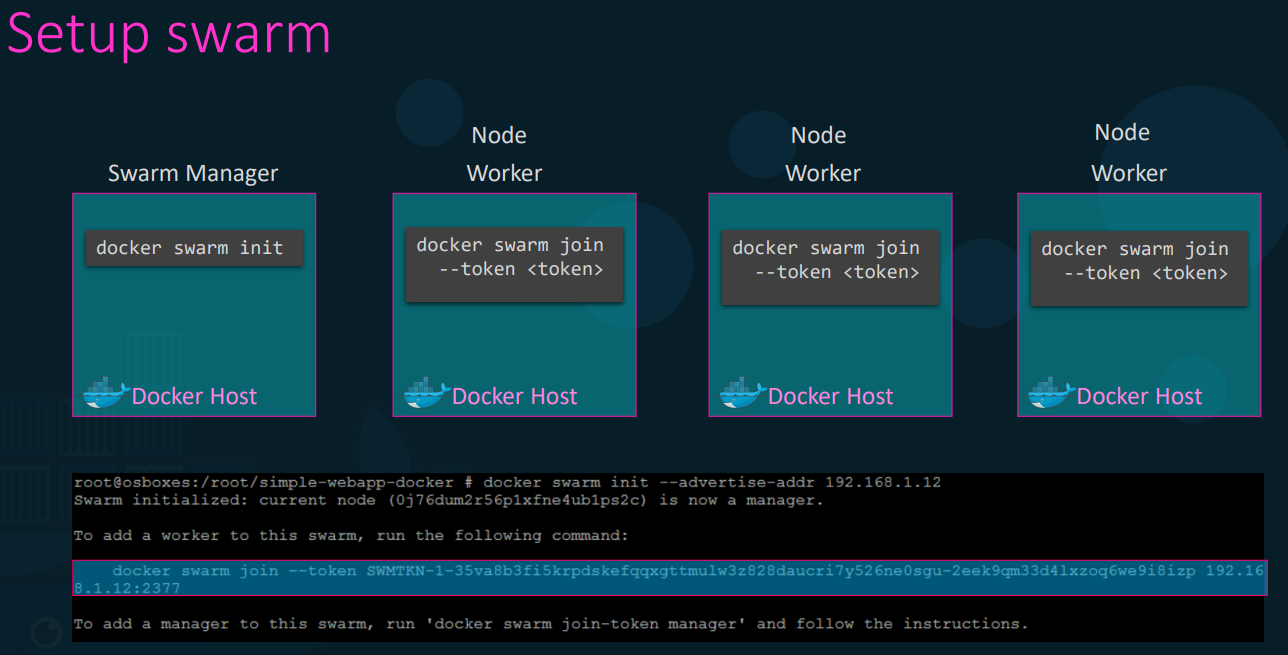
-
Services (Not Containers): In Swarm, you don’t run containers; you define a Service. A Service defines the desired state.
- Example:
docker service create --replicas 3 my-web-server. - The Manager sees you want 3 instances. It logically distributes them across the available worker nodes. If a worker node burns down and takes one instance with it, the Manager detects the state is now “2” instead of “3” and immediately spins up a replacement on a surviving node.
- Example:
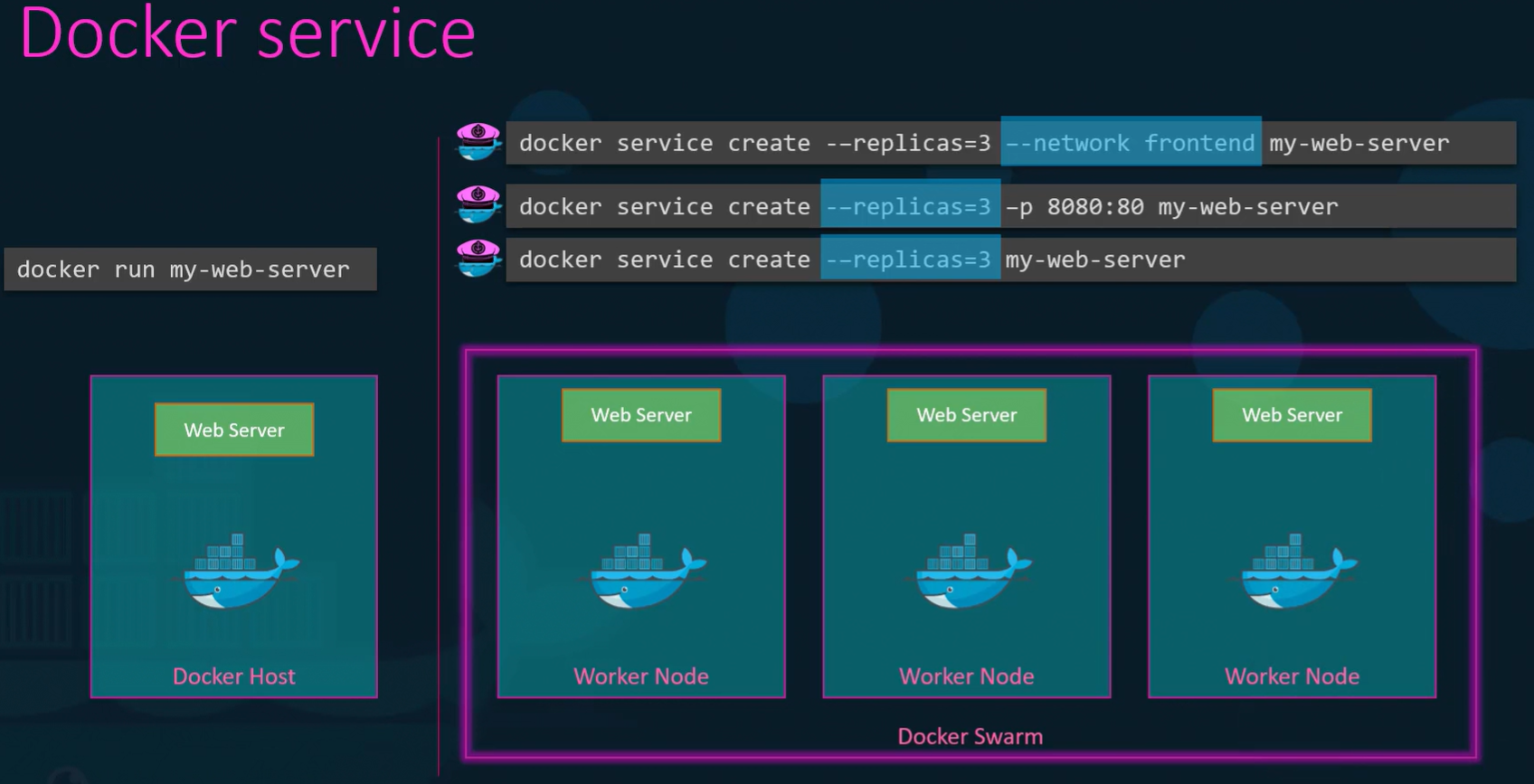
The Reality Check: While incredibly easy to set up, Swarm lacks the deep, advanced auto-scaling and complex deployment strategies required by massive enterprise environments. It is largely considered a legacy tool for simple deployments today.
Kubernetes (K8s): The Industry Standard
Section titled “Kubernetes (K8s): The Industry Standard”Originally developed by Google and now maintained by the Cloud Native Computing Foundation, Kubernetes is the undisputed king of container orchestration. It is highly complex to build from scratch but offers unparalleled customization and is natively supported by every major cloud provider (Amazon EKS, Google GKE, Azure AKS).
The Kubernetes Architecture
Section titled “The Kubernetes Architecture”Kubernetes uses a strict Master-Worker hierarchy, deeply separating the management logic from the application execution.
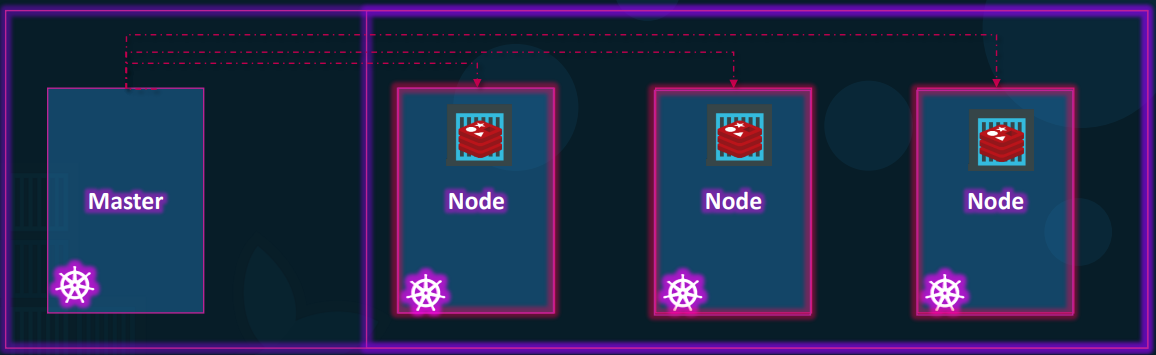
1. The Control Plane (The Master)
This is the brain of the cluster, responsible for maintaining the desired state.
-
API Server: The front-end of the cluster. Every command you run or system change must pass through the API server.
-
etcd: A highly reliable, distributed key-value store. This is the cluster’s database. It holds the absolute truth about what the cluster should look like and what is currently running. It handles locking to prevent conflicts in multi-master setups.
-
Scheduler: The dispatcher. It watches for newly created workloads and intelligently assigns them to specific worker nodes based on resource availability (CPU/RAM).
-
Controllers: The continuous monitors. They constantly compare the actual state of the cluster against the desired state defined in etcd. If a node goes offline, the controller notices the discrepancy and orders the scheduler to deploy replacements.
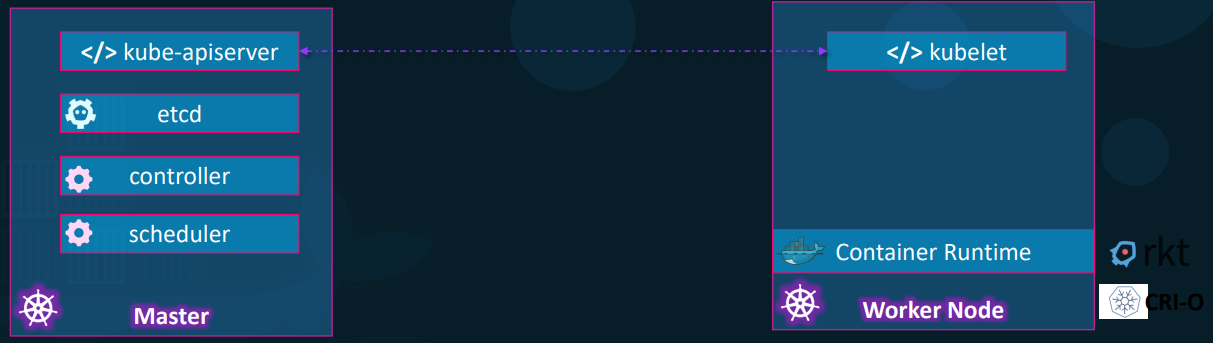
2. The Worker Nodes
These are the machines that actually run your application code.
- Kubelet: The primary agent running on every node. It takes orders from the API server and ensures the containers are running healthy on its specific machine.
- Container Runtime: The underlying engine pulling the images and running the processes. While Docker was the original runtime, Kubernetes now primarily uses containerd or CRI-O.
- Interaction:
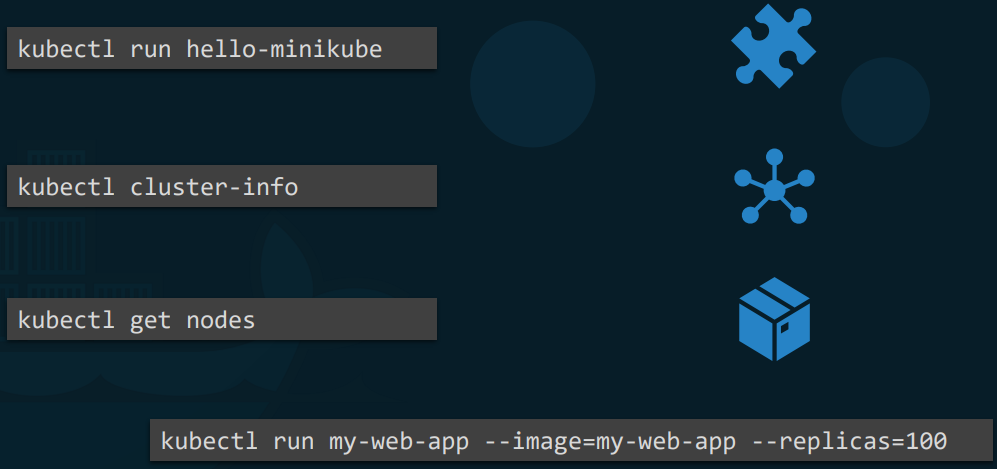
kubectl: to control this massive engine, engineers use thekubectl(Kube-control or “Kube-cuddle”) command-line tool. You can view nodes (kubectl get nodes), inspect cluster health (kubectl cluster-info), and deploy thousands of Pods via declarative YAML files rather than typing out endless terminal commands.
Note: Kubernetes does not deploy containers directly. It wraps one or more containers into a construct called a Pod. A Pod is the smallest deployable unit in Kubernetes. Containers inside the same Pod share the same network IP, storage volumes, and lifecycle.