Pipelines
-
Definition of Pipeline
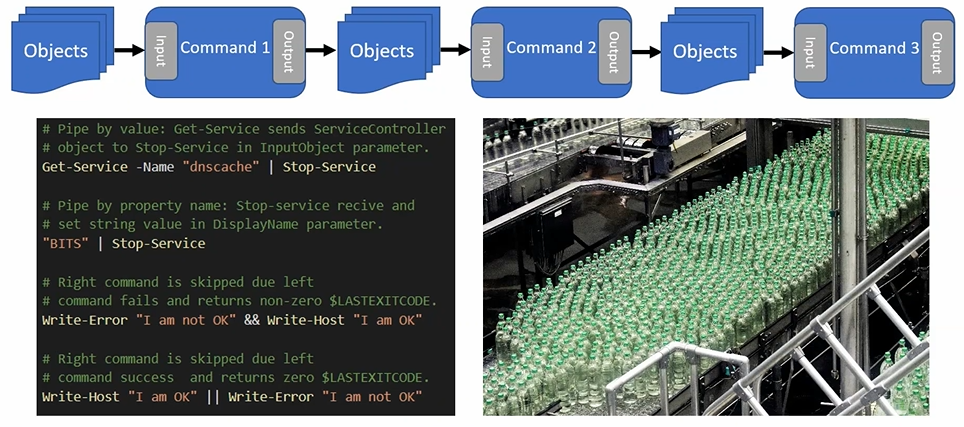
- A pipeline is a series of commands linked by pipeline operators (
|). - Output of one command becomes input for the next.
- Commands are processed left to right, and the final result is displayed in the console.
- A pipeline is a series of commands linked by pipeline operators (
-
Cmdlets and Pipelines
- Most PowerShell cmdlets support the pipeline.
- You can pass results from a Get cmdlet to another cmdlet with the same noun.
- The receiving cmdlet must have a parameter that accepts pipeline input.
-
How Cmdlets Accept Pipeline Input
- By value → parameter accepts a value matching the expected .NET type.
- By property name → parameter accepts input if the object has a property with the same name.
- Use
Get-Help <cmdlet>to see which parameters accept pipeline input.
-
Automatic Enumeration
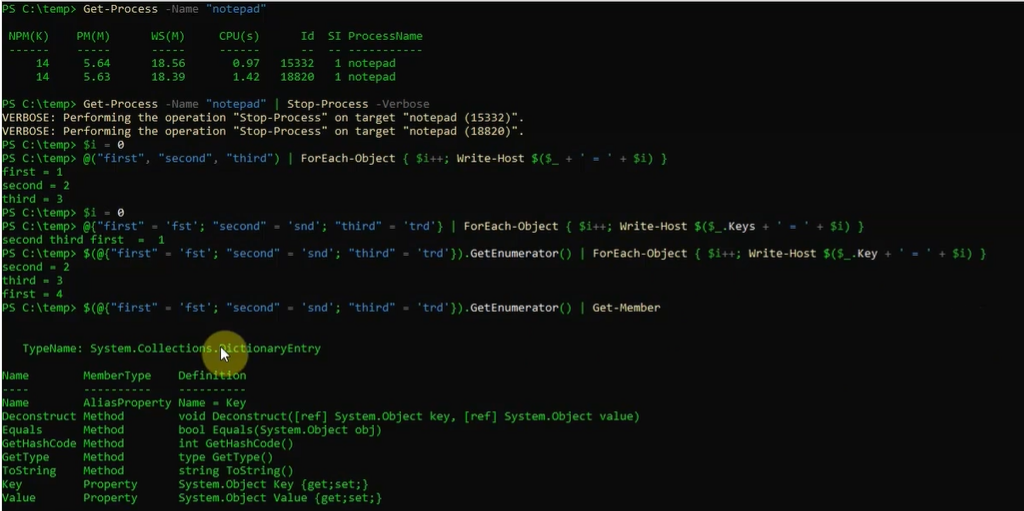
- Objects implementing IEnumerable are automatically enumerated.
- Members are sent one at a time through the pipeline.
- Hashtable requires calling the GetEnumerator() method.
-
Conditional Pipelines (PowerShell 7+)
-
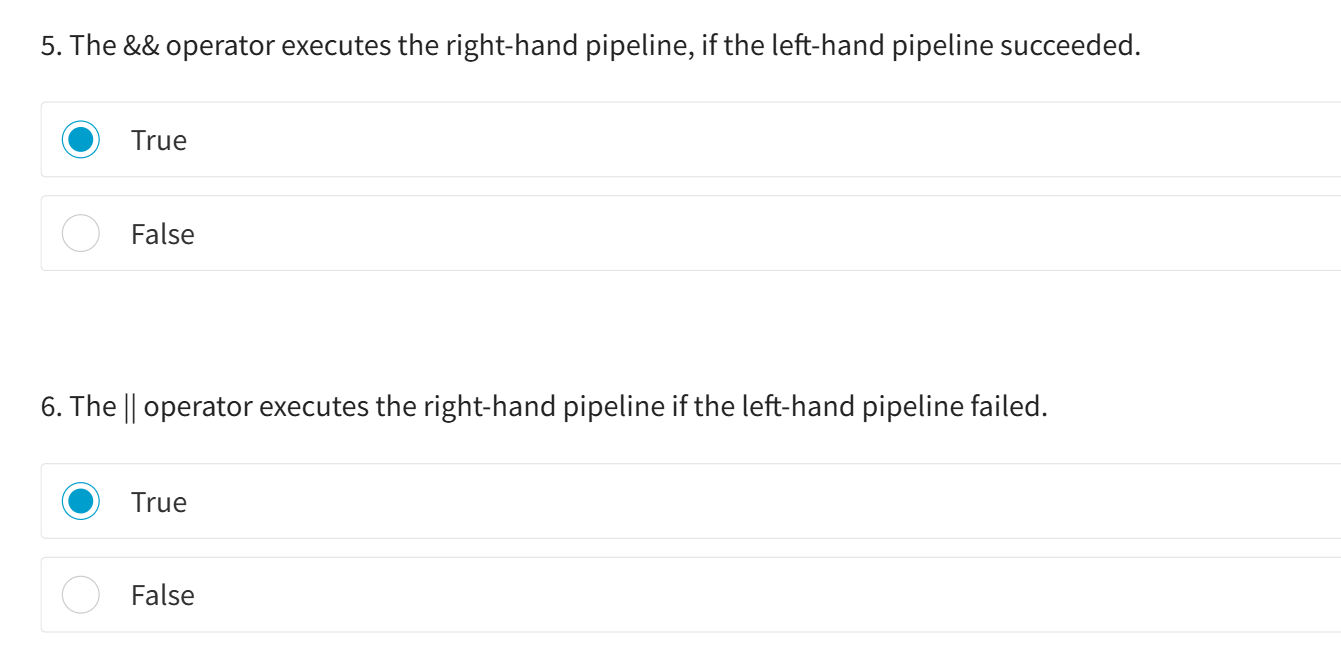
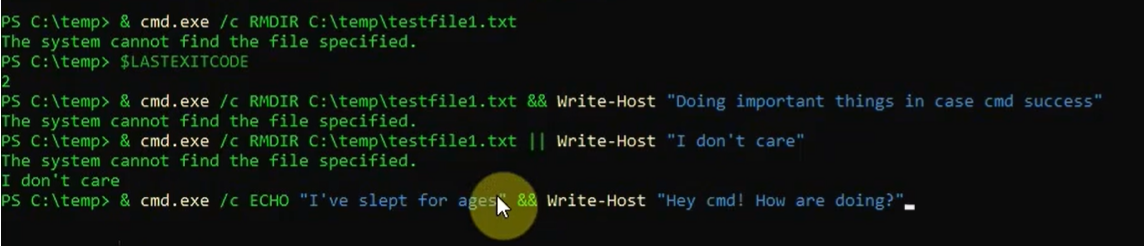
&&(double ampersand) → executes the right command only if the left command succeeds. -
||(double vertical bar) → executes the right command only if the left command fails. -
Uses
$LastExitCodeto determine success/failure, applicable to cmdlets, functions, and native console commands.

-
Example..
Section titled “Example..”PS C:\Users\PavanKumarBandaru> Get-Process -Name "Notepad" | Stop-Process -Verbose VERBOSE: Performing the operation "Stop-Process" on target "Notepad (24932)".
this will kill all notepad process return by Get-Porcess, not just first or 1 process
basically Stop-Process applied repeatedly on all results of |
Streams..
Section titled “Streams..”-
Streams in PowerShell
-
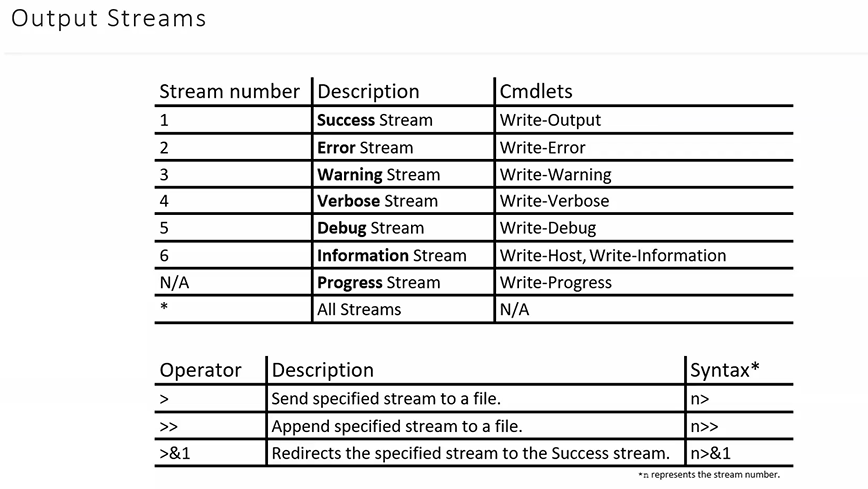
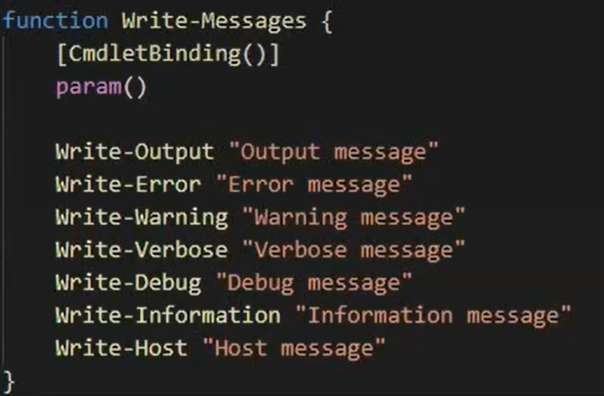
PowerShell has multiple streams: success, error, warning, verbose, debug, etc.
-
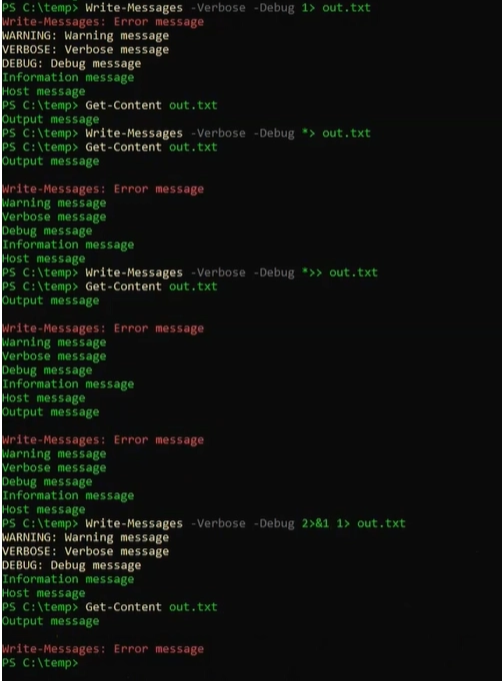
The pipeline only passes objects through the success stream.
-
Other messages (errors, warnings) are separated so they don’t mix with pipeline data.
-
-
Common Cmdlets for Streams
- Write-Output → sends data to the success stream (can be piped).
- Write-Host → sends messages directly to the host, not the streams.
- Behavior depends on the host program.
- In PowerShell 5+, Write-Host wraps Write-Information.
-
Better User Communication
- Write-Verbose → sends messages to the verbose stream.
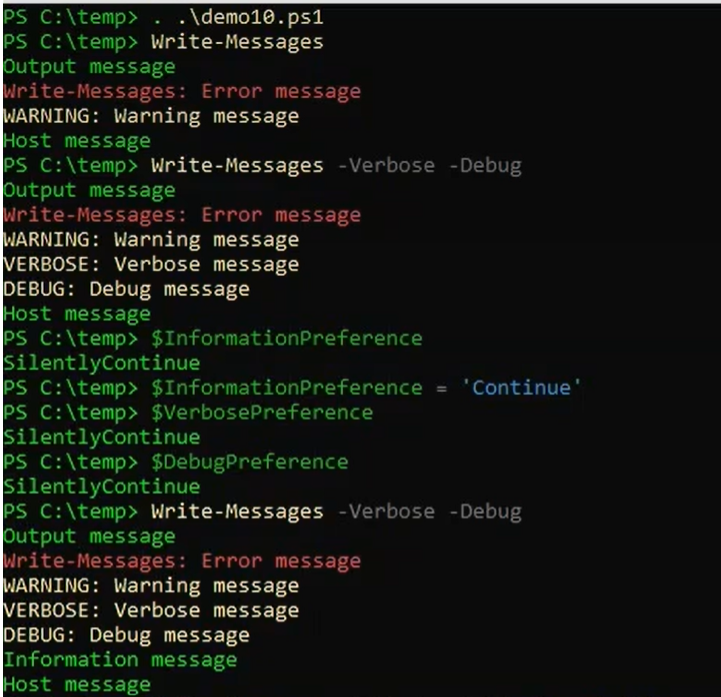
- Users can see verbose messages by using the
Verboseparameter or changing$VerbosePreference. - Recommended over writing to the success stream or using Write-Host.
-
Formatting Output
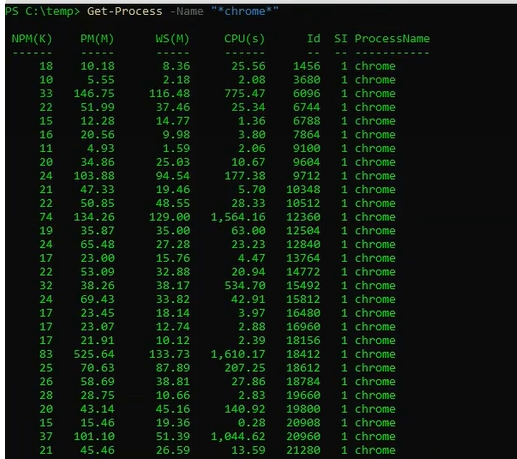
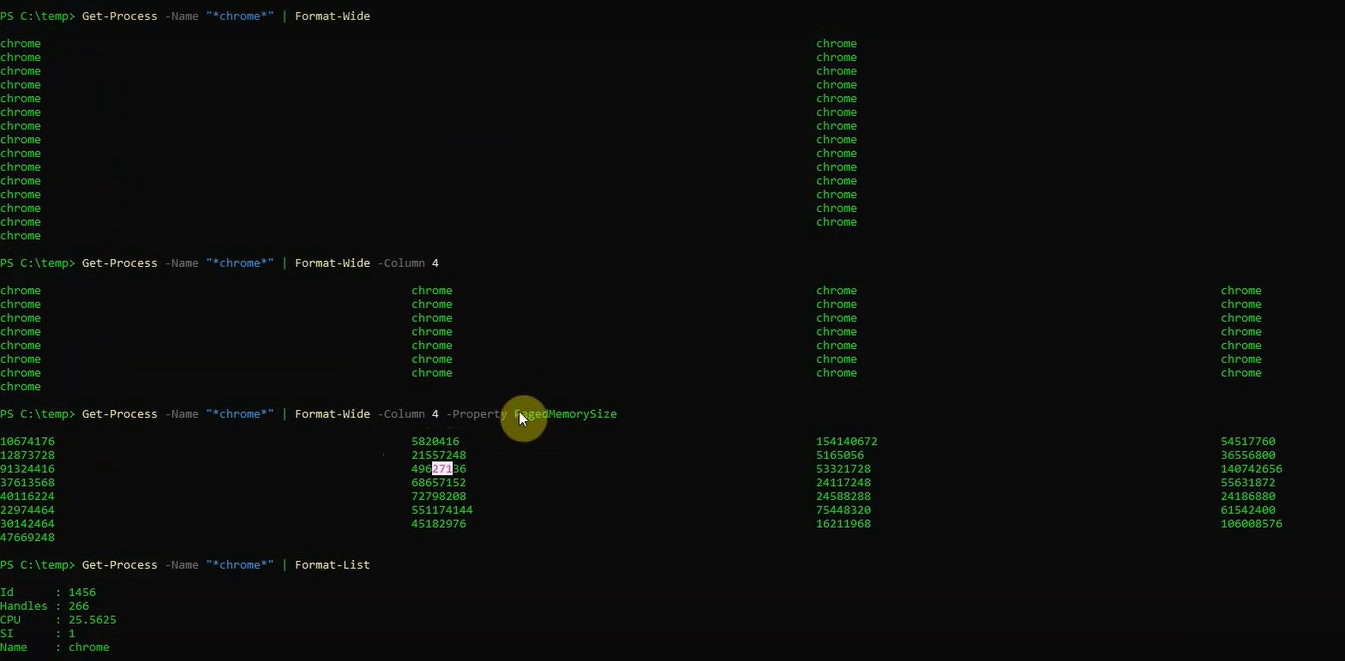
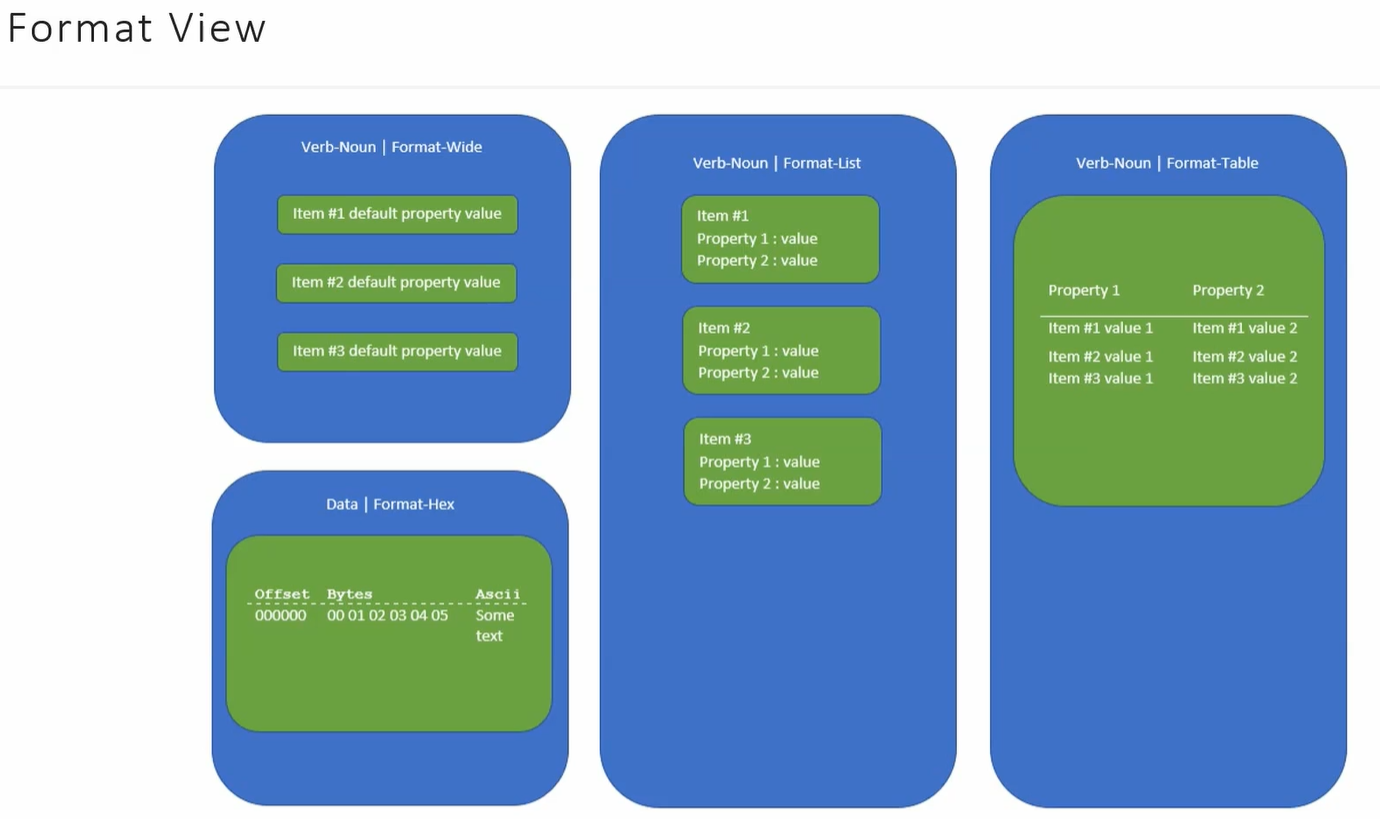
- Format cmdlets help control how object properties are displayed.
- Format-Wide → shows one property, arranged in columns.
- Format-List → shows each property on a separate line, supports wildcards.
- Format-Table → shows multiple properties in table form, good for a detailed view.
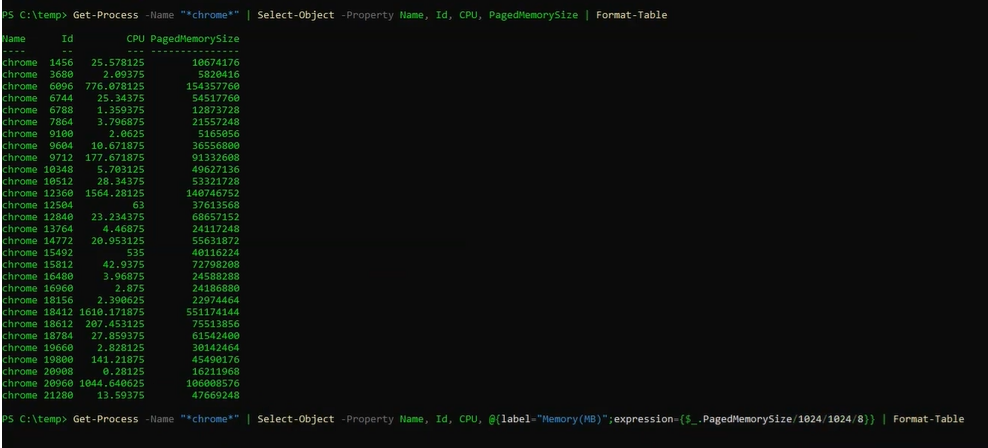
- Format cmdlets can be combined with Select-Object in a pipeline.
-
Select-Object lets you pick properties or create custom properties using logic with curly braces.
-
-
Key Takeaways
- Keep pipeline data and user messages separate.
- Use Write-Verbose for user messages instead of Write-Host.
- Format cmdlets + Select-Object = flexible, clean output.
OUTPUT
Format-View Examples..