Functions
✅ PowerShell Function Parameters
Section titled “✅ PowerShell Function Parameters”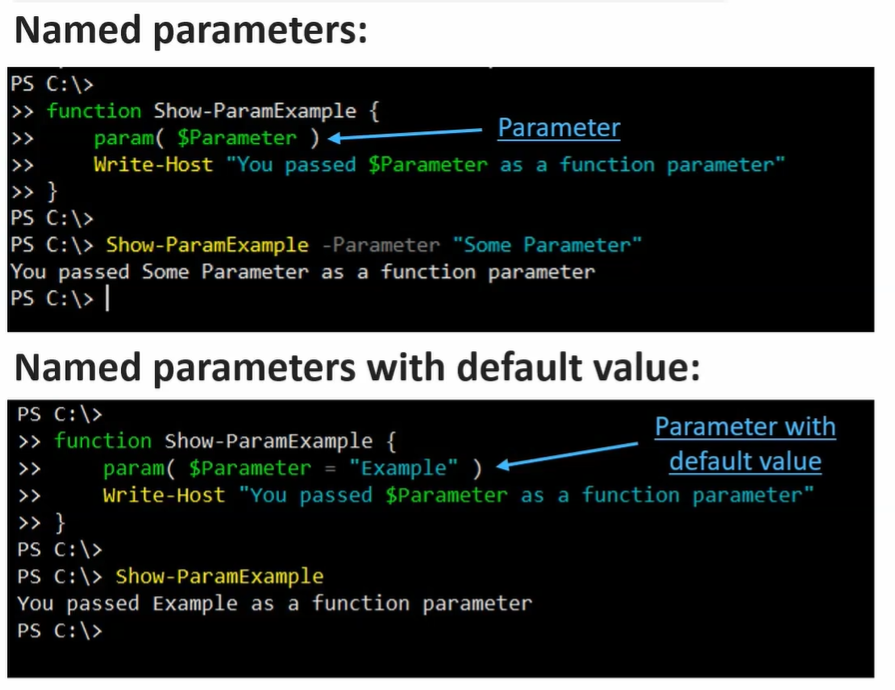
1️⃣ Named Parameters
Section titled “1️⃣ Named Parameters”- Defined inside the
param()block. - You specify the parameter name when calling the function.
- Can have default values.
Example:
Section titled “Example:”function Show-ParamExample { param( $Name = "Example" ) "Name is $Name"}Usage:
Section titled “Usage:”Show-ParamExample# Output: Name is Example
Show-ParamExample -Name "Pavan"# Output: Name is Pavan✔ If no value is given → default is used.
✔ If value is given → it overrides default.
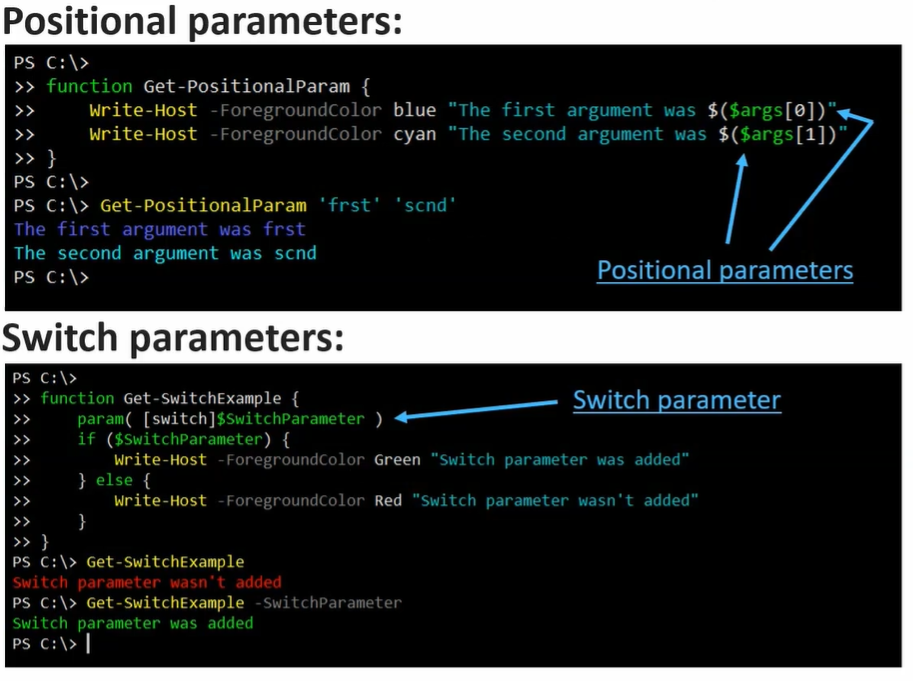
2️⃣ Positional Parameters
Section titled “2️⃣ Positional Parameters”- No need to specify parameter name.
- PowerShell assigns values based on order.
- Values go into
$argsarray if not defined inparam().
Simple Example:
Section titled “Simple Example:”function Show-Positional { "First value: $($args[0])"}Usage:
Section titled “Usage:”Show-Positional Hello# Output: First value: Hello✔ First value after function name → $args[0]
✔ Second value → $args[1]
Better Positional Example (With Param Block)
Section titled “Better Positional Example (With Param Block)”function Add-Numbers { param( $A, $B ) $A + $B}Usage:
Add-Numbers 5 10# Output: 15Here:
- 5 → $A
- 10 → $B
3️⃣ Switch Parameters
Section titled “3️⃣ Switch Parameters”- Do NOT require a value.
- Either present (True) or not present (False).
- Used for flags like
Verbose.
Example:
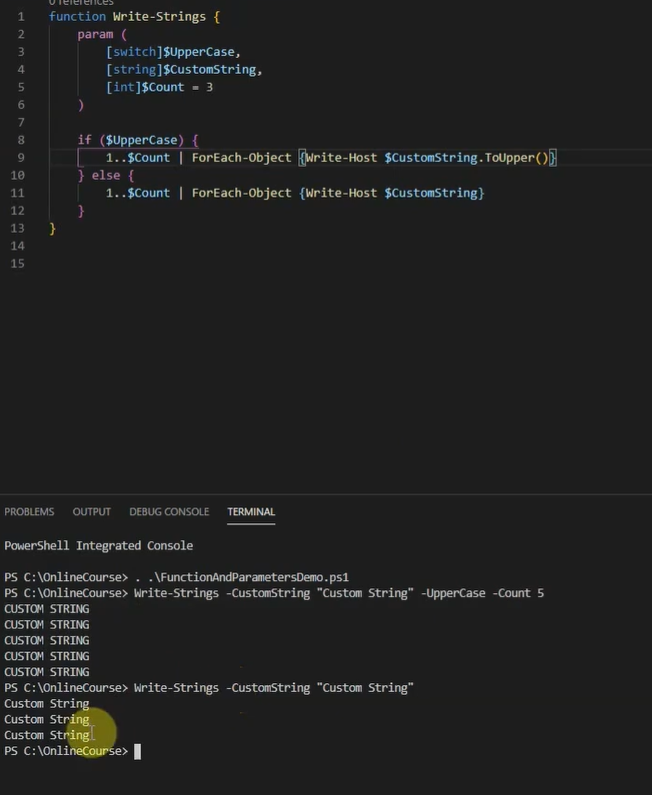
Section titled “Example:”function Test-Switch { param( [switch]$Upper )
if ($Upper) { "HELLO" } else { "hello" }}Usage:
Section titled “Usage:”Test-Switch# Output: hello
Test-Switch -Upper# Output: HELLO✔ If -Upper is used → $Upper = True
✔ If not used → $Upper = False
🎯 Quick Summary
Section titled “🎯 Quick Summary”| Parameter Type | Needs Name? | Needs Value? | Example |
|---|---|---|---|
| Named | Yes | Yes | -Name "Pavan" |
| Positional | No | Yes | 5 10 |
| Switch | Yes | No | -Upper |
✅ PowerShell Functions & Pipeline – Simple Notes
Section titled “✅ PowerShell Functions & Pipeline – Simple Notes”1️⃣ Pipeline in Functions
Section titled “1️⃣ Pipeline in Functions”- Any function can accept objects from the pipeline.
- Control pipeline processing using
begin,process,endblocks.
2️⃣ How begin, process, end Work
Section titled “2️⃣ How begin, process, end Work”| Block | When it runs | How often |
|---|---|---|
| begin | Before any objects come from pipeline | Once |
| process | For each object from pipeline | Once per object |
| end | After all objects are processed | Once |
- Objects from pipeline → assigned to
$_automatically inprocessblock. - If
begin/process/endare not used → all code acts likeend.
3️⃣ Simple Example
Section titled “3️⃣ Simple Example”function Show-Items { begin { "Starting function..." } process { "Processing item: $_" } end { "All items processed." }}Usage:
Section titled “Usage:”1,2,3 | Show-ItemsOutput:
Starting function...Processing item: 1Processing item: 2Processing item: 3All items processed.4️⃣ Notes
Section titled “4️⃣ Notes”$_→ represents current object inprocessblock.begin→ initialize things (e.g., counters, variables).process→ main work on each object.end→ finalize (e.g., display totals, cleanup).
5️⃣ Example Without begin/process/end
Section titled “5️⃣ Example Without begin/process/end”function Show-ItemsSimple { "Item: $_"}Usage:
1,2,3 | Show-ItemsSimpleOutput:
Item: 1Item: 2Item: 3- Here, all code is treated like
end→ still works, but less control.