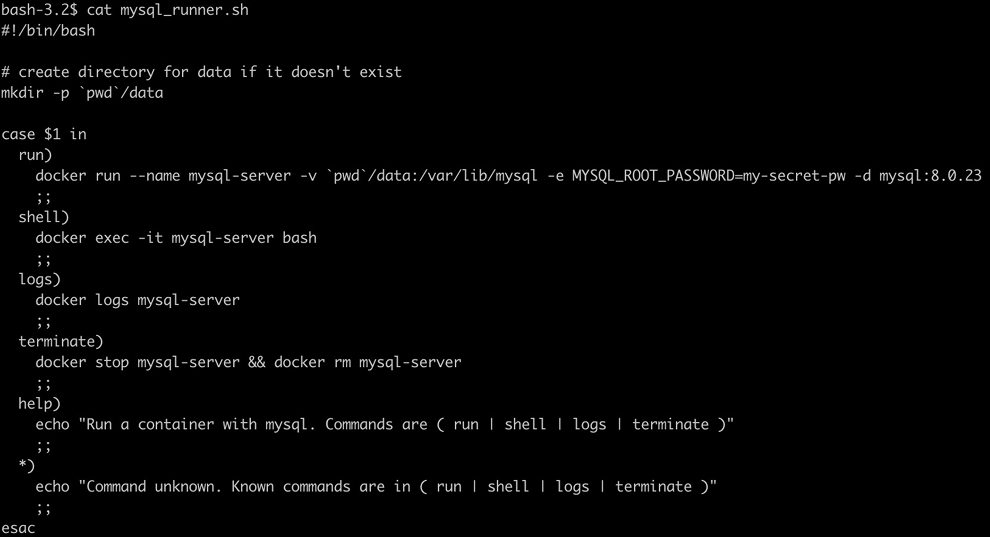
Conditionals and Case Statements
Conditional Operators
Section titled “Conditional Operators”String Conditionals
Section titled “String Conditionals”[[ -z STRING ]] | Empty string |
|---|---|
[[ -n STRING ]] | Not empty string |
[[ STRING == STRING ]] | Equal |
[[ STRING != STRING ]] | Not Equal |
[[ STRING =~ STRING ]] | Regexp |
Integer Conditionals
Section titled “Integer Conditionals”[[ NUM -eq NUM ]] | Equal |
|---|---|
[[ NUM -ne NUM ]] | Not equal |
[[ NUM -lt NUM ]] | Less than |
[[ NUM -le NUM ]] | Less than or equal |
[[ NUM -gt NUM ]] | Greater than |
[[ NUM -ge NUM ]] | Greater than or equal |
(( NUM < NUM )) | Numeric conditions |
File conditions
Section titled “File conditions”[[ -e FILE ]] | Exists |
|---|---|
[[ -r FILE ]] | Readable |
[[ -h FILE ]] | Symlink |
[[ -d FILE ]] | Directory |
[[ -w FILE ]] | Writable |
[[ -s FILE ]] | Size is > 0 bytes |
[[ -f FILE ]] | File |
[[ -x FILE ]] | Executable |
[[ FILE1 -nt FILE2 ]] | 1 is more recent than 2 |
[[ FILE1 -ot FILE2 ]] | 2 is more recent than 1 |
[[ FILE1 -ef FILE2 ]] | Same files |
Others
Section titled “Others”[[ ! EXPR ]] | Not |
|---|---|
[[ X && Y ]] | And |
| `[[ X |
- String Operators (
==,!=,<,>): Used to compare text based on alphabetical (ASCII) order. - Integer Operators (
eq,ne,lt,gt): Used to compare the mathematical value of numbers.
Conditional Statements (if, elif, else)
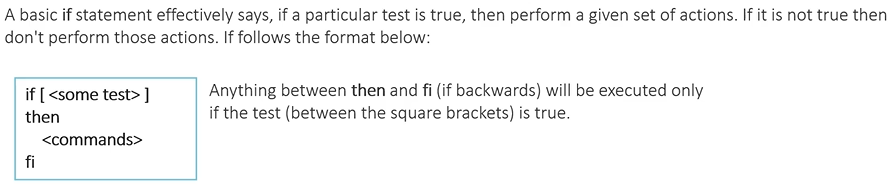
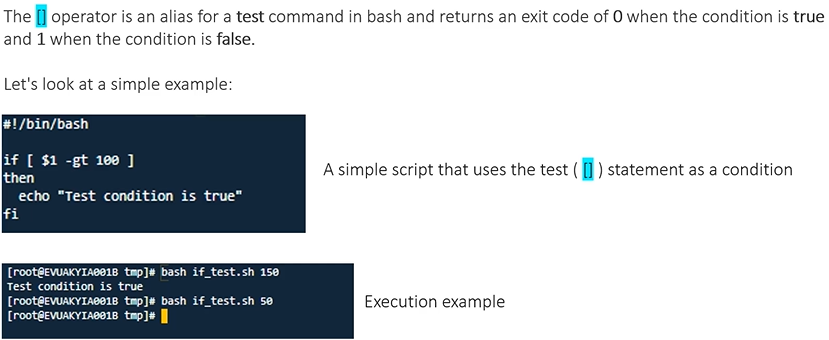
Section titled “Conditional Statements (if, elif, else)”[] → old stuff, similar to test , can’t be useful for adv. ops like regex
[[]] → new operator, returns 0 → True, else 1
(()) → for evaluating arithmetic expressions as condition

#!/bin/bash
if (( $# != 1 )) || ! [[ $1 =~ ^[0-9]+$ ]]; then echo "Plz Check No.of Args and Type of Arg. it may be invalid number"elif [[ $1 -ge 10 && $1 -le 100 ]]; then if [[ $(($1 % 2)) -eq 0 ]]; then echo "Valid EVEN" else echo "valid ODD" fielse echo "Make sure Number is between 10 to 100"fiif (( ${#1} % 2 == 0 )); then echo "EVEN"else echo "ODD"fi#!/bin/bash
if (($1 > 0)) && [[ $2 == *.log ]]; then cp $2 "$1.log" if [[ $? -eq 0 ]]; then echo "Valid - $1.log Created" else echo "Failed to create file!" fielse echo "Invalid"fiCase Statement
Section titled “Case Statement”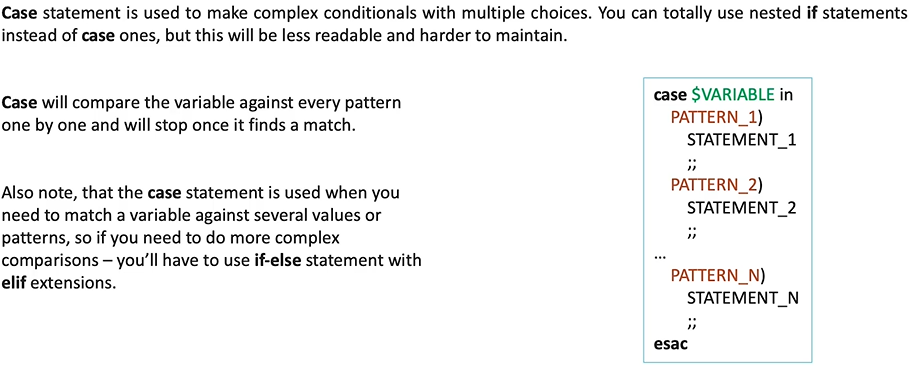
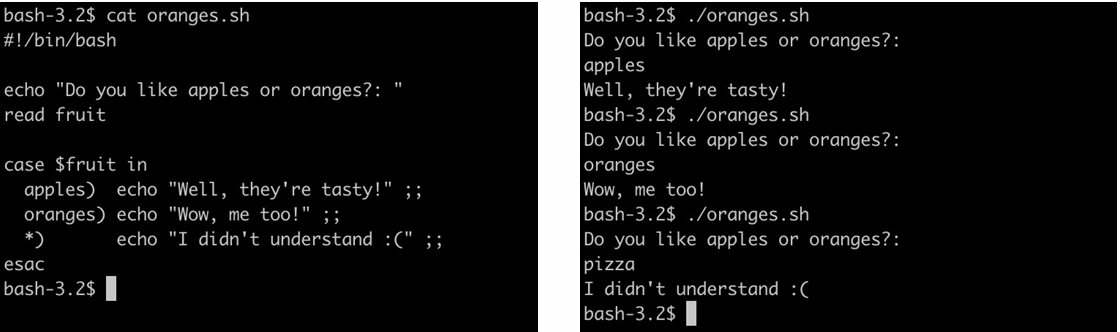
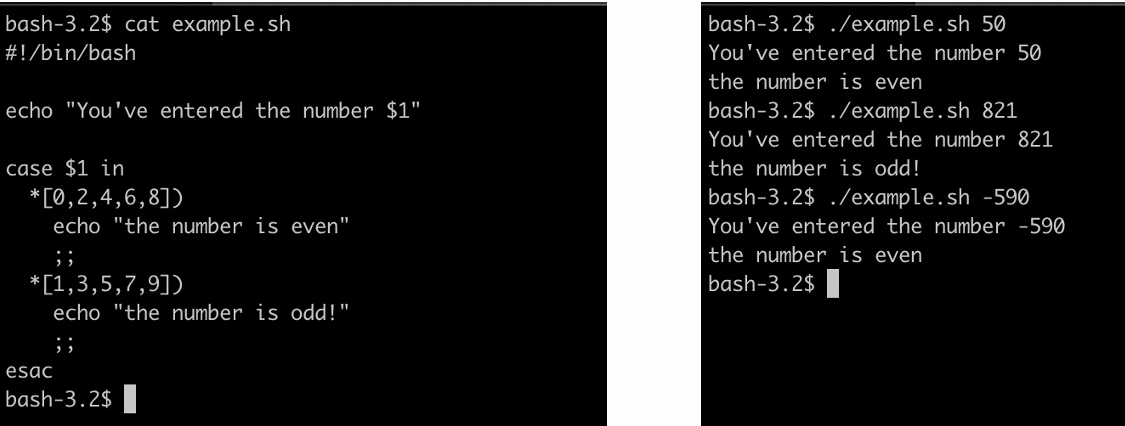
#!/bin/bash
echo "Enter your Option [Yes/No]"read option;
case $option in        [Yy] | [Yy][Ee][Ss])                echo "Accepted!!"        ;;
        [Nn] | [Nn][Oo])                echo "Not Accepted!!"        ;;
        *)                echo "INcorrect Option!!"        ;;esac
Real World Examples….
Section titled “Real World Examples….”