

Remote & Local Registry
Docker Registry
Section titled “Docker Registry”A registry is a central repository where Docker images are stored and managed.
If containers are the “rain,” the registry is the “cloud” they fall from.
Image Naming Convention
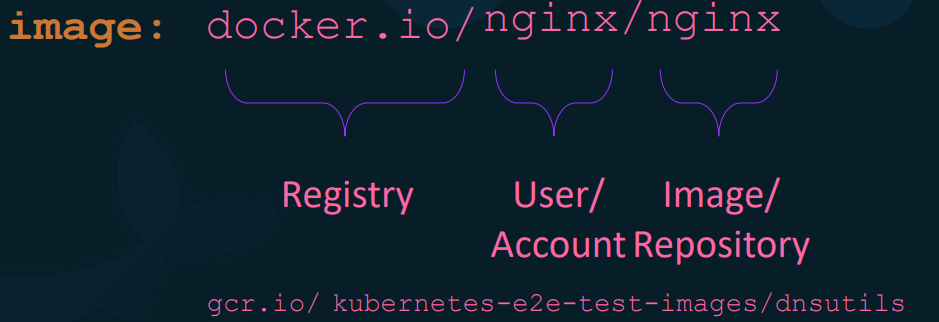
Section titled “Image Naming Convention”Docker images follow a specific naming structure: registry-url/user-or-org/repository:tag.
- Official Images: When you run
docker run nginx, Docker assumes the full name isdocker.io/library/nginx:latest. Thelibraryprefix denotes an official Docker Hub image. - User/Org Images: If you create an image, it follows the pattern
username/image-name(e.g.,pavan/my-app). - Default Registry: If no URL is specified, Docker defaults to Docker Hub (
docker.io).
Public vs. Private Registries
Section titled “Public vs. Private Registries”- Public Registries: Accessible to everyone. Examples include Docker Hub and Google’s GCR.io (often used for Kubernetes images).
- Private Registries: Used for in-house applications that should not be public. Cloud providers like AWS (ECR), Azure (ACR), and GCP (GCR/Artifact Registry) provide these.
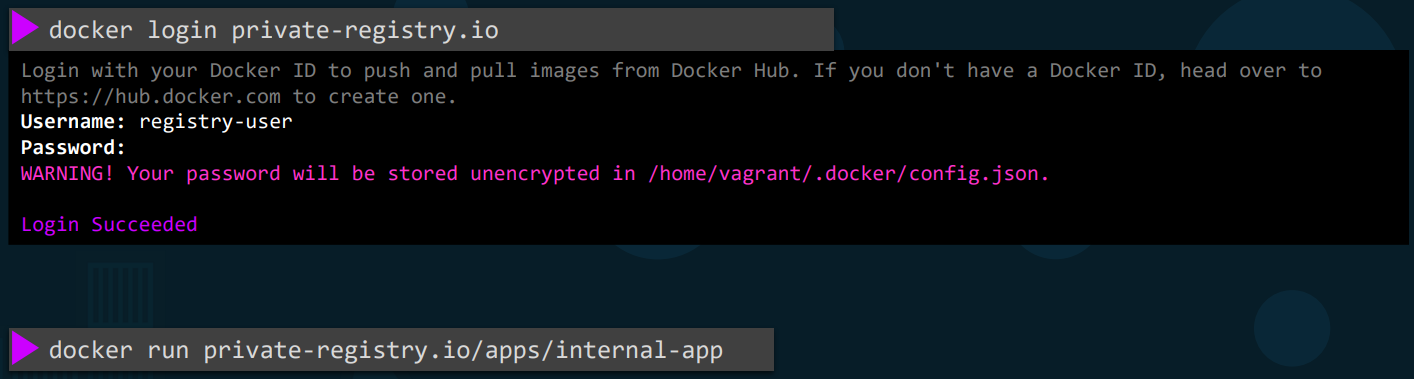
- Authentication: To use a private registry, you must authenticate before pulling or pushing.
- Command:
docker login <registry-url> - Note: If you aren’t logged in, Docker will return an “image not found” error for private repos.
- Command:
Running Your Own Private Registry
Section titled “Running Your Own Private Registry”If you are on-premises and need a local registry, you can run the official registry image as a container.
- Start Registry:
docker run -d -p 5000:5000 --name local-registry registry - How it works: The registry application exposes an API on port 5000.
Pushing to a Custom Registry
Section titled “Pushing to a Custom Registry”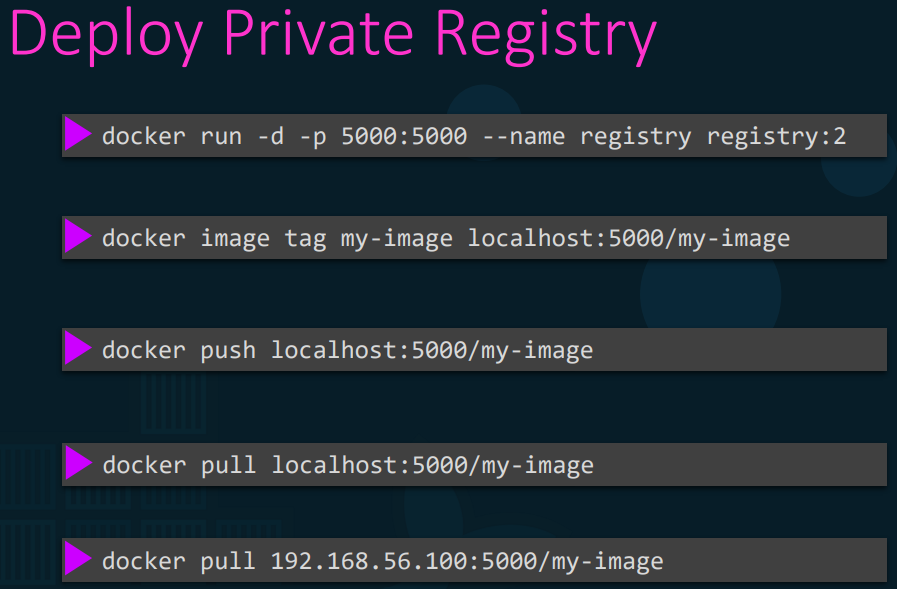
To push an image to a non-default registry, you must “tag” it with the registry’s address.
Step 1: Tag the image
pavan_bandaru@epam~> docker image tag my-image localhost:5000/my-imageStep 2: Push to the local registry
pavan_bandaru@epam~> docker push localhost:5000/my-imageStep 3: Pull from the network From another host in the same network, you would use the IP of the registry host:
pavan_bandaru@epam~> docker pull 192.168.1.10:5000/my-image