

Variables & Arrays & Hash Table/Dict.
- case-insensitive
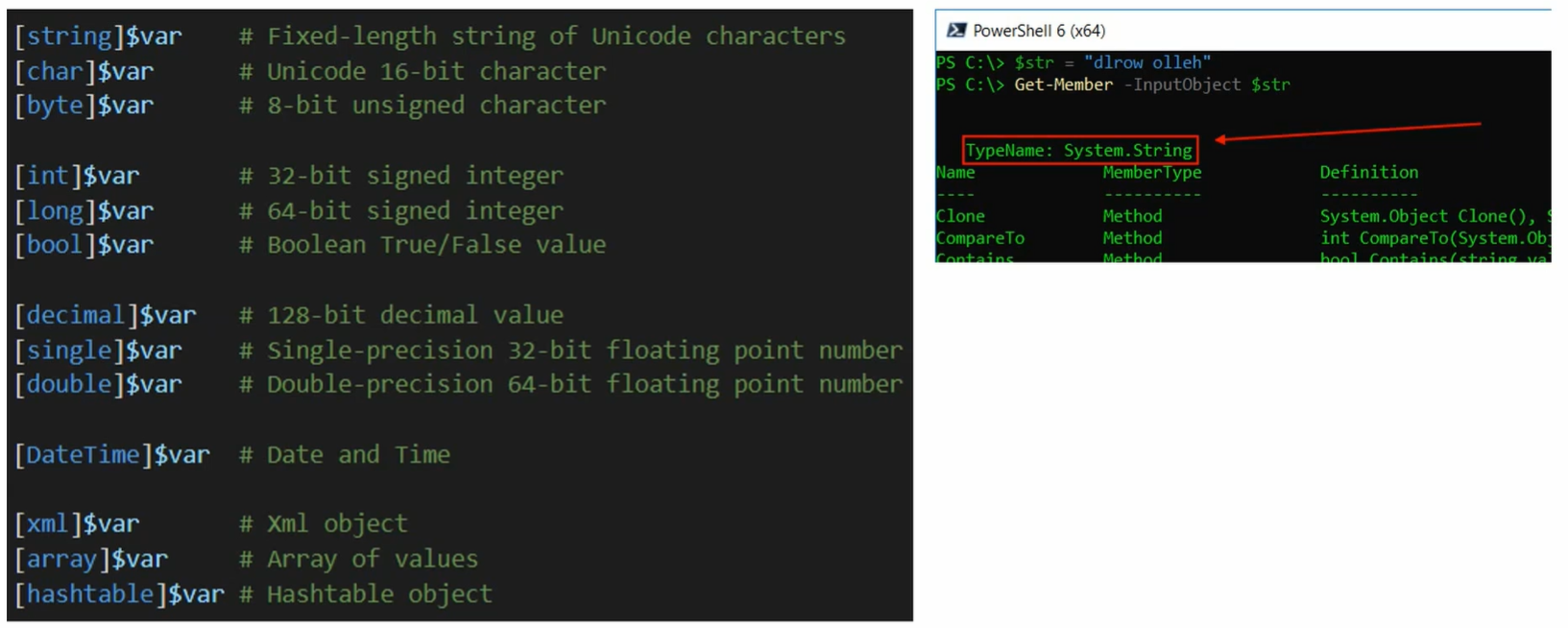
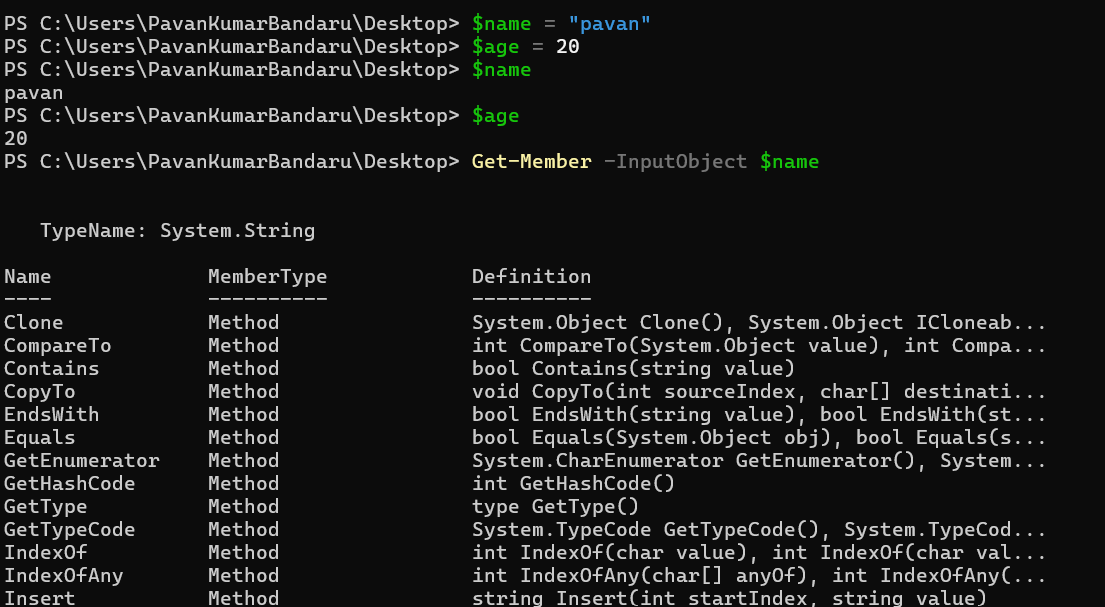
Functions explained in following Format:
$var.Func() -> output
🔤 STRING (System.String)
Section titled “🔤 STRING (System.String)”$str =" Hello World "$str.Trim()->"Hello World"$str.ToUpper() ->" HELLO WORLD "$str.ToLower() ->" hello world "$str.Replace("World","PowerShell") ->" Hello PowerShell "$str.Substring(2,5) ->"Hello"$str.Contains("Hello") -> True$str.StartsWith(" He") -> True$str.EndsWith(" ") -> True$str.IndexOf("World") ->8$str.Split(" ") -> {"","","Hello","World","",""}🔢 NUMBERS (Int / Double)
Section titled “🔢 NUMBERS (Int / Double)”$num =-15.7$num.ToString() -> "-15.7"$num.GetType() -> Double[Math]::Abs($num) -> 15.7[Math]::Round($num) -> -16[Math]::Ceiling($num) -> -15[Math]::Floor($num) -> -16[Math]::Pow(2,3) -> 8[Math]::Sqrt(16) -> 4[Math]::Max(5,9) -> 9[Math]::Min(5,9) -> 5📚 ARRAY (System.Array)
Section titled “📚 ARRAY (System.Array)”$arr =1,2,3,4,5$arr.Count -> 5$arr.Length -> 5$arr.GetType() -> Object[]$arr.Contains(3) -> True$arr.IndexOf(4) -> 3$arr.Clone() -> {1,2,3,4,5}$arr.Reverse() -> {5,4,3,2,1}$arr.Clear() -> {}🗂 HASHTABLE (System.Collections.Hashtable)
Section titled “🗂 HASHTABLE (System.Collections.Hashtable)”$hash = @{Name="John"; Age=30}$hash.Keys -> Name, Age$hash.Values -> John, 30$hash.ContainsKey("Name") -> True$hash.ContainsValue(30) -> True$hash.Add("City","NY") -> Adds new key$hash.Remove("Age") -> Removes Age$hash.Count -> 2$hash.Clear() -> {}$hash.GetType() -> Hashtable📅 DATETIME (System.DateTime)
Section titled “📅 DATETIME (System.DateTime)”$date =Get-Date$date.ToShortDateString() -> 2/19/2026$date.ToLongDateString() -> Thursday, February 19, 2026$date.AddDays(5) -> (date + 5 days)$date.AddMonths(1) -> (date + 1 month)$date.AddYears(1) -> (date + 1 year)$date.Day -> 19$date.Month -> 2$date.Year -> 2026$date.DayOfWeek -> Thursday$date.ToString("yyyy-MM-dd") -> 2026-02-19📦 PSCUSTOMOBJECT
Section titled “📦 PSCUSTOMOBJECT”$obj = [PSCustomObject]@{Name="Alice"; Score=95}$obj.GetType() -> PSCustomObject$obj.PSObject.Properties.Name -> Name, Score$obj | Get-Member -> Shows members$obj.ToString() -> @{Name=Alice; Score=95}Arrays and Hash Table/Dict.
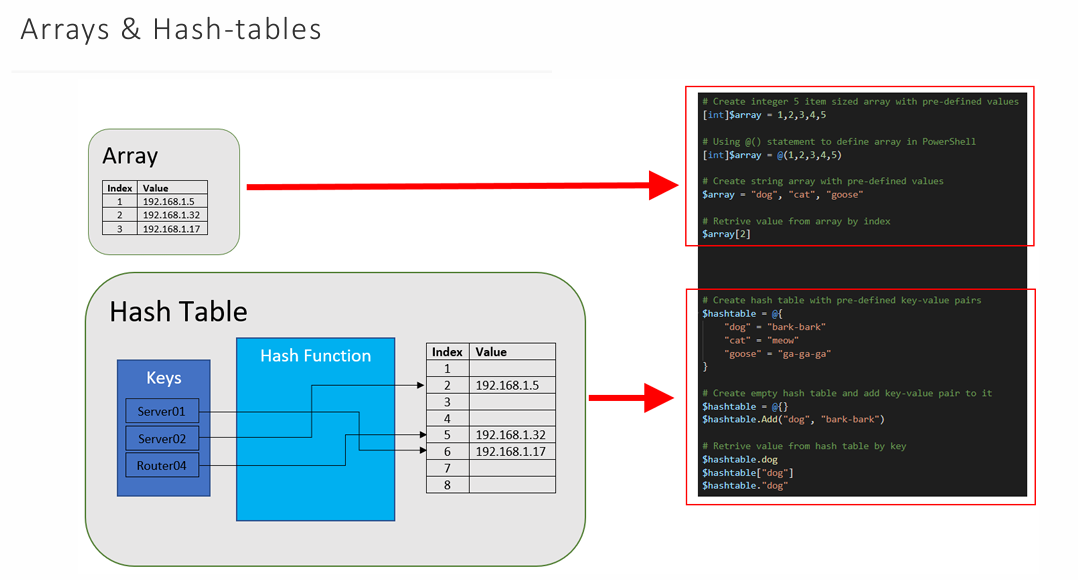
Section titled “Arrays and Hash Table/Dict.”- arrays are fixed size just like in .NET
- to modify array we have to create a new one and copy all from old and add new element..
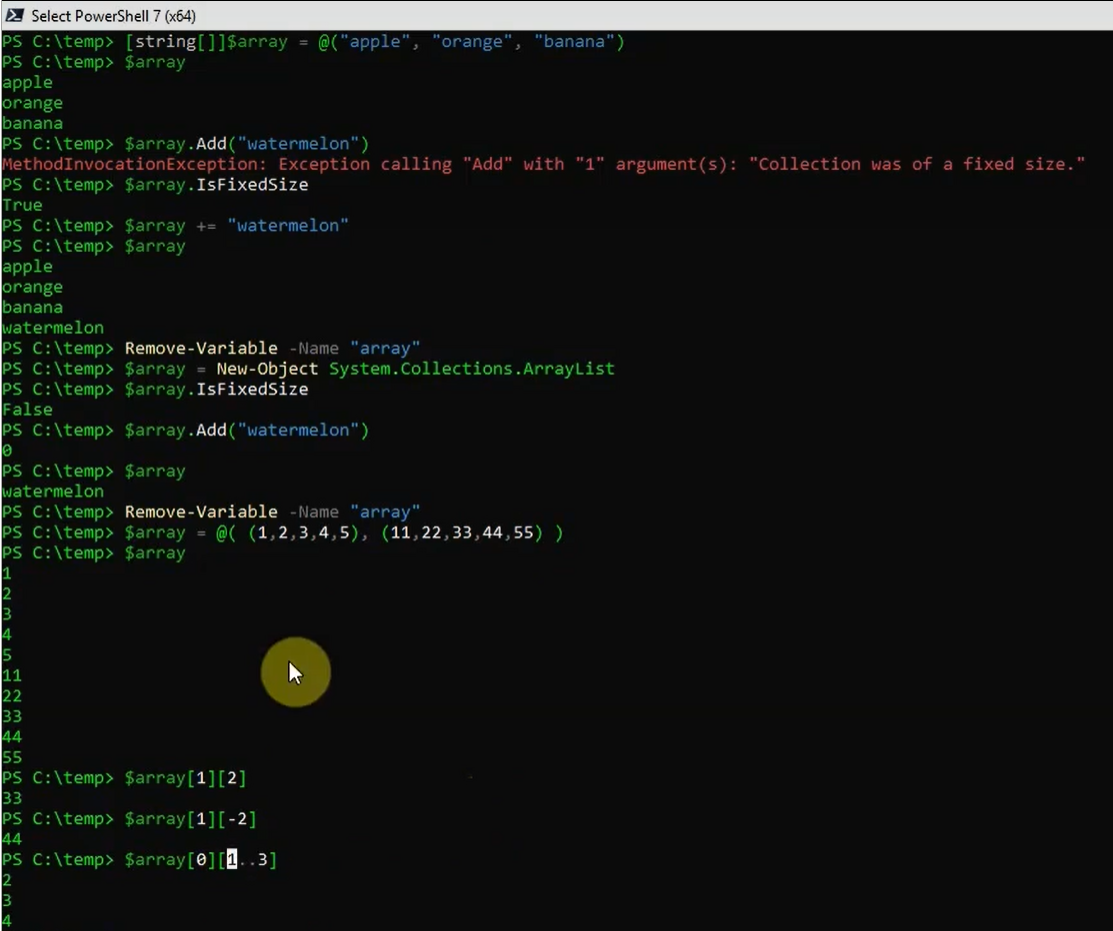
PS C:\Users\PavanKumarBandaru\Desktop> [string[][]]$a2 = @(>> ("Pavan","Hari","Siva"),>> ("Apple","Banana","Orange")>> )PS C:\Users\PavanKumarBandaru\Desktop> $a2[0]PavanHariSivaPS C:\Users\PavanKumarBandaru\Desktop> $a2[0][0]Pavan