

Providers
What is a Provider?
-
Makes data in specialized storage look like a drive.
-
Access via paths like a file system.
-
Can use built-in, third-party, or custom providers.
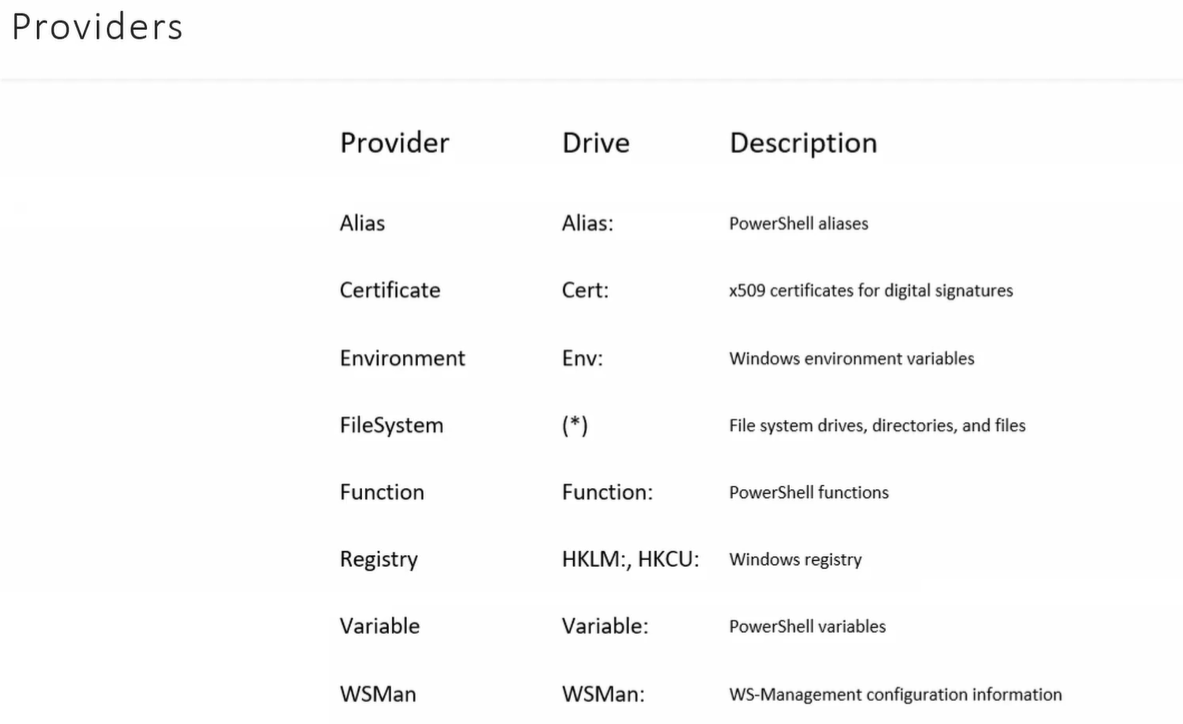
Example:
PS C:\WINDOWS\System32> Get-PSProvider #Lists all available providers
Name                 Capabilities                                            Drives----                 ------------                                            ------Registry             ShouldProcess, Transactions                             {HKLM, HKCU}Alias                ShouldProcess                                           {Alias}Environment          ShouldProcess                                           {Env}FileSystem           Filter, ShouldProcess, Credentials                      {C}Function             ShouldProcess                                           {Function}Variable             ShouldProcess                                           {Variable}
Modules and Providers
-
Providers come from modules.
Terminal window PS C:\Users\PavanKumarBandaru> Get-PSDriveName Used (GB) Free (GB) Provider Root CurrentLocation---- --------- --------- -------- ---- ---------------Alias AliasC 216.06 259.29 FileSystem C:\ Users\PavanKumarBandaruCert Certificate \Env EnvironmentFunction FunctionHKCU Registry HKEY_CURRENT_USERHKLM Registry HKEY_LOCAL_MACHINEVariable VariableWSMan WSManPS C:\Users\PavanKumarBandaru> Get-PSDrive -Name CName Used (GB) Free (GB) Provider Root CurrentLocation---- --------- --------- -------- ---- ---------------C 216.06 259.29 FileSystem C:\ Users\PavanKumarBandaru -
Load a provider:
Terminal window Import-Module Microsoft.PowerShell.Management -
Remove a provider (or its drive):
NOTE: Remove-PSDrive cmdlet removes any drive from the current session. This data on the drive is not affected, but the drive is no longer available in that session.
Terminal window Remove-PSDrive -Name Z
File System Provider
- Works with files and directories.
- Common commands:
- Get-ChildItem → list files/folders
- Copy-Item → copy files/folders
- New-Item → create files/folders
- Remove-Item → delete files/folders
Examples:
Get-ChildItem -Path C:\Temp-Recurse #List all files/folders recursivelyNew-Item -Path C:\Temp\MyFile.txt -ItemType FileCopy-Item -Path C:\Temp\MyFile.txt -Destination C:\BackupRemove-Item -Path C:\Temp\MyFile.txt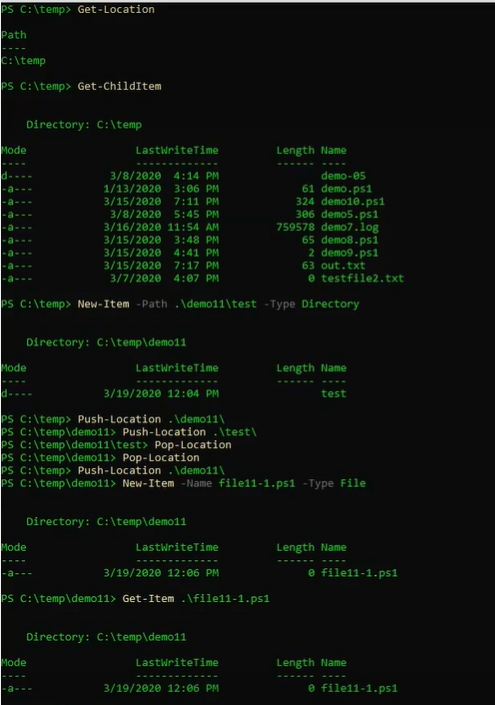
Working Directory / Current Location
- PowerShell has a current location like File Explorer.
- Can use relative or full paths.
Examples:
Set-Location C:\Temp # Change working directoryGet-ChildItem . # List items in current directory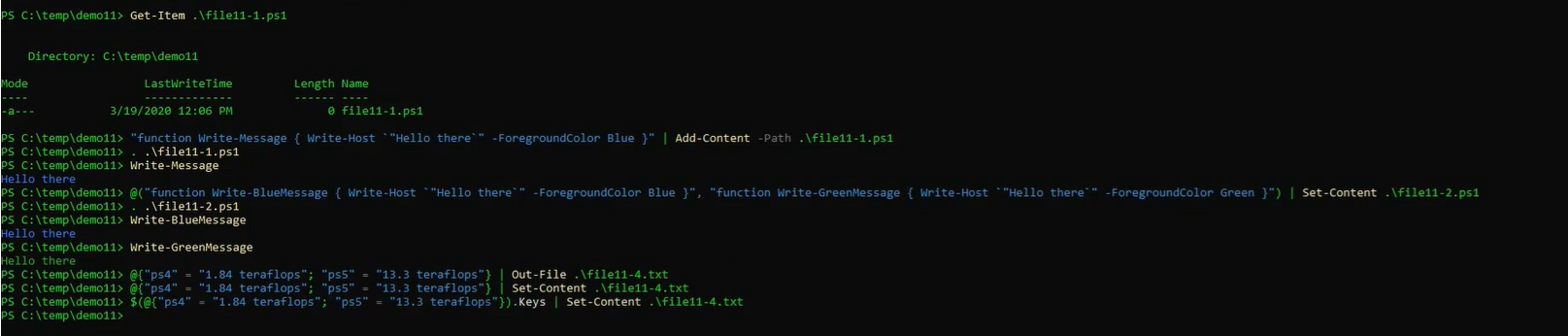
✅ Key Idea: Providers = “drives” for any data type. Use location + item + content cmdlets to navigate and manage data easily.