

Data Streams & Pipes
Pipes and Data Streams..
Section titled “Pipes and Data Streams..”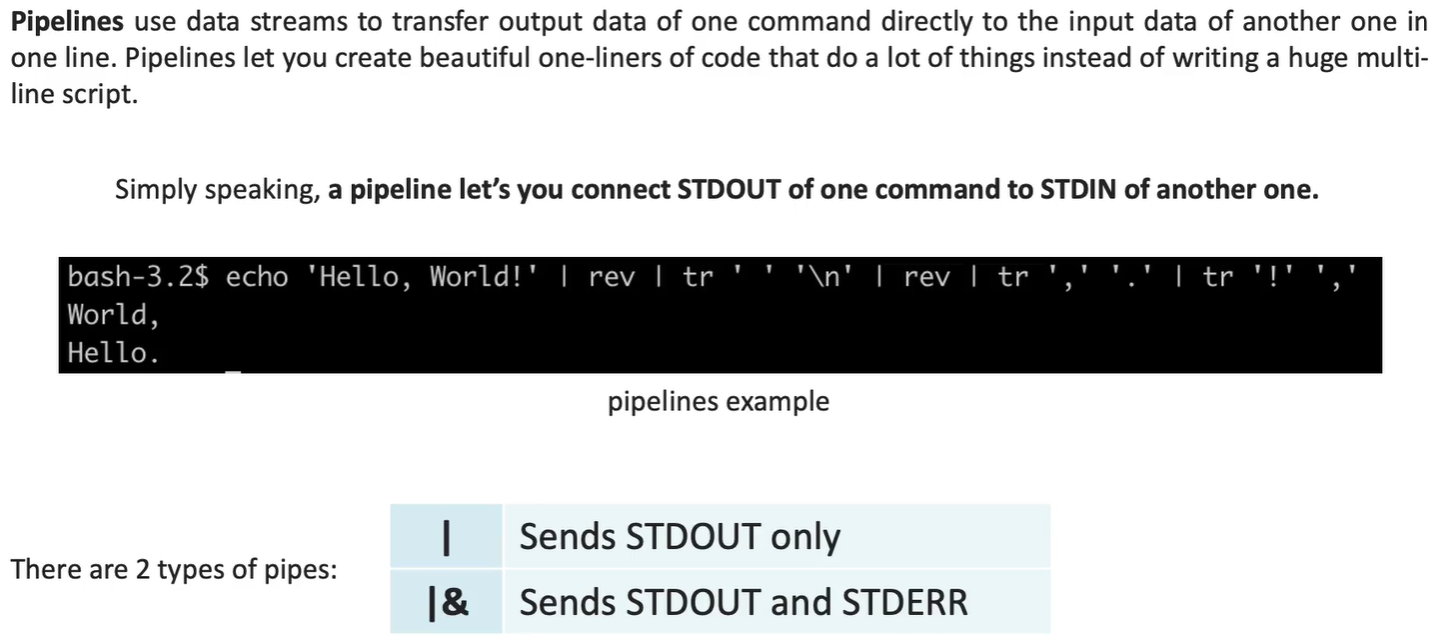
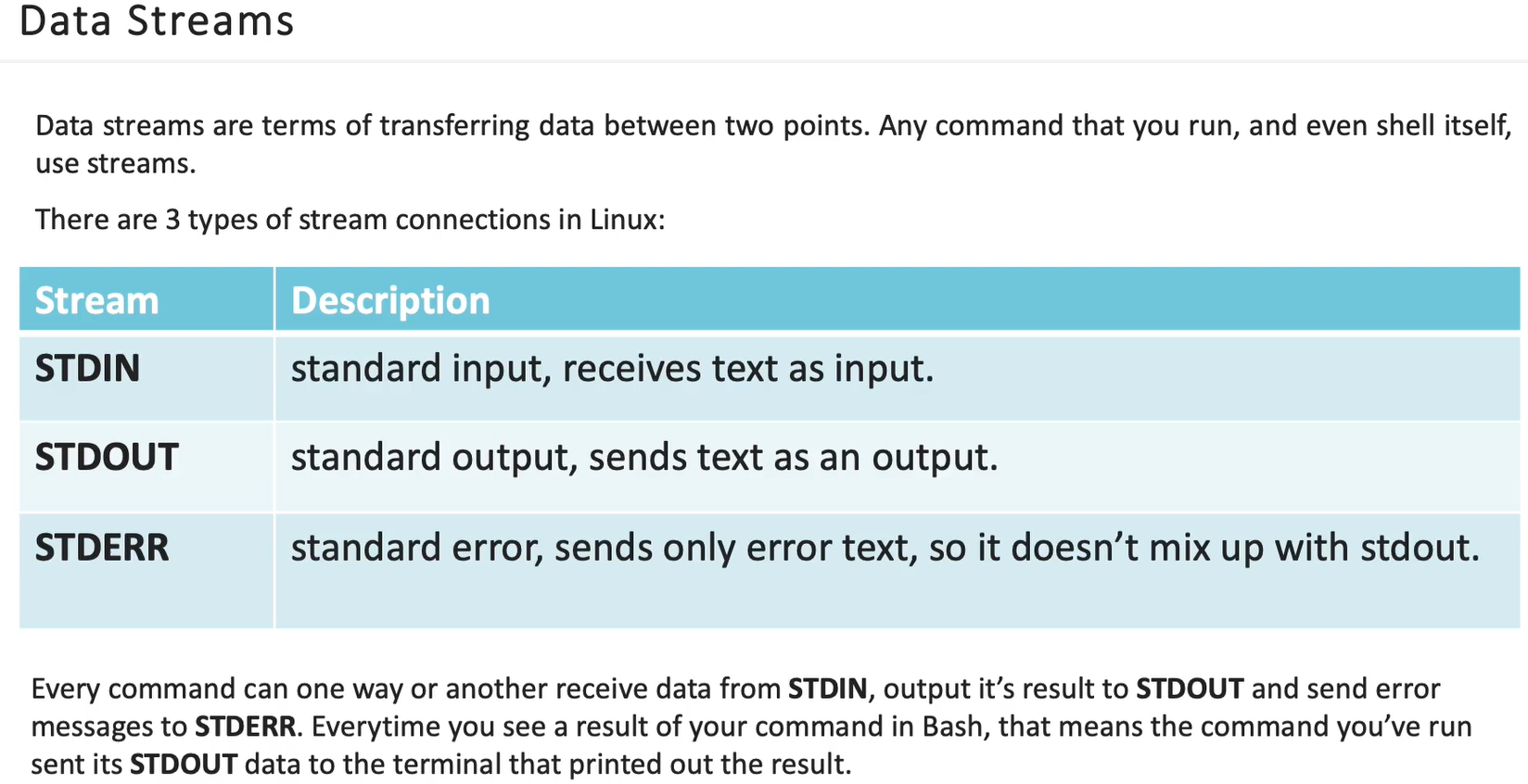
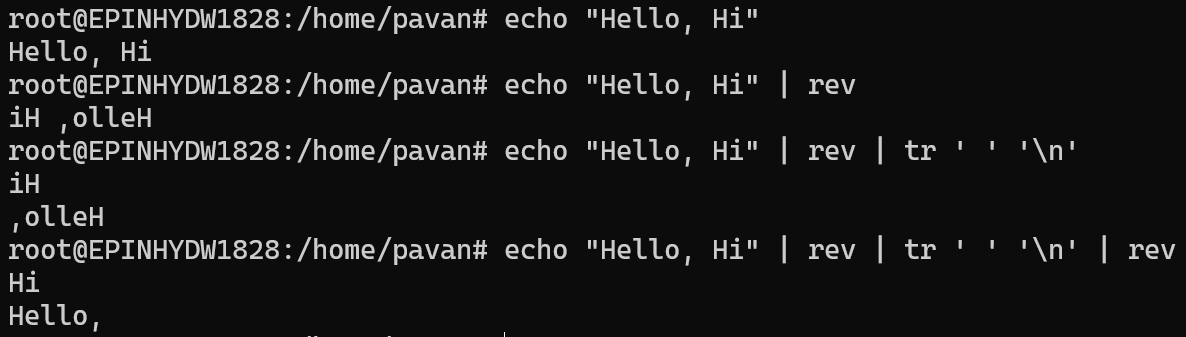
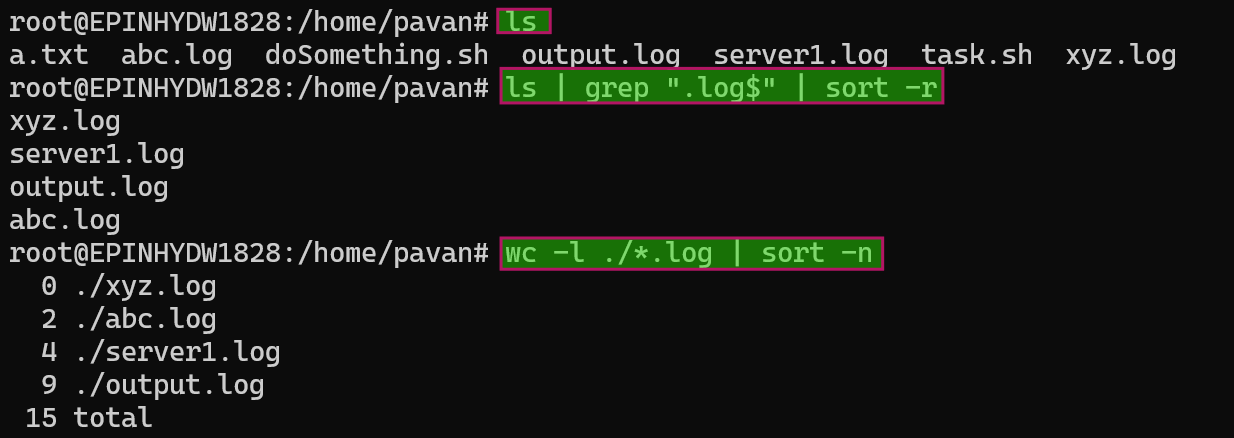
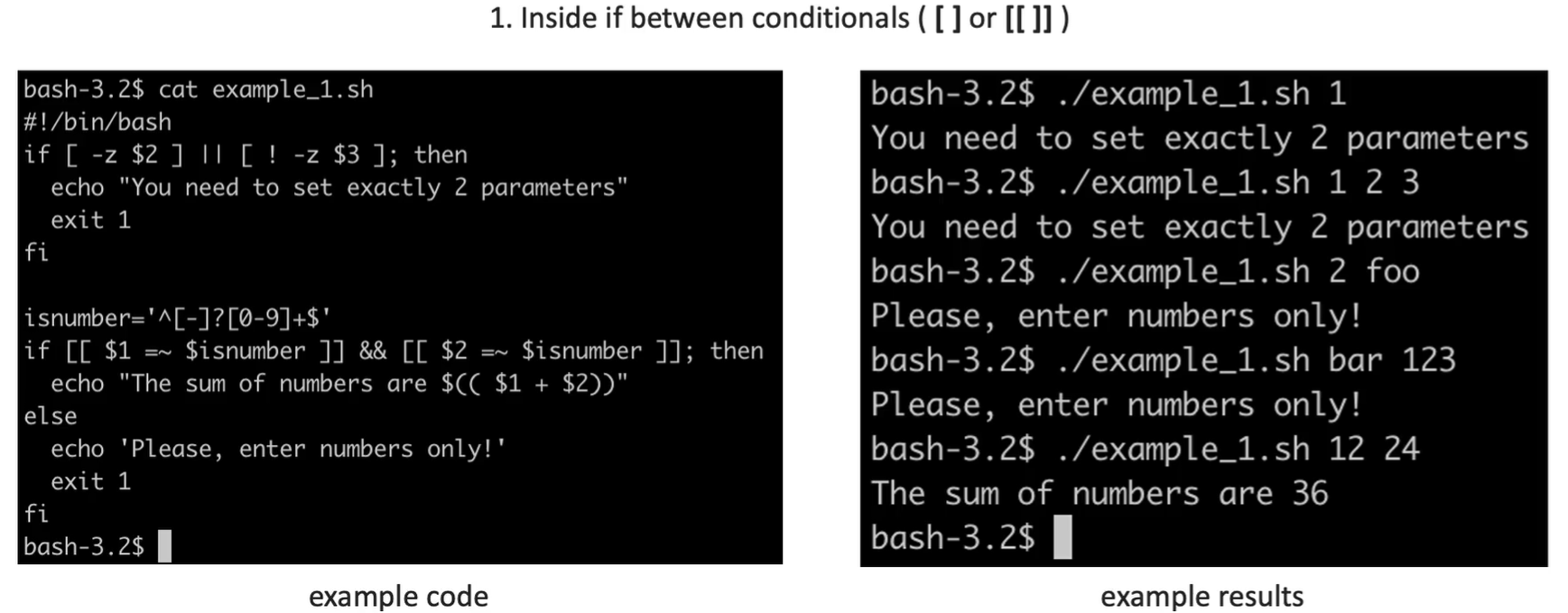
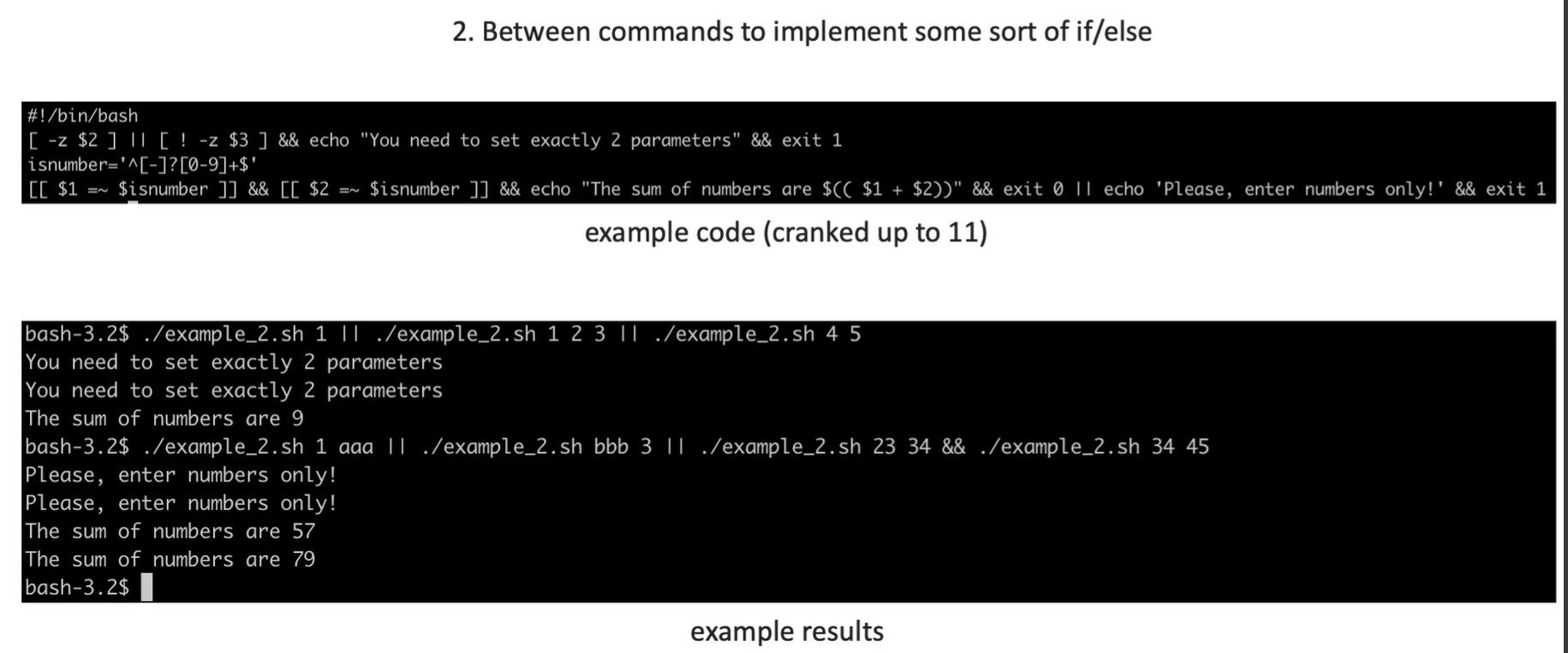
Eg: mkdir Name_Surname && touch Name_Surname/my_file && echo "Hello" > Name_Surname/my_file && cat Name_Surname/my_file || echo "Something went wrong"
Streams
Section titled “Streams”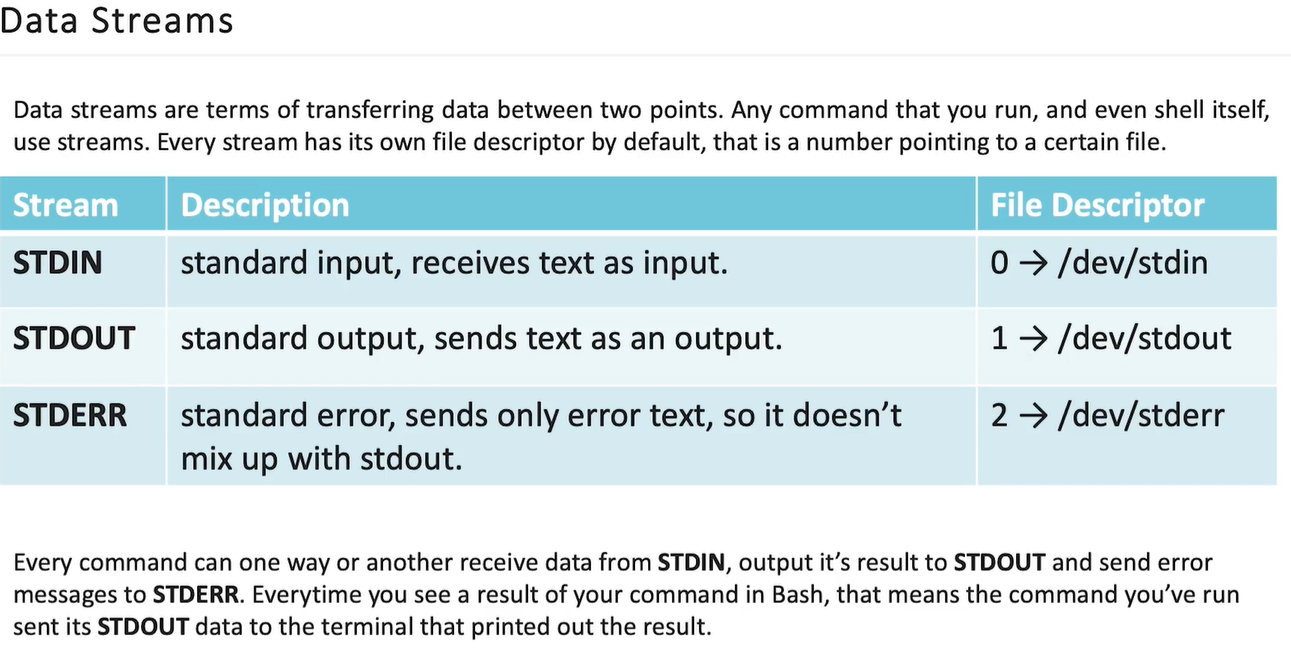
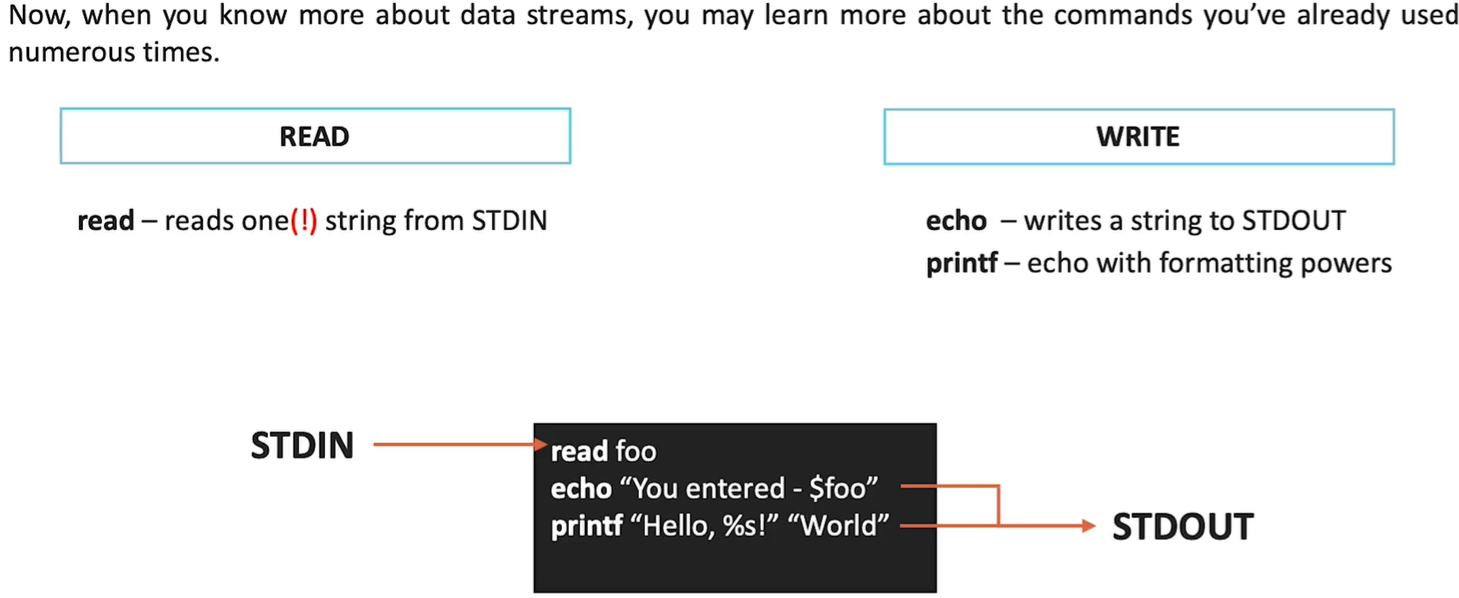
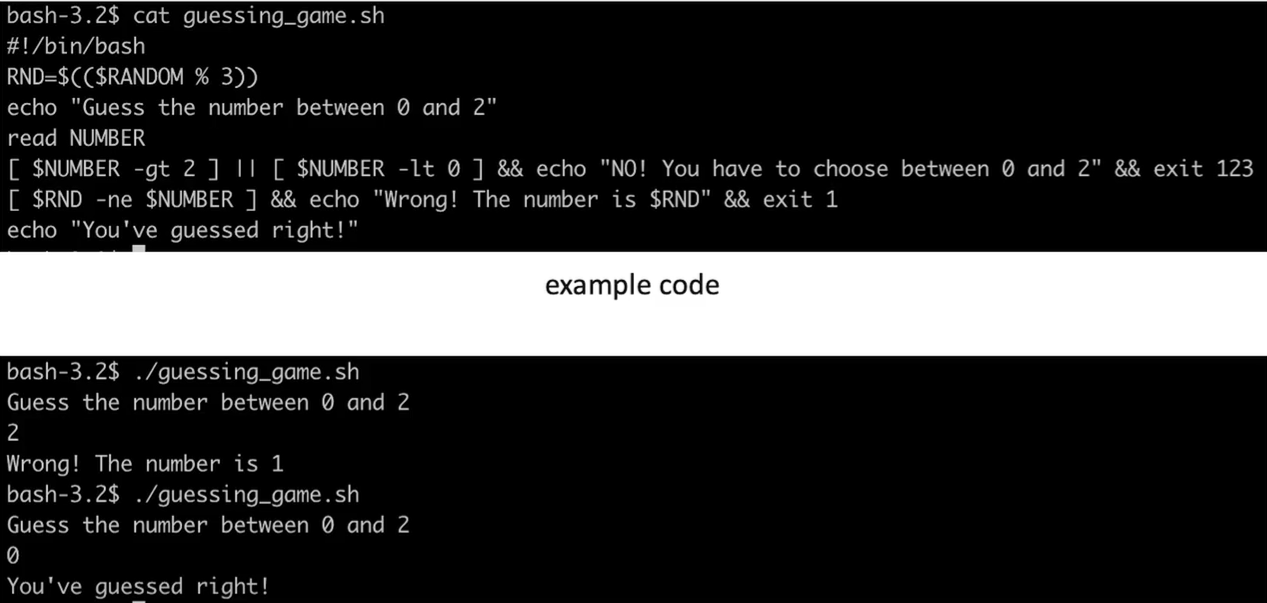
File Descriptors and Data Redirections.
Section titled “File Descriptors and Data Redirections.”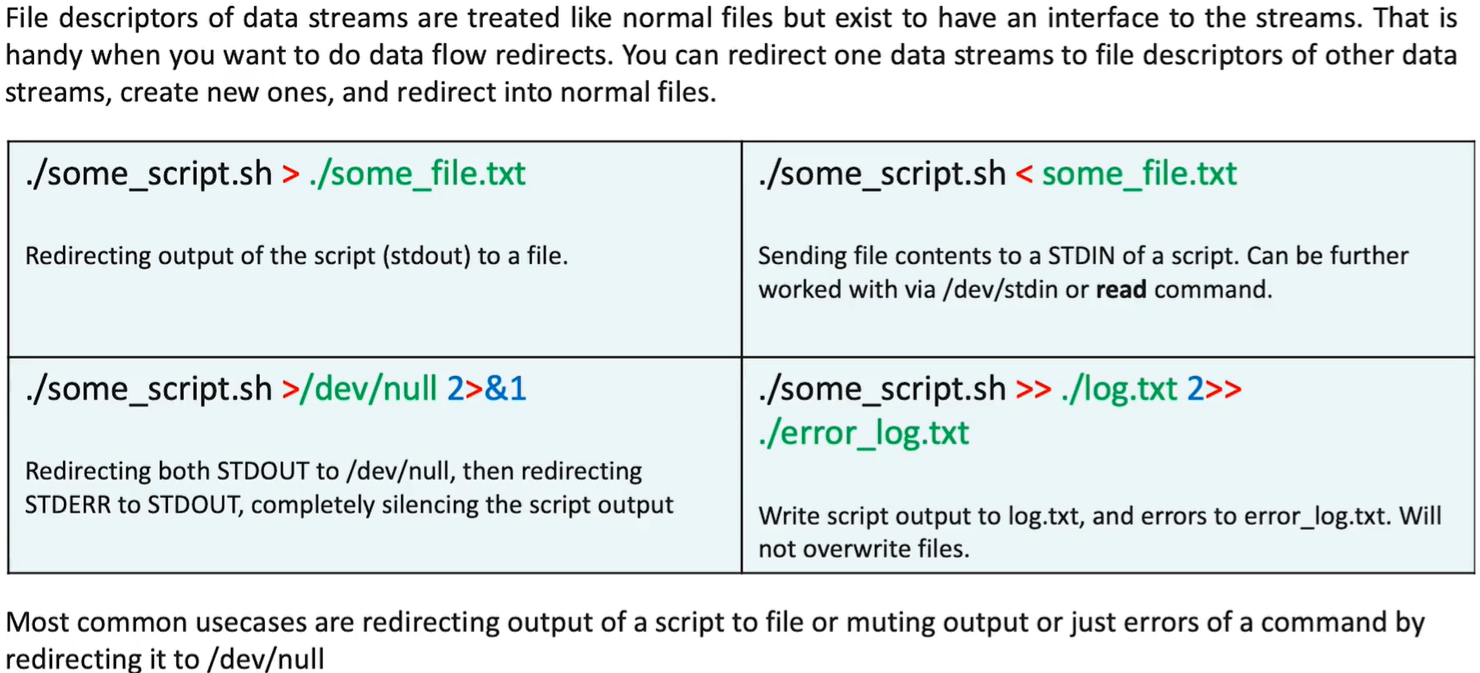
| Syntax | Translation | Logic |
|---|---|---|
2>&1 | ”Redirect stderr (2) to stdout (1)“ | Both errors and normal output will appear together. |
1>&2 | ”Redirect stdout (1) to stderr (2)“ | Force standard messages to be treated as errors. |
&> file | ”Redirect both 1 and 2 to file” | Shortcut for sending all output to a single file. |
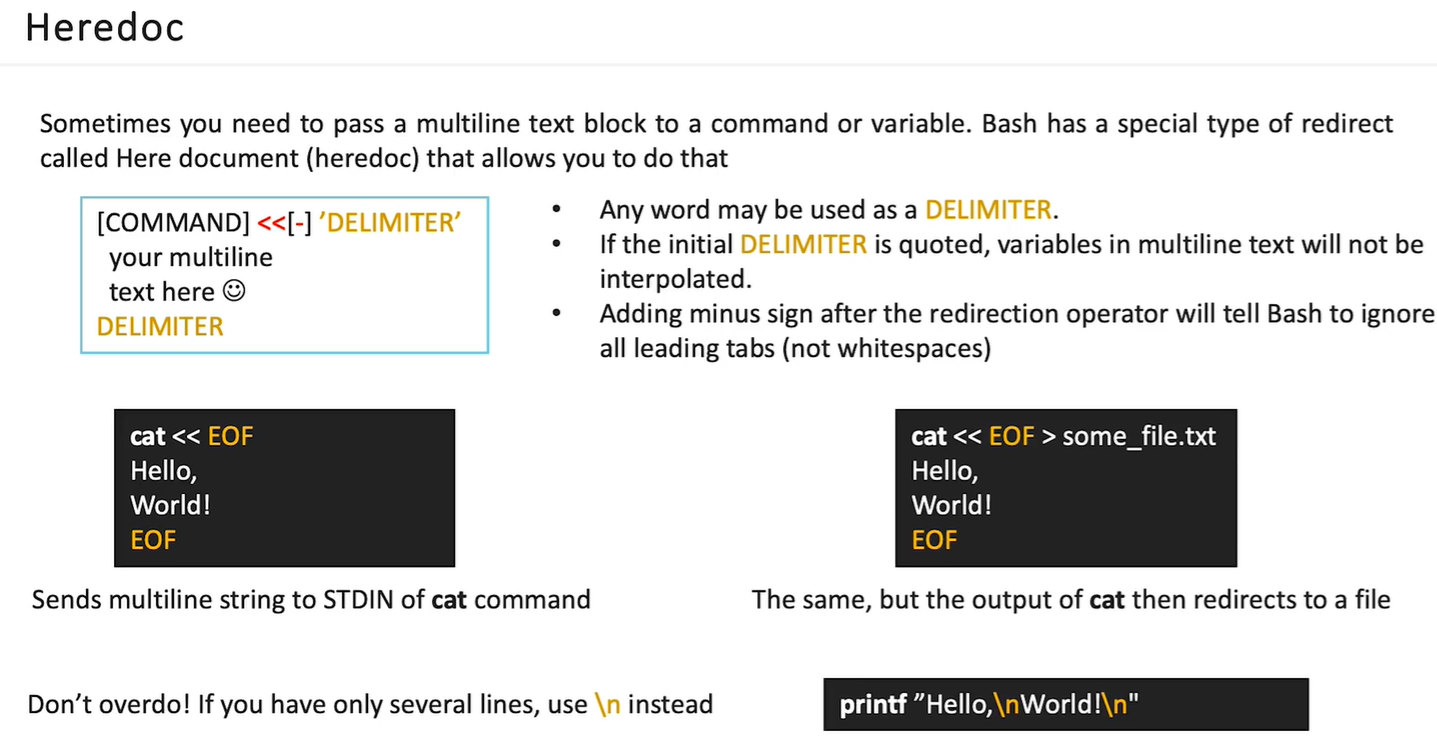
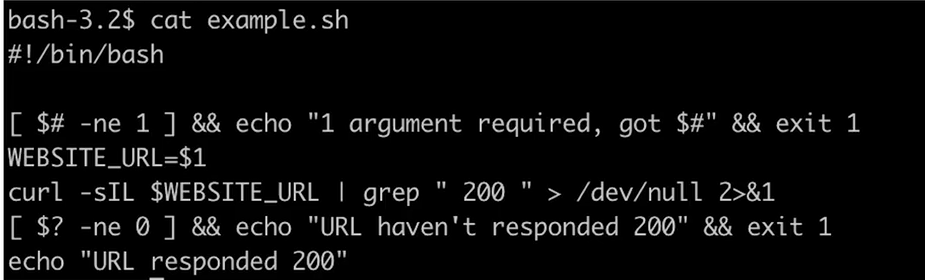
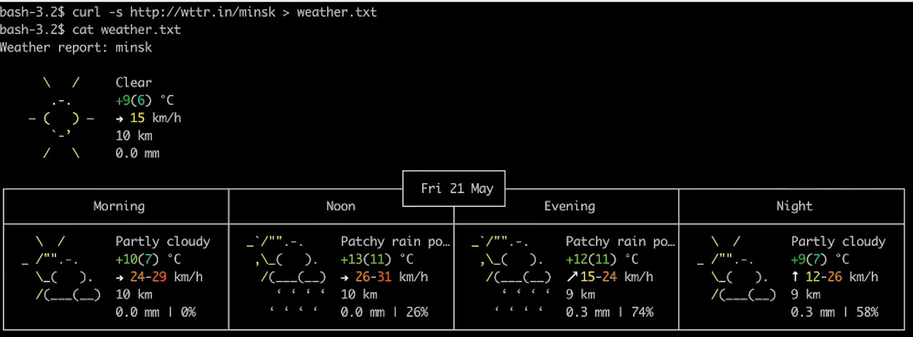
- learn to utilize data streams
Tasks:
- create a script that does the following:
- asks the user to input a filename
- writes the following poem to the file specified by user:
An old silent pond…
A frog jumps into the pond,
splash! Silence again.
Autumn moonlight-
a worm digs silently
into the chestnut.
In the twilight rain
these brilliant-hued hibiscus -
A lovely sunset.
- outputs the poem to the terminal
- outputs the message “Task finished” to stderr
- run your script, specify output as the file to write the poem to, redirect stdout to /dev/null, redirect stderr to stderr file
Self-check:
- script returns no output
- cat output command returns:
An old silent pond...
A frog jumps into the pond,
splash! Silence again.
Autumn moonlight-
a worm digs silently
into the chestnut.
In the twilight rain
these brilliant-hued hibiscus -
A lovely sunset.
- cat stderr command returns:
Task finished
#!/bin/bash
# 1. Ask the user for the filenameread -p "Enter filename: " filename
# 2. Write the poem to the specified file# Use a Heredoc to send text to the filecat <<EOF > "$filename"An old silent pond...A frog jumps into the pond,splash! Silence again.Autumn moonlight-a worm digs silentlyinto the chestnut.In the twilight rainthese brilliant-hued hibiscus -A lovely sunset.EOF
# 3. Output the poem to the terminal (stdout)cat "$filename"
# 4. Output message to stderrecho "Task finished" >&2