

FTP, NFS, SMB, TELNET, SSH, RDP
-
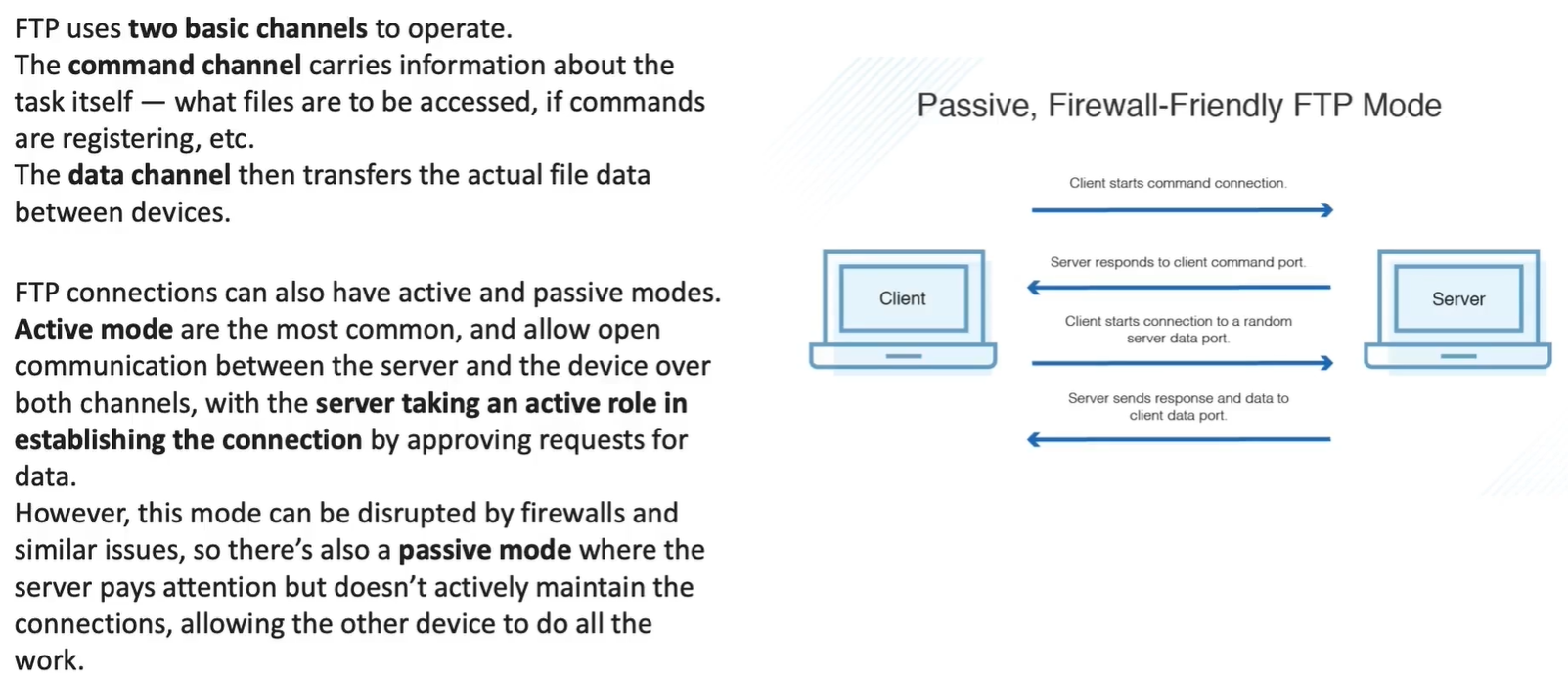
uses TCP
-
Data connection -
-
Control Connection
-
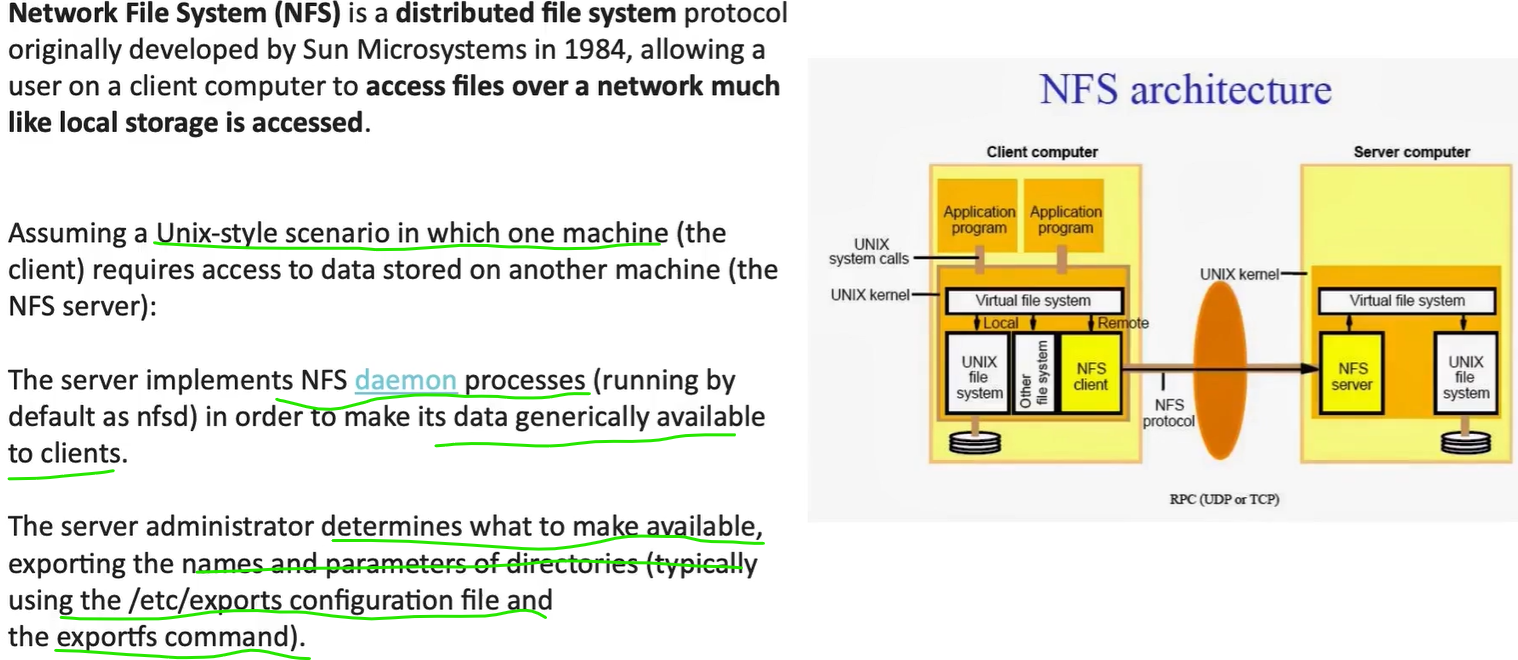
file sharing protocol, native unix/linux
-
clients access files from server using RPC Calls (UDP or TCP)
-
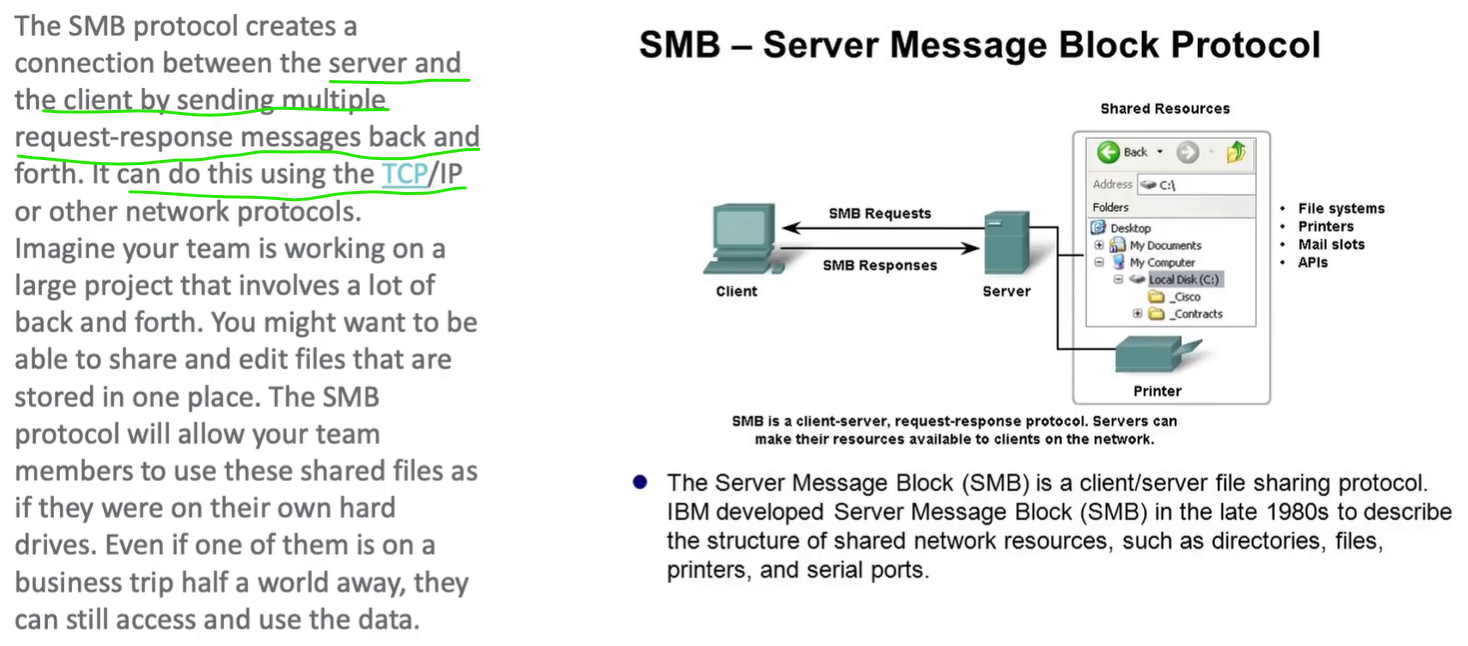
for windows
-
unlike FTP, SMB is secure and have specific access rules for Users and also common public shares
| Aspect | NFS | SMB |
|---|---|---|
| Native OS | Unix/Linux | Windows |
| Auth model | UID/GID | User accounts |
| Encryption | v4 only | SMB3 |
| Firewall | v4 easy | Easy |
| ACLs | POSIX | NTFS |
| Performance | High (Linux) | High (Windows) |
| AD integration | Weak | Native |
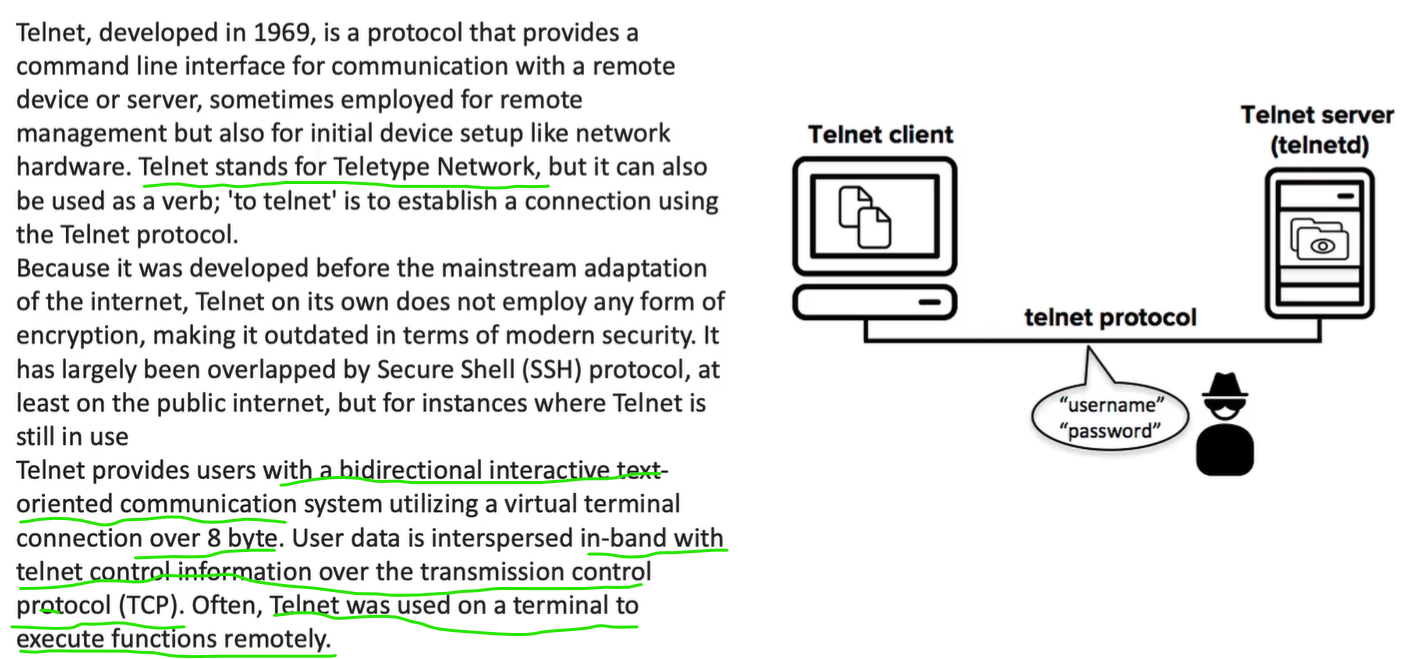
Telnet - not secure
Section titled “Telnet - not secure”telnet <hostname> <port>
This command checks if this specific port is open or not (accepting connections or not)
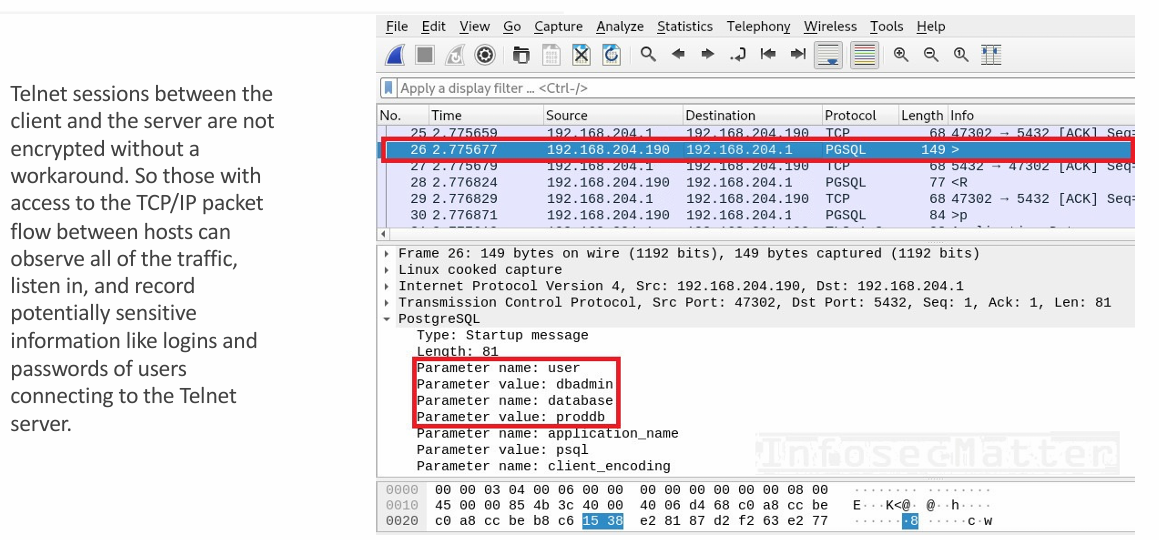
-
similar to Telnet but Uses strong encryption
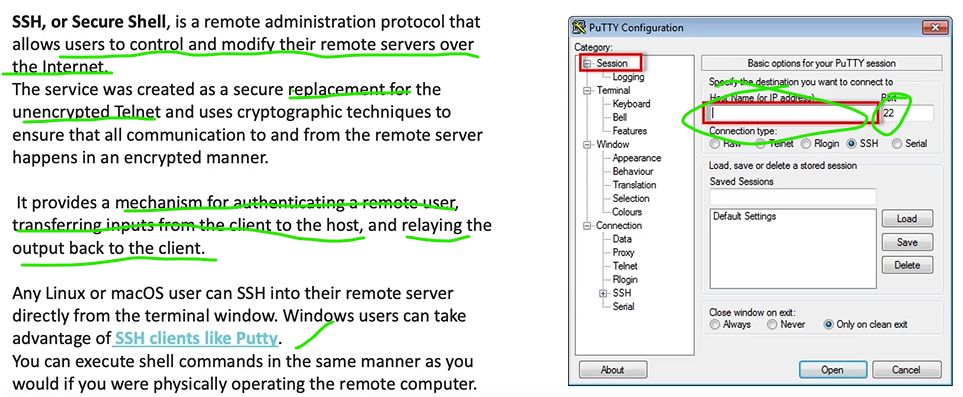
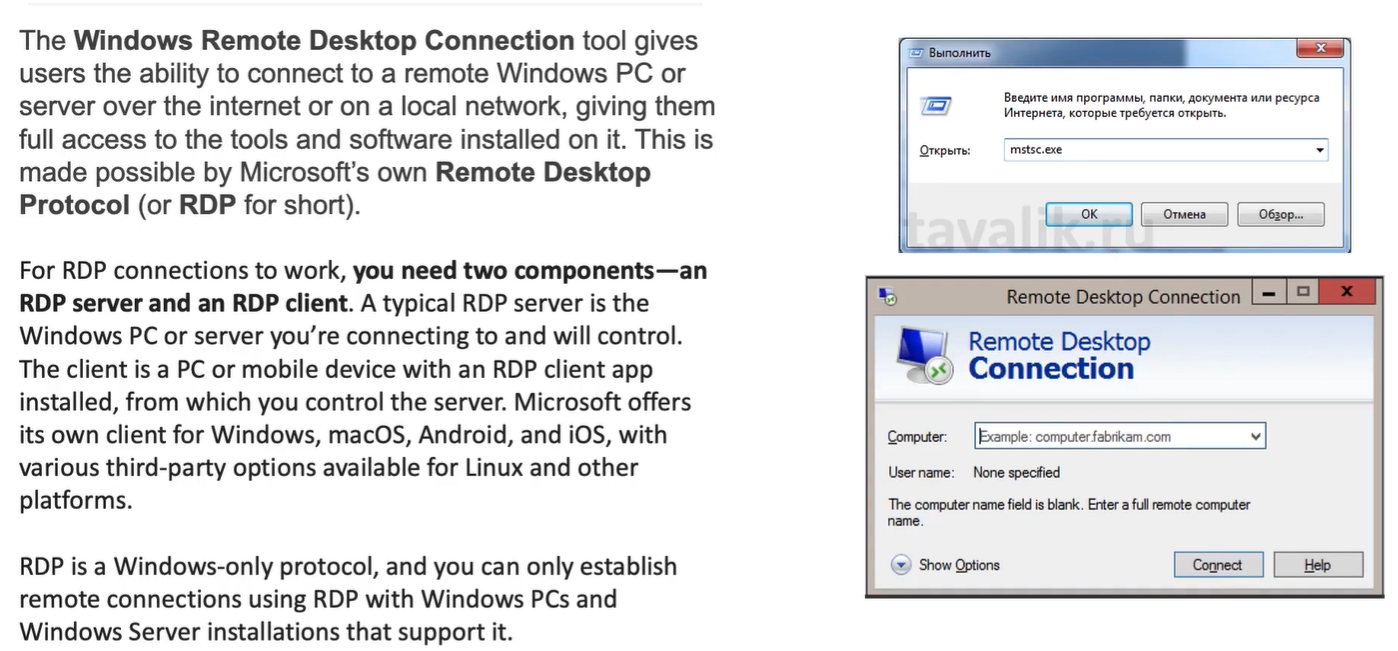
- also allows remote clients accessing physical resources like printers on server environement
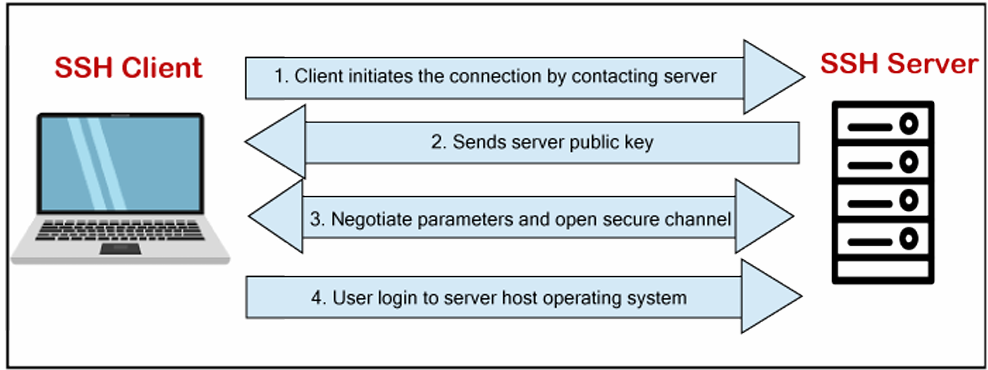
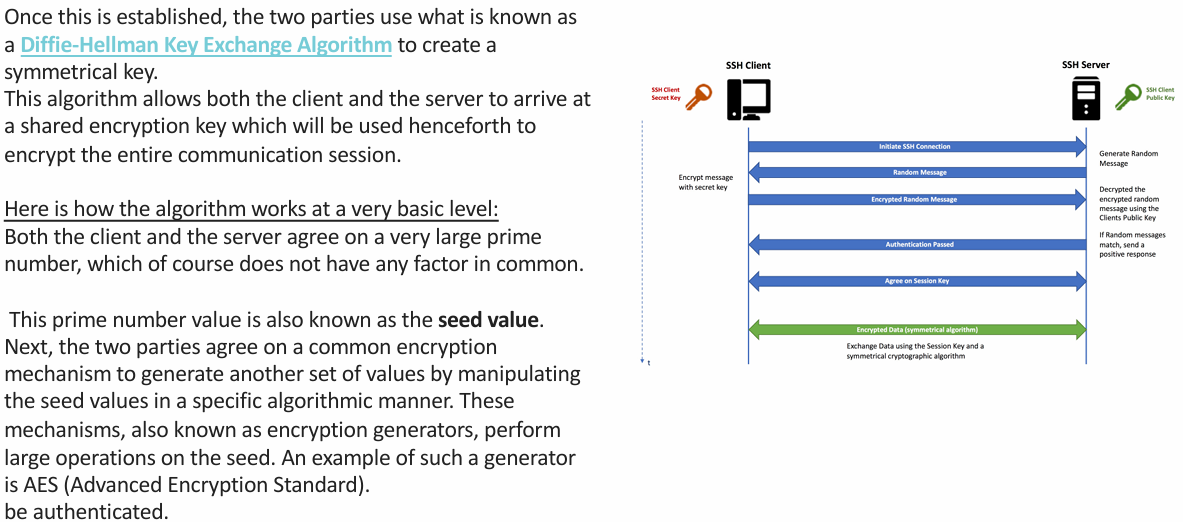
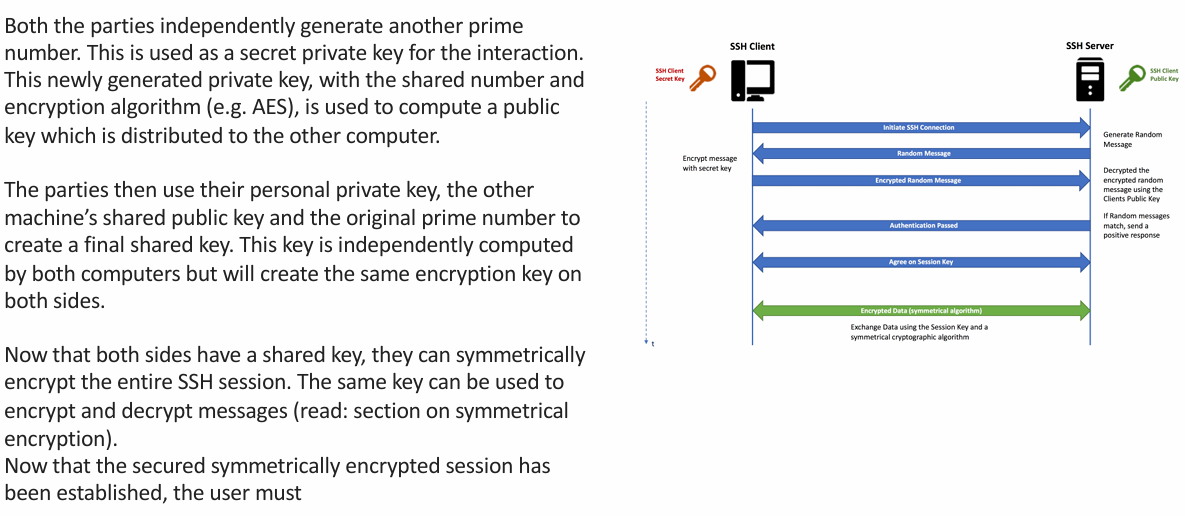
How SSH Works
SSH connection
Section titled “SSH connection”1. Client connects to server
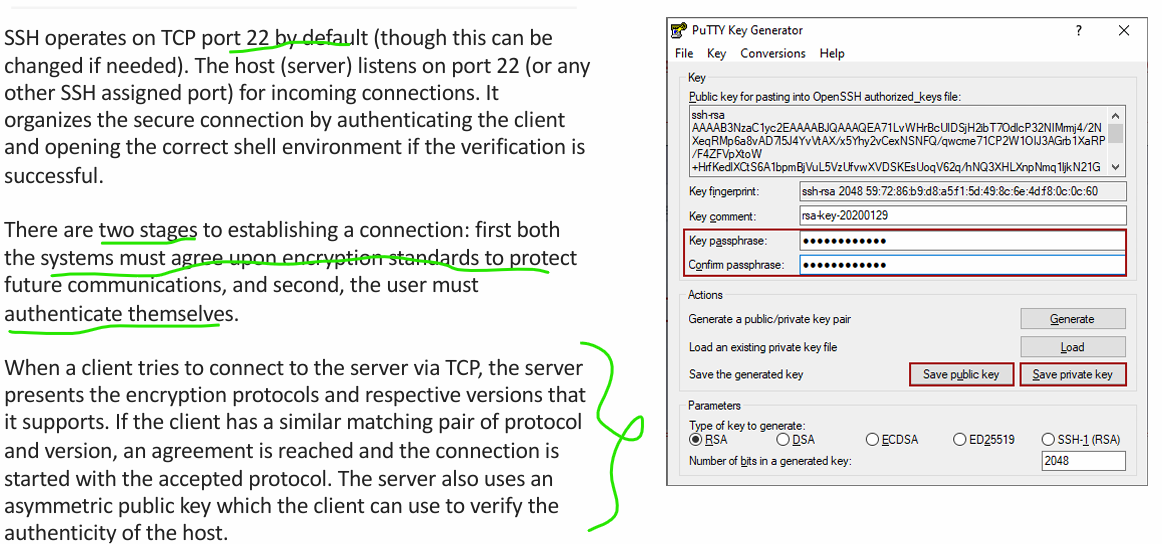
Section titled “1. Client connects to server”- Client opens TCP connection to server
- Default port: 22
- Server is listening for SSH connections
2. Encryption protocol agreement
Section titled “2. Encryption protocol agreement”- Server sends:
- Supported encryption protocols
- Supported protocol versions
- Client compares with its supported list
- A common protocol + version is selected
- SSH session initialization begins
3. Server identity verification
Section titled “3. Server identity verification”- Server presents its asymmetric public key
- Client verifies this key (known host check)
- Confirms server authenticity
4. Diffie-Hellman key exchange (key creation)
Section titled “4. Diffie-Hellman key exchange (key creation)”4.1 Public parameters
Section titled “4.1 Public parameters”- Client and server agree on:
- A large prime number (shared, public)
- A generator (public)
4.2 Private key generation
Section titled “4.2 Private key generation”- Client generates a private random number
- Server generates a private random number
- These private values are never shared
4.3 Public key exchange
Section titled “4.3 Public key exchange”- Client computes a public value using:
- Its private number
- Shared prime & generator
- Server does the same
- Public values are exchanged
4.4 Shared secret computation
Section titled “4.4 Shared secret computation”- Client uses:
- Its private number
- Server’s public value
- Shared prime
- Server uses:
- Its private number
- Client’s public value
- Shared prime
- Both independently compute the same shared secret
5. Symmetric session key creation
Section titled “5. Symmetric session key creation”- Shared secret is used to derive:
- Symmetric encryption key
- This key will encrypt and decrypt all traffic
6. Encrypted channel established
Section titled “6. Encrypted channel established”- SSH switches to symmetric encryption
- All further communication is encrypted
7. User authentication
Section titled “7. User authentication”- Client authenticates using:
- Password or
- SSH public key
- Authentication data travels inside encrypted tunnel
- Server verifies credentials
8. Shell session opened
Section titled “8. Shell session opened”- If authentication succeeds:
- Server opens requested shell environment
- Client can now:
- Execute commands
- Receive output
9. Secure session active
Section titled “9. Secure session active”- Inputs → encrypted → server
- Outputs → encrypted → client
- Session continues until terminated
Final one-line summary
Section titled “Final one-line summary”SSH establishes a TCP connection, negotiates encryption, verifies the server, securely creates a shared symmetric key using Diffie-Hellman, authenticates the user, and then opens an encrypted shell session.