

Docker Engine
Docker Engine
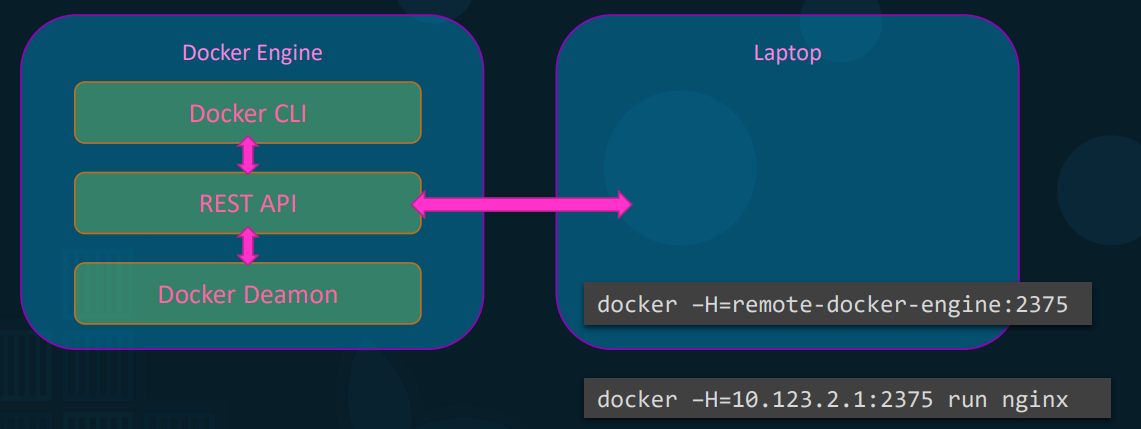
Section titled “Docker Engine”- Definition: Simply refers to a host machine with Docker installed.
- Three Core Components:
- Docker Daemon: The background process responsible for physically managing Docker objects (images, containers, volumes, networks).
- REST API Server: The API interface that external programs and the CLI use to communicate instructions to the daemon.
- Docker CLI: The command-line interface used to perform user actions (run, stop, destroy). It relies entirely on the REST API to talk to the daemon.
Remote Docker CLI
Section titled “Remote Docker CLI”- Concept: The Docker CLI does not need to be on the same physical host as the Docker Engine. You can control a remote server from your local laptop.
- Command Syntax:
docker -h=<IP_ADDRESS>:<PORT> <command> - Practical Example:
docker -h=10.123.2.1:2375 run nginx - How it works in the background: Your local CLI sends a REST API request over the network to the specified remote host’s IP and port, instructing that remote daemon to spin up the Nginx container.
Namespaces (Process ID Isolation)
Section titled “Namespaces (Process ID Isolation)”-
Core Purpose: Provides strict isolation between containers for workspaces, Process IDs (PIDs), networks, IPC, and mounts.
-
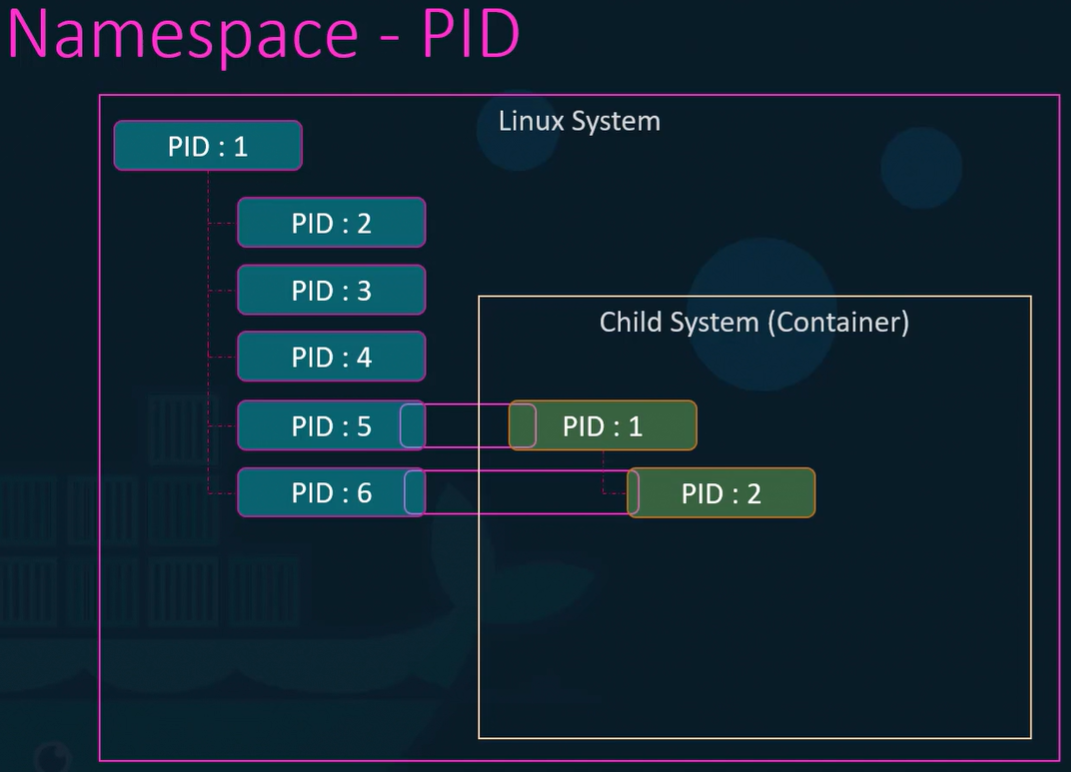
The PID Dilemma: When a Linux system boots, the core root process is always PID 1, and every PID on a machine must be unique. Because a container thinks it is an independent system, it also expects its root process to be PID 1.
-
How Namespace Isolation Works (Step-by-Step):
- A container is started. The processes inside it are actually running natively on the underlying host machine.
- The host OS assigns those processes the next available standard PIDs (e.g., PID 5 and PID 6).
- Docker wraps the container in a PID Namespace.
- Within this isolated namespace, the process is given a secondary identity starting at PID 1.
-
Practical Example: If you list services inside an Nginx container, the Nginx service runs as PID 1. If you list services on the host machine, that exact same Nginx service will show its true host PID (e.g., PID 3452). The container is completely unaware of its host PID.
Control Groups (Resource Restriction)
Section titled “Control Groups (Resource Restriction)”-
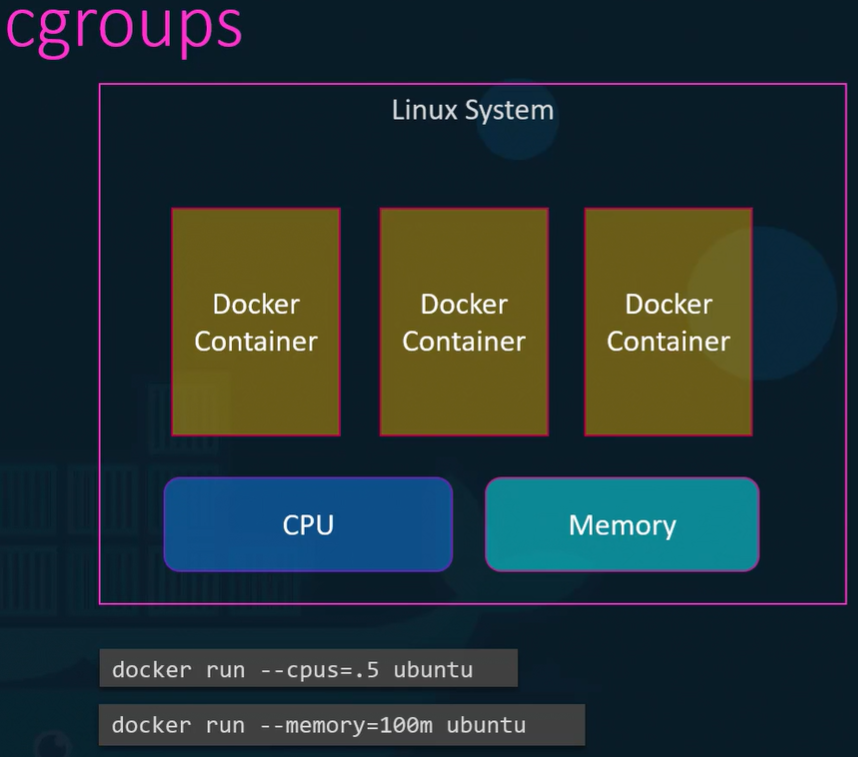
The Problem: By default, containers share the host’s CPU and memory without any restrictions. A single heavy container could consume 100% of the host resources, crashing the system.
-
The Solution: Docker uses cgroups (control groups) to place hard caps on the amount of hardware resources allocated to individual containers.
-
Practical Commands & Background Mechanisms:
- CPU Limit:
docker run --cpus=0.5 <image>- Background: Instructs the cgroup to restrict the container so it cannot utilize more than 50% of the host’s total CPU power at any given time.
- Memory Limit:
docker run --memory=100m <image>- Background: Instructs the cgroup to enforce a strict ceiling, limiting the container’s RAM usage to exactly 100 megabytes.
- CPU Limit: