

Loops
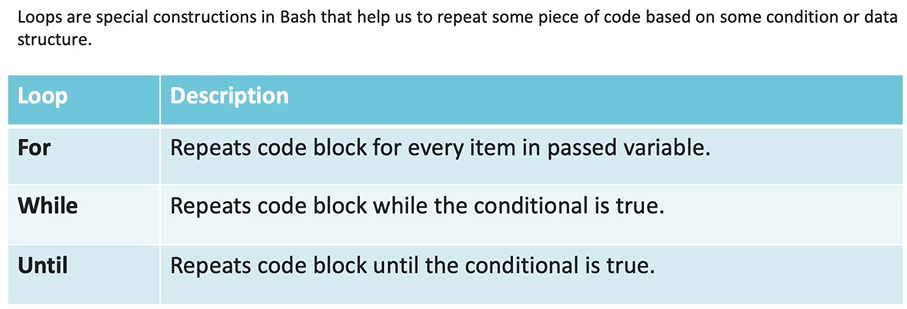
for Loop
Section titled “for Loop”- to iterate over something..
- can iterate over arrays or iterator sequences..
- 2 ways to use..
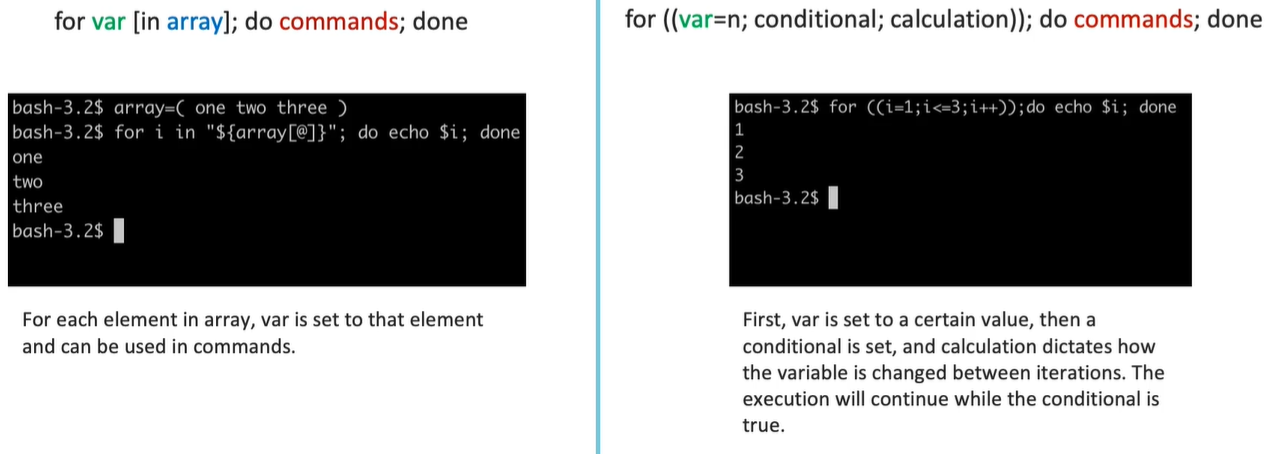
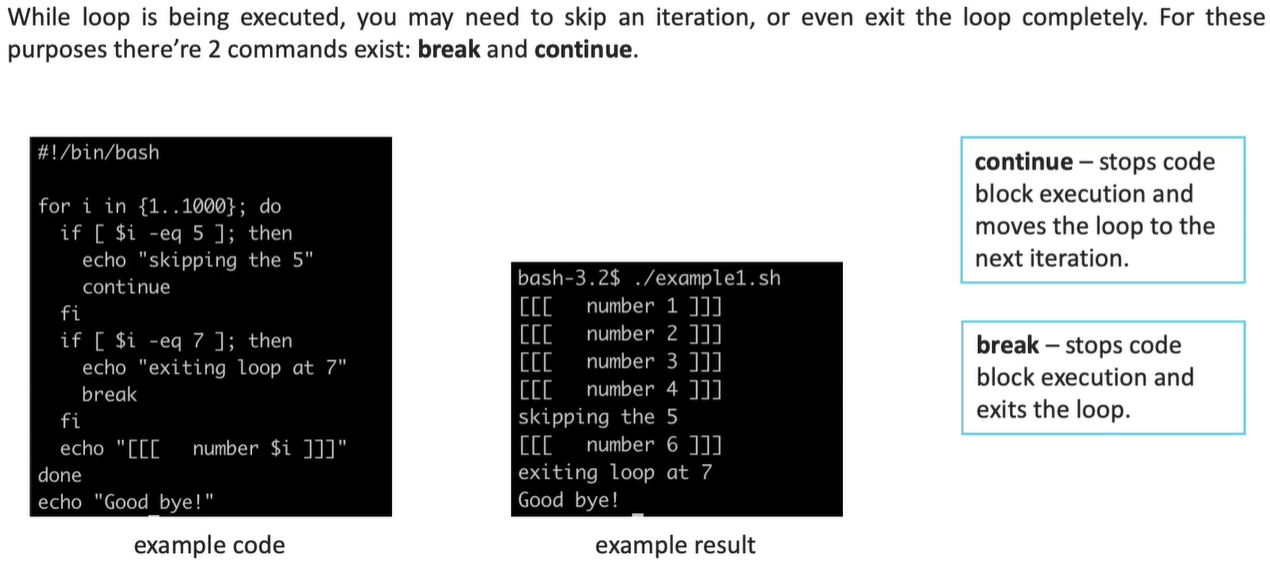
fruits=(apple bananna guva)
for i in ${fruits[@]}do        echo $idone
printf "\n";
for ((i=0; i<${#fruits[@]}; i++))do    echo ${fruits[$i]}done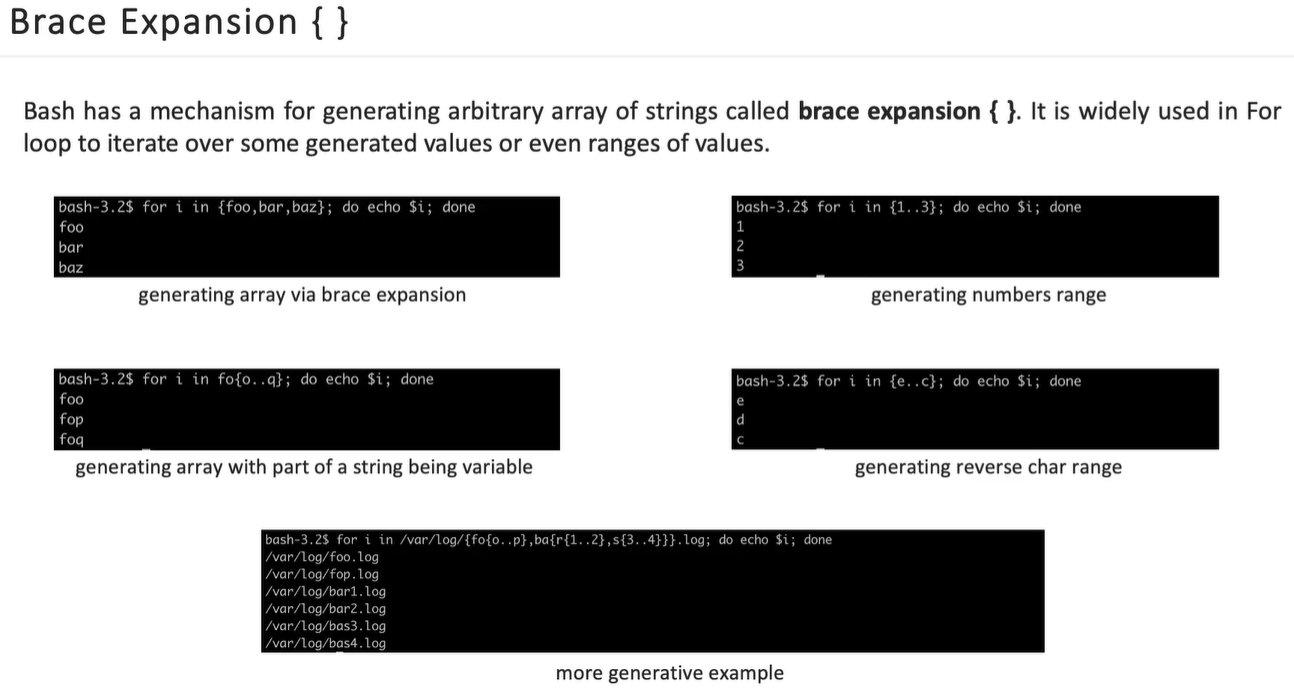
Real world example..
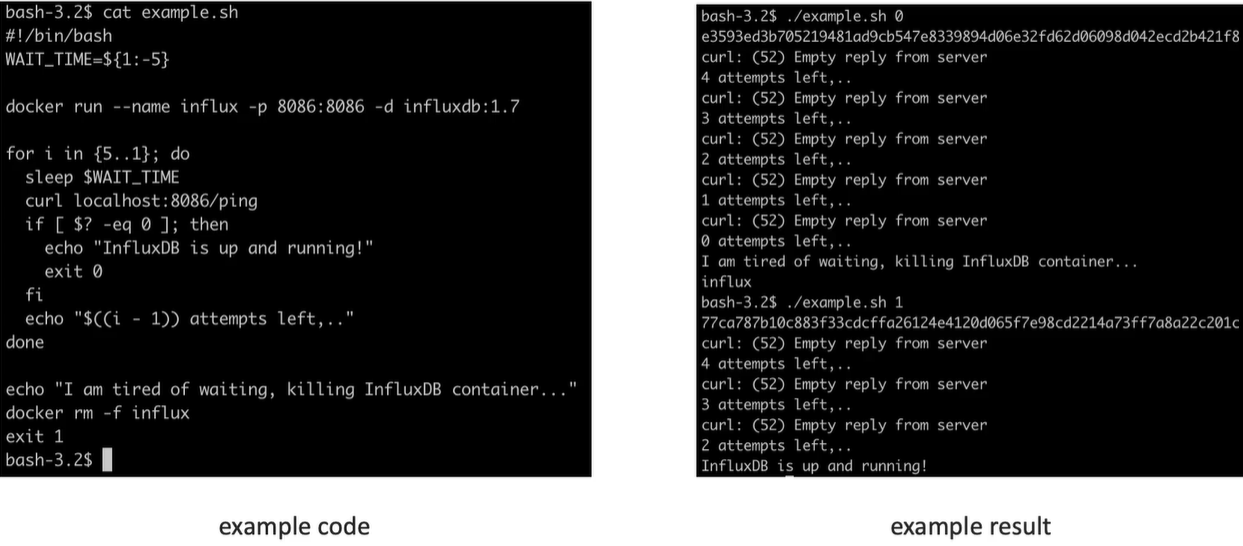
# Accepts any no.of Args and prints sum, avg, total args..SUM=0
for i in "$@"; do(( SUM += i))done
AVG=$((SUM / $#))
echo "SUM = ${SUM}"echo "AVG = ${AVG}"echo "ARGS = $#"
while loop
Section titled “while loop”The condition is evaluated before executing the commands. If it is true, the commands execute; if false, the loop terminates immediately.
Basic Syntax:
while <condition> do <commands> done
Use Cases…
Section titled “Use Cases…”-
Basic Counter Loop: This example iterates as long as the variable
iis less than or equal to two.i=0 while [ $i -le 2 ] do echo Number: $i ((i++)) done#!/bin/bash# Infinite loop to simulate a console [cite: 973, 981]while truedo# Use -p for a prompt and read the whole line [cite: 503]read -p "console> " input# Use 'set' to break the input into positional parametersset -- $inputcmd=$1 # The first word is the commandshift # Shift left so $@ now contains only the argumentscase "$cmd" inls)# If no args are provided, it runs 'ls'. If args exist, they are passed.ls "$@";;pwd)pwd;;hi)# Use the USER environment variableecho "Hello $USER";;exit)echo "Exiting..."exit 0 # Ends the script [cite: 42];;*)# Provide feedback for invalid optionsecho "Enter Valid Options: ls, pwd, hi, exit";;esacdone -
Infinite Loop: An infinite loop repeats indefinitely. This can be achieved using the built-in
:command ortrue, both of which always return true.while : do echo "Press <CTRL+C> to exit." sleep 1 done -
Reading a File Line-by-Line: One of the most common usages is reading a file using input redirection (
<) and thereadcommand.file=/etc/passwd while IFS= read -r line; do echo $line done < "$file" -
Automated Webcam Archiver: This practical script runs in the background to organize webcam images into date and hour-specific directories.
-
Logic: It uses an outer
while trueloop for continuous execution and an innerwhileloop that runs until the hour reset (00) to manage hourly subdirectories.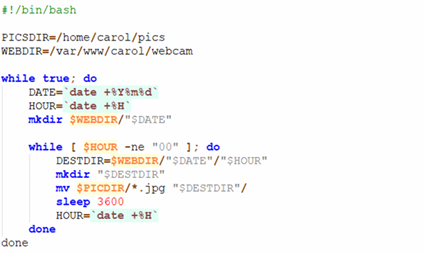
-
Until Loop
Section titled “Until Loop”-
reverse of while loop
-
i.e until loop executes until the condition is false..
-
means.. when condition becomes TRUE loop terminates..
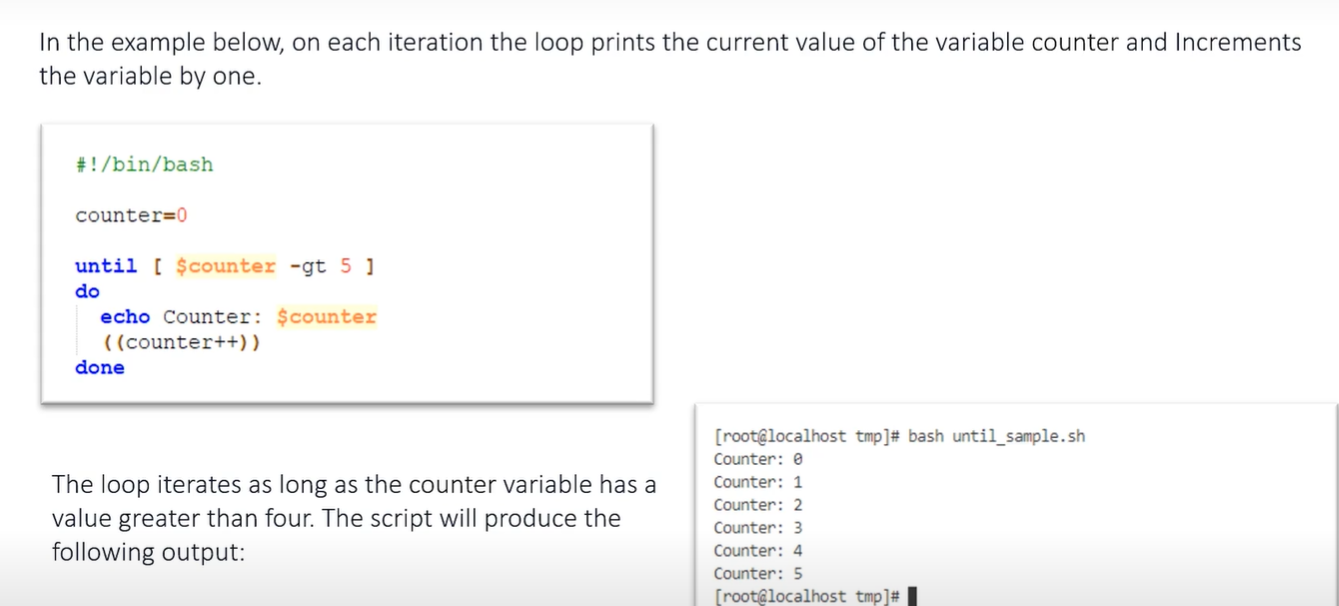
Example Task…
Goals:
- learn to use until loop
Tasks:
- create a script that does the following:
- reads a filename from user input
- combines specifyed file with itself until it reaches a size greater than 1024 KB
- create a file using head -c 4KB /dev/urandom > file.txt command
- execute your script passing the file you’ve just created
Self-check:
- script returns the following output:
Filesize: 8 Filesize: 16 Filesize: 32 Filesize: 64 Filesize: 128 Filesize: 256 Filesize: 504 Filesize: 1004 Filesize: 2004
#!/bin/bash
FILE=$1
# 1. Verification: Check if file exists [cite: 34]if [[ ! -f "$FILE" ]]; then    echo "Error: File $FILE not found."    exit 1fi
# 2. Initialize current size (using du -k for Kilobytes)# du -k provides the size in KB [cite: 395]CURRENT_SIZE=$(du -k "$FILE" | cut -f1)
# 3. Until loop: Executes as long as size is NOT greater than 1024 [cite: 346]until [ "$CURRENT_SIZE" -gt 1024 ]do    # Append content of file to itself using a buffer to avoid input/output errors    # we can't say -> "cat FILE >> FILE" -> this will raise some error, so use some temp file as buffer    cat "$FILE" >> "$FILE.tmp"    cat "$FILE.tmp" >> "$FILE"    rm "$FILE.tmp"
    # Update size and print output [cite: 359]    CURRENT_SIZE=$(du -k "$FILE" | cut -f1)    echo "Filesize: $CURRENT_SIZE"done
Real-world scenario..
#!/bin/bash
# this means, until loop first executes that command and it fails..# so FALSE means it executes the body..# until that command succeeds it will execute the same loop body
until git clone https://github.com/pavan-epam/task.git &> /dev/null;do    echo "Waiting for Git.. Retrying Again after 1s..";    sleep 1done
echo "🎉 Repo Cloned!!"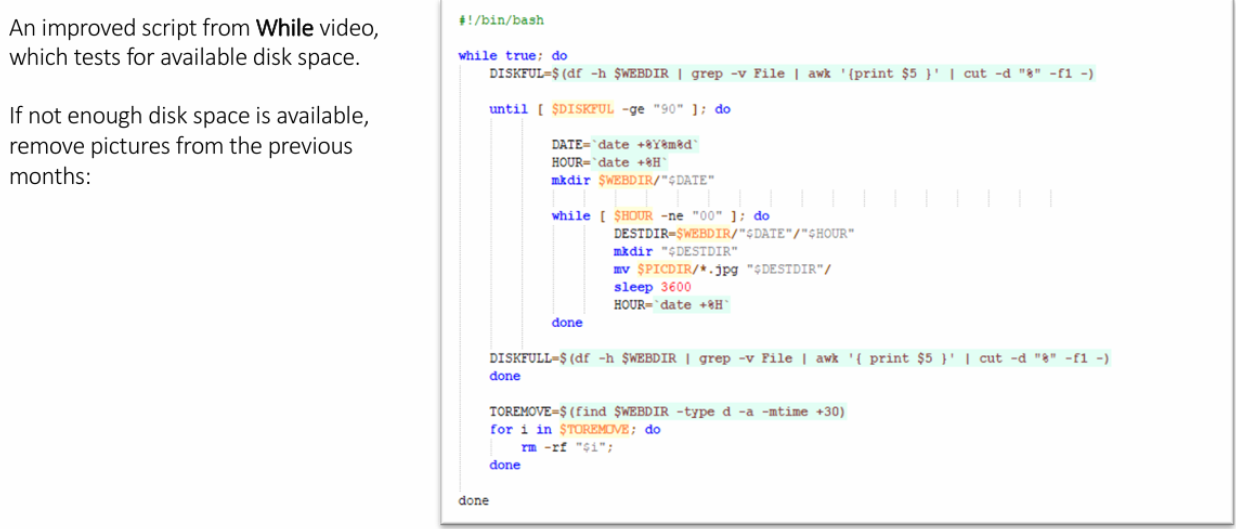
Exercise..
Goals:
- learn to use positional arguments
Tasks:
- create a script that does the following:
- accepts any number of arguments
- prints all arguments in the following format “Arg1: <arg1 value>”, “Arg2: <arg2 value>”
- adds the value of the next argument to the previous one and prints it out (for the last argument add the value of the first one)
- run the script with 7 1 5 7 4 3 6 arguments
Self-check:
- script run returns the following results:
Arg1: 7
Arg2: 1
Arg3: 5
Arg4: 7
Arg5: 4
Arg6: 3
Arg7: 6
8 6 12 11 7 9 13
#!/bin/bash
for((i = 1; i <= $#; i++));do    echo Arg$i: ${!i}done
for ((i = 1; i <= $#; i++ ));do    if (( i == $# ));    then        echo $(( ${!i} + $1 ))        break;    fi
    IND=$((i+1)) #make next index    echo -n "$(( ${!i} + ${!IND} )) "done