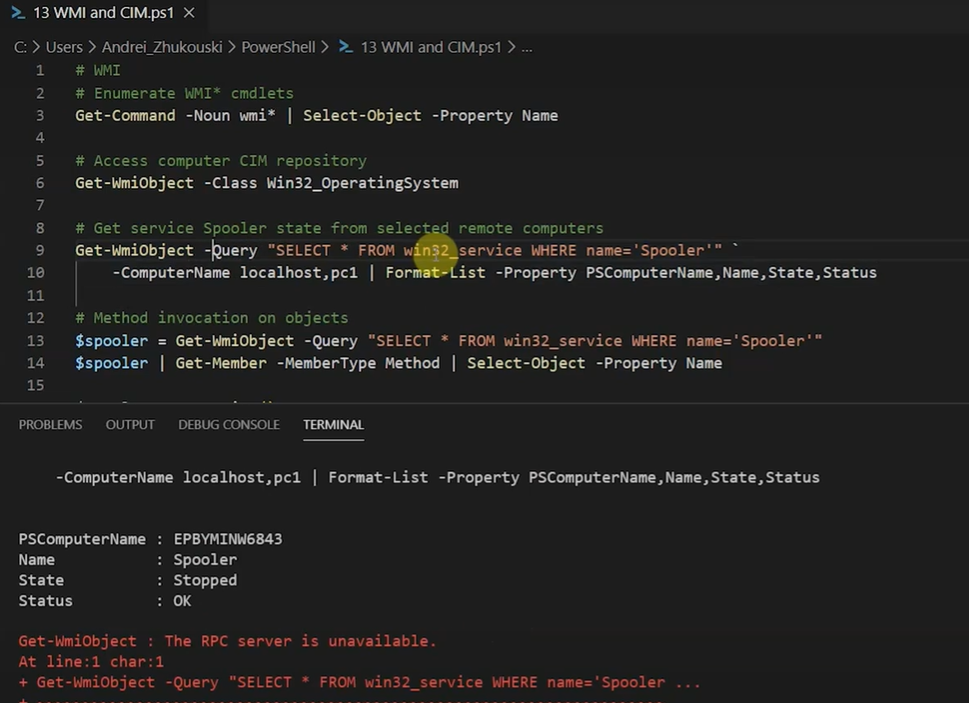
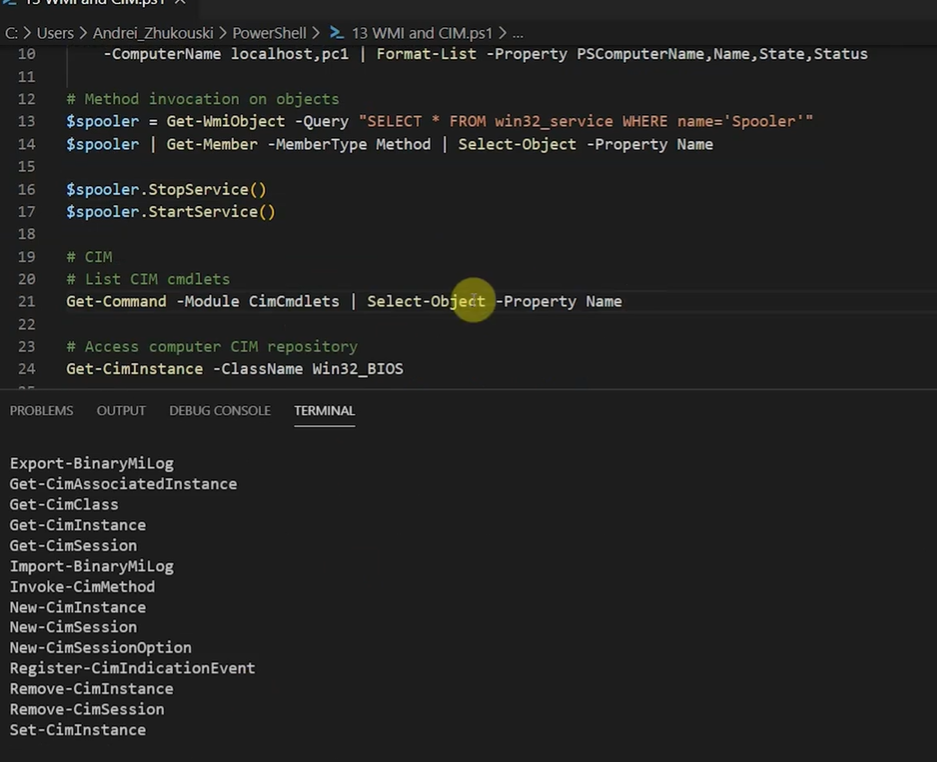
WMI & CIM
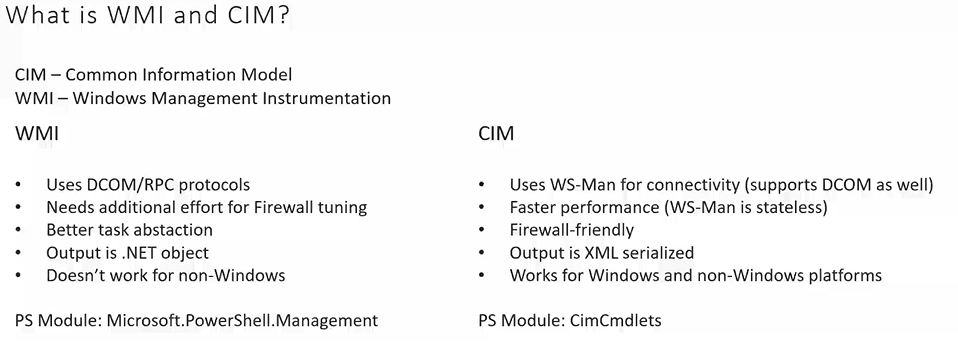
- What is CIM?
- WMI and CIM are used to get information and control computers remotely (like processes, services, hardware).
- CIM is newer and cross-platform, while WMI is Windows-only and older.
- CIM (Common Information Model) = industry standard for managing computers.
- Created by Microsoft, HP, IBM, and others.
- Provides general models for services, processes, CPUs, disks, etc.
- What is WMI?
- WMI (Windows Management Instrumentation) = Microsoft’s implementation of CIM.
- CIM and WMI are the same standard, but different names.
- PowerShell Commandlets
- WMI cmdlets → older, introduced in PowerShell 1 & 2.
- CIM cmdlets → newer, introduced in PowerShell 3+, use
CIMprefix.
- Protocol Differences
| Feature | WMI cmdlets | CIM cmdlets |
|---|---|---|
| Protocol | DCOM (stateful) | WS-Man (stateless, HTTPS) |
| Ports | TCP + random 1024–65534 | Single HTTPS port |
| Platform Support | Windows only | Windows + other platforms |
| Output Object | Full .NET object | Serialized object (needs Invoke-CimMethod) |
| Remote Connection | Only WMI cmdlets | CIM cmdlets via WS-Man |
| Firewall Configuration | Required for multiple ports | Easier, only one port |
Using WMI vs CIM in PowerShell
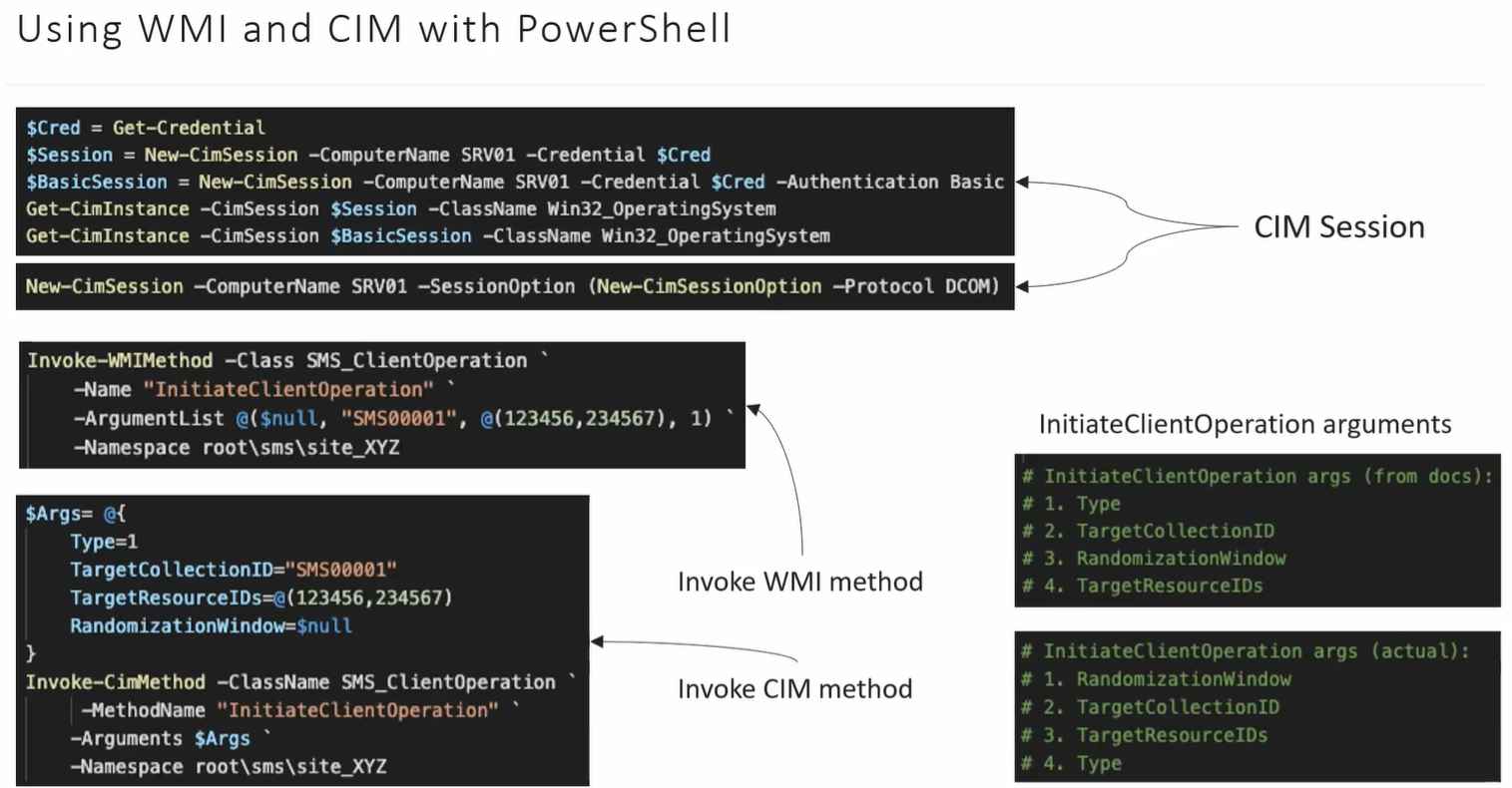
- WMI example:
Get-WmiObject -Class Win32_Process -ComputerName Server01- CIM example:
Get-CimInstance -ClassName Win32_Process -ComputerName Server01Invoke-CimMethod -InputObject $process -MethodName TerminateNote: CIM objects are serialized, so to run methods you use
Invoke-CimMethod.
Key Advantages of CIM
- Uses standard WS-Man protocol, easier firewall configuration.
- Works on Windows and non-Windows platforms.
- Microsoft recommends using CIM cmdlets; WMI cmdlets are being deprecated.
- More consistent with PowerShell remoting.
✅ Memory Tip:
- WMI = Windows only, DCOM, old
- CIM = Cross-platform, WS-Man, new, preferred
CIM vs WMI – Key Differences & Features
Section titled “CIM vs WMI – Key Differences & Features”-
CIM Sessions
- CIM cmdlets support CIMSession → allows using different credentials and authentication methods for remote computers.
- WMI cmdlets only use ComputerName for remote connection.
-
Protocols
- CIM → uses WS-Man (WinRM) by default, cross-platform.
- Falls back to DCOM if WS-Man isn’t available.
- WMI → uses DCOM only, Windows-only.
-
Parallel Execution
- CIM cmdlets support parallel processing → faster when managing multiple remote computers.
- WMI cmdlets process computers sequentially, unless you implement parallel scripts manually.
-
Method Execution
- WMI → methods require parameters in a strict argument list order, easy to make mistakes.
- CIM → allows named parameters using a hash table, simpler and clearer.
Example:
Terminal window Invoke-CimMethod -InputObject $obj -MethodName InitiateClientOperation `-Arguments @{ RandomizationWindow=10; TargetCollectionID="ABC"; TargetResourceIDs="X"; Type="Y" } -
Which to Use?
- CIM cmdlets → preferred in most cases, modern, cross-platform, easier to use.
- WMI cmdlets → use only for older systems (pre-Windows Server 2012) or unsupported CIM attributes.